http cf hi cdn me is a search phrase people often use after seeing http://cf.hi-cdn.me inside Strong 8K-style account instructions, IPTV Smarters setup guides, or reseller configuration messages. The important thing to understand is that the address is not normally a public streaming website where you browse channels in Chrome or Safari. In Strong-related setup material, it appears as a server or hostname that can be entered into a compatible IPTV player together with an authorized username and password.
That distinction explains why http cf hi cdn me can look confusing when you test it the wrong way. Opening a server hostname in a normal browser may return a blank page, an error, or nothing useful at all even when the address is intended for an IPTV API connection. At the same time, server addresses can change, become blocked on some networks, or be replaced by another hostname. The goal is therefore not to memorize one URL forever. The goal is to understand where the hostname belongs in the setup and how to tell whether a failure comes from the server address, your credentials, the player, the network, or the subscription itself.
If you are still evaluating Strong8KTVs rather than troubleshooting an existing account, start with the Strong8KTVs channel lineup and use the Strong8K free trial on the same device you plan to keep using. That lets you judge the actual channels, EPG, sports, VOD, and playback first. The exact hostname can then be treated as one technical part of the connection rather than the main reason to choose or reject a subscription.
Table of Contents
What Is HTTP CF HI CDN ME Actually Used For?
http cf hi cdn me usually refers to the hostname http://cf.hi-cdn.me. In Strong/8K setup material, that address has been shown as a Smarters or Xtream-style server URL. In practical terms, the player uses the server address as one piece of the account connection. Your own username and password provide the account-specific authorization, while the hostname tells the player which server environment it should contact.
This is why http cf hi cdn me by itself does not give you television channels, movies, series, or an active subscription. Someone could know the hostname and still have no access because the account credentials are missing or inactive. The reverse is also possible: you may have a valid username and password but still fail to connect if the server address saved in the player is outdated or does not match the account you were issued.
Strong-related setup examples have also shown other hostnames alongside cf.hi-cdn.me, including addresses such as cf.hi-ott.me, cf.hi-max.me, and cf.cdn-amz1.me. That is useful because it shows that the hostname is better understood as one possible route into the service rather than the entire service itself. The correct route can depend on the provider, reseller, account configuration, region, or current network conditions.
Why Can the URL Fail in a Browser and Still Work in an IPTV Player?
A normal website is designed to send a human-readable page to a browser. An IPTV server endpoint can be designed for application requests instead. That difference matters when people test the server address by typing http://cf.hi-cdn.me into Chrome and assuming the subscription is dead because no polished homepage appears. A blank response or browser error does not automatically prove that the server cannot be used by the player in the way the provider intended.
The player may send a specific request that includes your username, password, and other parameters. A browser test usually does not reproduce that request. It simply asks the root hostname for a normal webpage. If the server is not configured to serve a public homepage, the result can look broken even though the account API still responds correctly inside a compatible application.
That does not mean every failed browser test should be ignored. The hostname has also been reported as unreachable from some locations at particular times, so the hostname can genuinely experience routing, blocking, DNS, or availability problems. The point is narrower: browser behavior alone is not enough evidence. The meaningful test is whether the exact account works in the player and network configuration your provider currently recommends.
Where Should You Enter HTTP CF HI CDN ME in IPTV Smarters?
If your authorized provider specifically tells you to use http cf hi cdn me with IPTV Smarters, the address normally belongs in the server or URL field of an Xtream-style login. The exact wording can vary by app version, but the setup commonly asks for a profile or playlist name, a server URL, a username, and a password. The server field is where http://cf.hi-cdn.me belongs when that is the hostname supplied for your account.
Do not use usernames or passwords copied from screenshots, reseller tutorials, or example configurations. Those details may be placeholders, expired trials, or credentials belonging to someone else. Your own provider should supply the information tied to your subscription. Once the profile is saved, give the player enough time to authenticate and import live channels, VOD categories, and EPG data. Large playlists can take longer on older televisions or streaming sticks.
The Server Address and Your Login Credentials Do Different Jobs
The easiest way to understand the setup is to separate the fields. http cf hi cdn me identifies the server route. The username identifies your account. The password proves access to that account. The playlist name is simply a local label that helps you recognize the profile inside the player. Mixing these roles is one of the most common causes of a failed setup.
Field
What It Does
Typical Example
Playlist name
Local name inside the app
Strong TV
Server / URL
Points the player to the account server
http://cf.hi-cdn.me
Username
Identifies your subscription
Supplied by your provider
Password
Authorizes access to your account
Supplied by your provider
If http cf hi cdn me is entered correctly but the playlist never loads, recheck the credentials and subscription status before changing advanced player settings. One incorrect character, an accidental space, or an expired account can look like a server failure even when the hostname itself is still responding.
Can You Use the Same Server Address in TiviMate or Another Player?
Potentially, yes. If your account is authorized to use http cf hi cdn me and your provider supplies Xtream-style credentials, a compatible player can often use the same server, username, and password combination. TiviMate and other television-oriented players can support common playlist formats such as Xtream-style logins and M3U URLs, but the exact account format still needs to match what the player expects.
The useful test is consistency. If http cf hi cdn me works in IPTV Smarters but fails in another compatible player, compare the spelling of the server address, the protocol, the username, password, and any saved account profile. A typo in one app can make it look as though the second player is incompatible. If the same credentials and server fail in several players at the same time, a player-specific setting becomes less likely.
Do not install five apps at once and start changing everything randomly. Keep one working configuration when possible and use a second compatible player only as a diagnostic comparison. This helps you learn whether the problem follows the application or follows the server connection and account itself.
Why Can HTTP CF HI CDN ME Suddenly Stop Working?
A server hostname is not guaranteed to remain the preferred route forever. http cf hi cdn me can stop working because the provider migrates accounts, DNS records change, an ISP interferes with access, a security or filtering system blocks traffic, or the reseller issues a new hostname. Your subscription may also have expired even though the server remains online, which is why account status should be checked before you assume the URL has failed.
Public reports have also described periods when cf.hi-cdn.me was not reachable from some test locations or networks. Those observations are snapshots rather than proof that http cf hi cdn me is permanently offline. Availability can change by time and region. A hostname that fails on one ISP may still work elsewhere, and a route that stops responding today may be replaced by another official server tomorrow.
If It Worked Yesterday, Check These Things Before Rebuilding the Setup
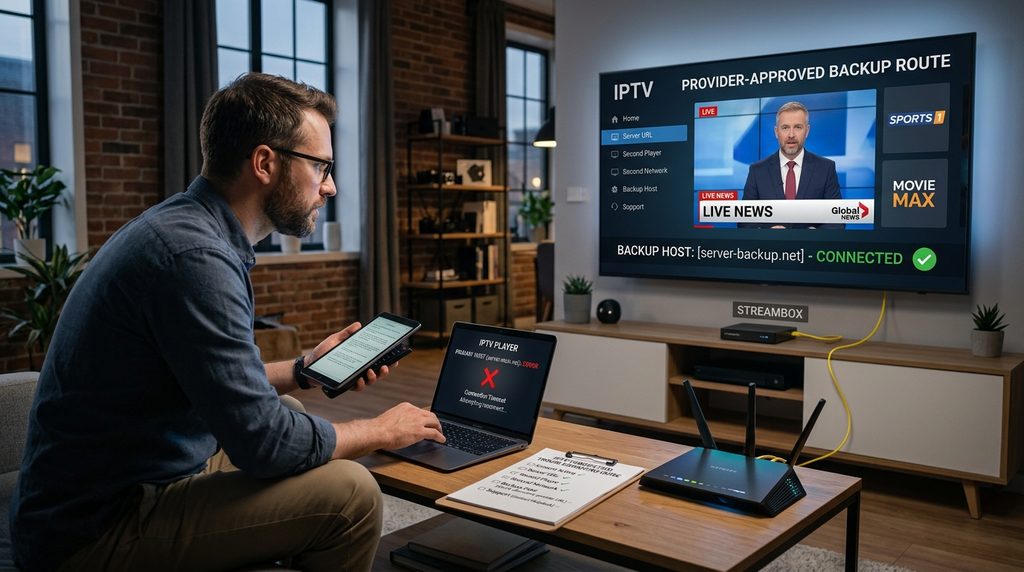
When http cf hi cdn me suddenly stops after working normally, begin with the account rather than deleting the whole installation. Confirm the subscription has not expired. Restart the player and device. Test another streaming application so you know the network itself is working. If possible, try the same account in a second compatible player or on another network. Then ask the provider whether the hostname has changed.
Confirm the subscription is still active.
Retype the server address and credentials carefully.
Restart the player and streaming device.
Check that normal internet services work.
Try the same account in another compatible player.
Compare another network when practical.
Ask the account issuer whether a new hostname is required.
This order prevents a temporary server-routing problem from turning into several new configuration problems. If you erase profiles, change passwords, switch players, alter DNS, and replace the server address at the same time, you may eventually restore access without learning what actually failed.
Should You Switch to Another Hostname When One Server Fails?
The existence of alternative hostnames does not mean every customer should swap between them freely. Strong-related setup material has listed addresses such as cf.hi-ott.me, cf.hi-max.me, and cf.cdn-amz1.me alongside the hostname, but the correct hostname still depends on the backend and permissions associated with your account.
A replacement address should ideally come from the provider or reseller who issued your credentials. If they tell you that the old hostname has been replaced for your account, use the new hostname exactly as supplied and keep the same username and password only if they specifically say those credentials remain valid. Do not assume that an alternative domain found in a cached tutorial is automatically authorized for your account.
This is especially important because some server changes are made to improve routing or work around blocks in particular regions. One user may be told to use one address while another account is routed differently. The fact that two hostnames belong to the same broader setup material does not mean they are interchangeable in every configuration.
Does the HTTP Address Make the Server Unsafe?
http cf hi cdn me often attracts attention because the supplied address begins with http:// instead of https://. Modern public websites generally prefer HTTPS because it encrypts browser traffic using TLS. IPTV backend infrastructure can still expose HTTP endpoints depending on how the service is configured. The important rule is not to change the address manually from HTTP to HTTPS unless the provider confirms that an HTTPS endpoint exists.
Adding an “s” does not automatically make a connection secure or functional. The destination server must actually be configured for HTTPS with the correct certificate, port, and application endpoint. If the account instructions say to use the supplied address with HTTP, changing it yourself can simply create a connection failure.
Public reputation checks mentioned in the source did not show a clear malware or phishing verdict for the hostname, but limited reputation history should not be confused with a guarantee. A domain can avoid known-malware detections while the seller behind an IPTV account is still unreliable, while the content itself may have separate legal questions. Technical reputation, seller trust, and content authorization are different issues.
Protect the Credentials That Travel With the Server Setup
The more immediate security risk for many users is exposing account credentials. Never paste your complete M3U link, username, password, or private server-account details into an unknown “URL checker” or public troubleshooting form. A complete M3U link can include the username and password directly inside the address.
When asking for help, share the player name, device, and exact error message while hiding account-specific information. If a screenshot shows the server and credentials, crop or blur the sensitive fields before posting it publicly. Only enter your subscription information into the player and server route your provider has confirmed.
HTTP CF HI CDN ME vs an M3U URL: What Is the Difference?
This distinction causes a lot of failed setups. http cf hi cdn me is a server hostname. A full M3U playlist URL is normally much longer because it combines the server with a path and account parameters. Depending on the system, the complete link can include something similar to a playlist endpoint plus the username, password, playlist type, and output format.
If your player asks for Xtream-style credentials, enter the server, username, and password separately. In that setup, http cf hi cdn me belongs only in the server field. If the player asks for a complete M3U URL, a bare server hostname is not enough because the player still needs the account-specific playlist path and credentials.
Setup Type
What You Enter
Where HTTP CF HI CDN ME Fits
Xtream-style login
Server + username + password
Server field
M3U playlist
One complete playlist URL
Only part of the full URL
Dedicated provider app
Can be username/password only
Server may already be built into the app
Do not manually build a full playlist from the hostname unless your provider gives you the exact format. One missing path, parameter, or output value can make the link fail. Using the account details exactly as supplied is simpler and reduces errors.
Can Changing the Server URL Fix Buffering or Picture Quality?
Sometimes a different official server route can improve access, but changing http cf hi cdn me is not a universal buffering fix. Streaming quality depends on the source feed, server load, ISP routing, Wi-Fi conditions, router congestion, VPN route, player decoder, device performance, and bitrate. A new hostname can help when the original route is blocked or poorly routed, but it cannot fix every weak link in the chain.
Use a controlled troubleshooting order before blaming the server. Test another channel first because one source can fail while the rest of the subscription is fine. Restart the stream, player, and device. Confirm normal internet access. Compare Wi-Fi with Ethernet when available. Pause large downloads. Try another compatible player. Only then test an official alternative hostname if the provider has supplied one.
Test another channel.
Restart the stream.
Restart the player and device.
Check another streaming service.
Compare Wi-Fi with Ethernet.
Pause large downloads and backups.
Test another supported player.
Use another authorized hostname only if one was provided.
Contact support if the same problem continues.
If every channel improves immediately after moving away from the old hostname to a provider-approved alternative, the old route may have been part of the problem. If buffering remains identical across hostnames and players, keep looking at the source, network, device, or subscription rather than cycling through server addresses endlessly.
Frequently Asked Questions About HTTP CF HI CDN ME
What Does HTTP CF HI CDN ME Mean?
http cf hi cdn me is the search-friendly spelling of http://cf.hi-cdn.me. It appears in Strong/8K IPTV configuration material as a server or Smarters-style hostname. It is not normally a public website where you browse the television catalog directly.
Is HTTP CF HI CDN ME a Strong 8K Server?
Public Strong-related setup material has listed cf.hi-cdn.me among server or Smarters domains, which supports a connection with the broader Strong/8K ecosystem. That does not mean every Strong-branded reseller or account uses http cf hi cdn me, because server routes and account configurations can differ.
Why Does HTTP CF HI CDN ME Not Open in Chrome?
The hostname may be designed for IPTV application requests rather than normal browser navigation. A browser may therefore show nothing useful even when the account connection is intended to work through a compatible player. http cf hi cdn me can also experience temporary routing or availability problems, so browser behavior should not be the only test.
Can I Use HTTP CF HI CDN ME in IPTV Smarters?
Yes, when the provider who issued your account specifically tells you to use that hostname. Enter http cf hi cdn me as the server or URL in the appropriate Xtream-style login and combine it with your own authorized username and password. Do not use example credentials from tutorials.
Can I Use the Same URL in TiviMate?
Potentially, when your account supports an Xtream-style login and is authorized for that server address. Enter the server, username, and password exactly as supplied. If http cf hi cdn me works in one compatible player but not another, compare the saved fields before changing the subscription.
Is HTTP CF HI CDN ME Permanently Down?
No conclusion like that should be made from one availability report. The hostname has experienced reported periods of unreachability, but those are snapshots. http cf hi cdn me may work differently depending on time, region, ISP, routing, and provider configuration. Ask your account issuer for the current authorized server when access stops.
Should I Change HTTP to HTTPS?
Not unless the provider confirms an HTTPS endpoint. Manually changing http cf hi cdn me to HTTPS does not automatically make the connection safer or functional because the server must actually support TLS on the correct endpoint.
Is the Hostname the Same as an M3U Playlist?
No. http cf hi cdn me is a hostname. A full M3U playlist normally contains the hostname plus a path and account-specific parameters. If your player uses Xtream-style login, enter the server and credentials separately. If it expects M3U, use the complete playlist URL supplied for your account.
Should You Change Your IPTV Subscription if the URL Stops Working?
Not immediately. If http cf hi cdn me stops working, the failure may affect only that hostname or route while the subscription itself remains valid. Strong-related setup material already shows that multiple hostnames can exist, and providers can move users between server addresses when routing, blocking, or infrastructure changes. Cancelling a working account because one URL fails can therefore be premature.
Start by confirming that the subscription is active and the credentials are correct. Test the same account in another compatible player, compare another network when practical, and ask the provider whether the authorized server has changed. If they issue a replacement for http cf hi cdn me, use that exact address instead of experimenting with unrelated domains found online.
If you are a new Strong8KTVs buyer rather than an existing customer with a server problem, focus on the service itself first. Review the channel lineup, use the free trial, and test your real device, priority channels, sports, EPG, VOD, and evening performance. Use the Strong8KTVs contact page if the recommended player or server route is unclear.
Once the account performs reliably under your normal conditions, compare the current Strong8KTVs pricing and choose a plan length that matches your confidence. The useful lesson from http cf hi cdn me is not that one hostname is permanently good or bad. It is that the server URL is only one technical piece of the IPTV setup, and it can change without automatically making the whole subscription unusable.