Streaming live television in 4K resolution on an Amazon Firestick has transformed home entertainment across the United States, Canada, and Europe. However, achieving a seamless, cable-like viewing experience requires two critical components: a high-performing IPTV player app and a stable, high-bitrate IPTV subscription.
With dozens of applications available, finding the right combination can be overwhelming. This comprehensive 2026 guide breaks down the top IPTV players for Firestick, details step-by-step sideloading instructions, compares universal device compatibility, and highlights why combining TiviMate or IPTV Smarters Pro with Strong 8K IPTV delivers the ultimate cord-cutting solution.
Table of Contents
What Is the Best IPTV App for Firestick with Subscription?
Quick Answer: The best IPTV app for Amazon Firestick paired with a premium subscription is TiviMate IPTV Player, closely followed by IPTV Smarters Pro. When configured with a high-performance service like Strong 8K IPTV, users gain access to over 25,000 live HD/4K channels and an extensive on-demand VOD library with zero buffering. You can easily connect your subscription using Xtream Codes API or M3U playlist credentials through the Firestick Downloader app.
Top IPTV Apps for Amazon Firestick Tested & Reviewed
Selecting the optimal media player software dictates how quickly your Electronic Program Guide (EPG) loads, how smooth your channel switching feels, and whether you can record live sports. Below are the top-rated apps tested on Amazon Firestick 4K, Firestick 4K Max, and Fire TV Cube.
TiviMate IPTV Player (Best Overall Experience)
Quick Answer: TiviMate is widely considered the ultimate IPTV player for Firestick due to its cable-like interface and lightning-fast EPG navigation. It supports Xtream Codes login, M3U playlists, catch-up TV, multi-screen viewing, and scheduled recordings.
For users seeking an experience that mirrors traditional cable or satellite set-top boxes, TiviMate is the gold standard. Designed natively for Android TV and Fire OS, its interface is sleek, responsive, and optimized entirely for remote control navigation.
Setting up an IPTV subscription for TiviMate takes less than two minutes using your Xtream API credentials. Key features include:
Customizable channel categories and channel hiding.
Multi-screen mode (watch up to 4 live sports games simultaneously).
Seamless EPG updates with auto-sync capability.
Cloud and local recording options for live programs.
IPTV Smarters Pro (Best Free Multi-Platform Option)
Quick Answer: IPTV Smarters Pro is a highly reliable, cross-platform app that allows Firestick users to stream live channels, VOD movies, and catch-up TV with built-in multi-screen support. It supports parental controls, custom player engines, and direct Xtream Codes API login.
IPTV Smarters Pro remains one of the most popular free applications for streaming media. Its clean dashboard separates Live TV, Movies, Series, and Catch-Up content into distinct tiles, making navigation intuitive for the entire family.
Whether you are using an Amazon Firestick in your living room or an Android phone on the go, IPTV Smarters Pro synchronizes easily. It features native hardware acceleration, dynamic master search, parental controls, and support for external media players like VLC or MX Player.
XCIPTV & Hot Player (Best for Fast Automated Setup)
Quick Answer: XCIPTV and Hot Player offer streamlined visual layouts with integrated media players (EXO Player and VLC). These players require minimal setup, making them ideal for quick configuration on Firestick, Smart TVs, and streaming boxes.
If you prefer a plug-and-play aesthetic without complex configuration submenus, XCIPTV and Hot Player are outstanding choices. Both apps automatically import server announcements, maintenance notices, and VOD metadata directly from your provider.
XCIPTV features two built-in player engines (EXO Player and VLC Player) with adaptive HLS streaming, reducing manual tweaking when streaming high-bitrate 4K sports events or 8K video feeds.
Step-by-Step Guide: How to Sideload and Configure IPTV on Firestick
Installing your preferred player app and configuring your strong iptv firestick connection takes under ten minutes. Follow this visual process and step-by-step walkthrough:
[Firestick Home Screen] ➔ [Settings > My Fire TV > Developer Options]
                                      │
                                      ▼
             [Enable "Install Unknown Apps" for Downloader]
                                      │
                                      ▼
             [Open Downloader App] ➔ [Enter Sideload URL/Code]
                                      │
                                      ▼
             [Install TiviMate or IPTV Smarters Pro Player]
                                      │
                                      ▼
             [Launch App] ➔ [Enter Strong 8K Xtream Credentials]
                                      │
                                      ▼
                   [Stream 25,000+ Live Channels & VOD]
Step 1: Install Downloader and Enable Developer Options
Open your Firestick Home screen, navigate to Find, and click Search.
Type Downloader, select the orange Downloader app icon, and click Download / Get.
Return to the Firestick Home screen and go to Settings (Gear Icon) > My Fire TV > Developer Options.
Note: If Developer Options is hidden, go to Settings > My Fire TV > About and click your Fire TV device name 7 times rapidly until a notification pops up stating “You are now a developer.”
Click Install Unknown Apps (or Apps from Unknown Sources) and turn the setting ON for the Downloader application.
Step 2: Sideload Your Preferred IPTV Player
Open the Downloader app from your applications menu and grant storage permissions.
Click the URL input box on the Home tab.
Enter the quick downloader code or direct APK download URL for TiviMate or IPTV Smarters Pro.
Click Go to initiate the file download. Once downloaded, select Install when prompted by Amazon Fire OS, then click Done.
Step 3: Connect Your Strong 8K IPTV Subscription Credentials
Launch your newly installed IPTV player (e.g., TiviMate or IPTV Smarters Pro).
Select Add Playlist or Add User and choose Xtream Codes API as your connection method.
Open your welcome email from Strong 8K IPTV and enter the following parameters:
Server URL:http://... (as provided in your account email)
Username: Your unique portal username
Password: Your account password
Check the box to Include VOD / Series and click Login / Next.
Allow 30–60 seconds for the app to download live channel categories, EPG metadata, and the VOD library.
Strong 8K Channels US & International Lineup Breakdown
Quick Answer: The Strong 8K channels US lineup includes comprehensive coverage of regional local networks, major sports packages, premium movie channels, and international broadcasts. Content is delivered with 99.9% uptime and anti-freeze technology for seamless streaming.
US Major League Sports & Pay-Per-View Coverage
Cord-cutters in the United States gain access to exhaustive sports broadcasting without regional blackouts:
NFL, NBA, MLB, and NHL: Full regular season and playoff coverage, including out-of-market packages and team-specific channels.
Combat Sports & PPV Events: Live access to UFC main cards, Championship Boxing, WWE Premium Live Events, and AEW in high definition and 4K.
US Regional Sports Networks (RSNs): Live broadcasts from regional networks covering local college and professional games.
Canadian Local Channels & European Live Football
Our international playlist structure ensures dedicated streaming servers for audiences in Canada and Europe:
Canadian Regional Networks: Complete CBC, CTV, Global, and Citytv feeds across local time zones, plus French-language Canadian packages.
European Football Leagues: Live coverage of the English Premier League, UEFA Champions League, La Liga, Serie A, Bundesliga, and Ligue 1.
UK & EU Broadcasts: High-bitrate feeds for BBC, ITV, Sky Sports, TNT Sports, and major European national networks.
Quick Answer: A MAG box IPTV provider subscription allows users to stream via dedicated hardware portal connections. Subscribers simply provide their device’s MAC address (00:1A:79:XX:XX:XX) during checkout to receive portal setup details.
For users who prefer dedicated hardware receivers like the MAG 254, 322, 424, or 524 4K:
Locate your 12-digit MAC address printed on the bottom label of your MAG box.
Enter this MAC address during checkout on Strong 8K IPTV.
Power on your MAG box and navigate to Settings > System Settings > Servers > Portals.
Enter the Portal URL supplied in your order confirmation email and reboot your device.
How to Buy and Set Up IPTV for Samsung Smart TV
Quick Answer: To buy IPTV for Samsung Smart TV, select a plan fromStrong 8K IPTV subscription plansand download an app like Hot Player or Smart ONE from the Samsung Tizen App Store. Once installed, log in with your credentials or register your TV’s MAC address.
Samsung Smart TV owners running Tizen OS do not require an external Amazon Firestick:
Open the Samsung App Store directly on your Smart TV.
Search for Hot Player, Smart ONE, or IPTV Smarters.
Install and launch the application.
Input your Xtream API credentials or link your TV’s virtual MAC address on the app’s web portal to load your channels instantly.
Choose the right subscription tier for your viewing habits. Every subscription includes instant automated account activation, full 4K UHD streams, EPG guide integration, and 24/7 technical support from 24/7 technical customer support.
Subscription Plan
Simultaneous Devices
Total Price (USD)
Effective Monthly Price
Key Features Included
1-Month Pass
1 Device Connection
$15.99
$15.99 / mo
25,000+ Channels, Full VOD, Anti-Freeze Tech
3-Month Pass
1 Device Connection
$34.99
$11.66 / mo
Save 27% vs monthly, Instant Email Activation
6-Month Pass
1 Device Connection
$59.99
$10.00 / mo
Save 37% vs monthly, EPG TV Guide Included
12-Month Pass
1 Device Connection
$79.99
$6.67 / mo
Lowest Monthly Rate (Save 58%), 4K HD Playback
Risk-Free Trial & Guarantee: Standard single-month passes allow you to evaluate server stability risk-free. Every order is backed by a 7-Day Risk-Free Guarantee—if you experience unresolved technical issues, request a full refund within 7 days of purchase.
Troubleshooting & Anti-Freeze Optimization Tips
If you experience buffering, frame drops, or audio desynchronization on your Firestick, apply these quick fixes:
Clear App Cache Data: Go to Settings > Applications > Manage Installed Applications > TiviMate (or Smarters) and select Clear Cache.
Switch Video Hardware Decoding: Open your IPTV app settings, navigate to Playback Settings, and toggle the video decoder from Software to Hardware (HW) or Hardware+.
Power Cycle Network & Device: Unplug both your Amazon Firestick and home router for 60 seconds to purge DNS cache memory.
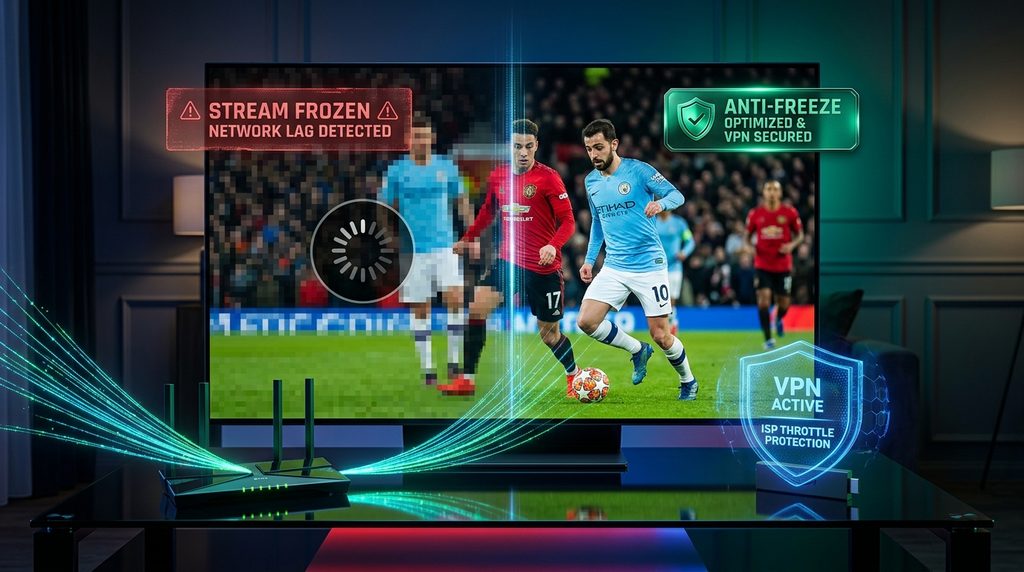
Bypass ISP Throttling: Major US internet service providers (ISPs) often throttle UDP media streaming traffic during peak live sports hours. Connect to a reliable VPN with a server located near your physical city to maintain full internet speed.
Frequently Asked Questions (FAQ)
Can I test the service before choosing a long-term plan?
Yes. You can start with a 1-Month subscription pass ($15.99) to evaluate server performance and channel selections across your devices. All purchases are backed by a 7-day money-back guarantee.
How do I receive my streaming account credentials after ordering?
Activation is automated. Once your order checkout is complete, your Xtream Codes API credentials, M3U playlist link, and installation instructions are emailed directly to your registered address.
Will one IPTV subscription work on multiple TVs simultaneously?
Standard plans support one active device stream at a time. If you need to watch on multiple TVs simultaneously across your household, select multi-device connection add-ons on Strong 8K IPTV subscription plans.
Is a VPN required to stream IPTV on Firestick in the US?
While a VPN is not strictly mandatory, using one helps prevent local internet service providers (ISPs) from throttling high-bandwidth streams during peak live sports broadcasts.
Ready to Stream? Start Your Risk-Free IPTV Setup Today
Upgrade your streaming setup on Firestick, Smart TV, or Android TV with over 25,000 live channels and 150,000 on-demand movies in crystal-clear 4K HD.