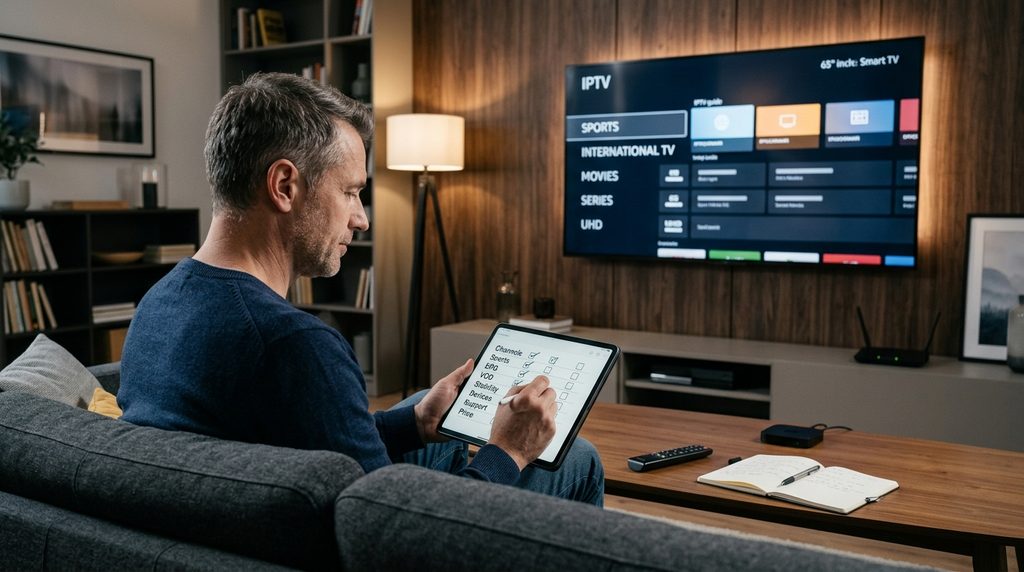
Strong 8K gets attention because it promises the kind of IPTV setup many viewers are looking for: a broad live-TV catalog, international channels, sports, movies, series, and multiple stream-quality options inside one subscription. Those features can sound impressive on a sales page, but they do not answer the most important question. What actually matters is how the service performs when you sit down in front of your own television at the time you normally watch. A service can look excellent during a quick afternoon test and become much less impressive during a major football match or a busy evening when several people in the home are using the internet.
That is why this guide takes a different approach to evaluating Strong 8K. Instead of treating channel count, “8K” branding, and subscription length as the main selling points, it focuses on repeatable tests. You will look at priority channels, sports, peak-hour stability, picture quality, EPG accuracy, device performance, network conditions, player behavior, and VOD usability. The material provided for this article references both positive and negative user experiences, which makes one thing clear: a personal performance test is more useful than assuming somebody else’s setup will behave exactly like yours.
Table of Contents
How to Judge Strong 8K by Real Performance
The easiest mistake when reviewing Strong 8K is judging it by what is available instead of what is usable. Thousands of channels may exist in the playlist, but your household probably watches a much smaller group repeatedly. The same applies to picture quality. Seeing HD, Full HD, UHD, or other quality labels is useful, but those labels do not tell you whether the feed will remain stable for an entire program. A real performance test looks at the experience from beginning to end: how quickly a channel opens, whether the audio stays synchronized, how the picture handles motion, whether buffering appears later, and whether you can find the channel again without fighting the interface.
Before doing anything else, identify what a successful Strong 8K test would mean for you. A sports fan may define success as watching a complete live event with minimal interruptions. A multilingual household may care more about reliable channels from several countries. Someone replacing ordinary television may care most about guide quality, local content, and ease of use. Once the goal is specific, the service becomes much easier to evaluate because you are no longer trying to decide whether it is “good” in some universal sense.
Create a Baseline Before Testing the Service
A useful streaming test needs a baseline. If your Wi-Fi already struggles with ordinary video, you cannot fairly judge Strong 8K without accounting for that weakness. Before starting the IPTV trial, watch a normal high-quality video stream on the same device and network you plan to use. Pay attention to loading time, buffering, and picture stability. If the device is connected over Wi-Fi, note how far it is from the router and whether other household devices are downloading games, backing up files, or streaming at the same time.
This baseline gives you something to compare against later. If mainstream video performs perfectly but Strong 8K struggles across several independent channels, the IPTV side becomes a stronger suspect. If every video service has problems on the same device, the network or hardware needs attention first. Without that comparison, people often change subscriptions when the real problem is weak Wi-Fi, or they spend hours adjusting their router when the stream itself is unstable.
Test the Channels You Actually Depend On
Do not start a Strong 8K trial by scrolling randomly through hundreds of categories. That makes the service feel impressive without telling you whether it fits your needs. Instead, check the Strong8KTVs channel list and choose a small group of channels that would genuinely influence your decision. Include your most important sports networks, news channels, entertainment stations, children’s programming, or international feeds. Ten useful channels tell you more about long-term value than an hour spent opening fifty channels you will never watch again.
Test each priority channel for more than a few seconds. Check whether the correct stream opens, whether the audio language is right, whether the image remains stable, and whether the electronic program guide matches what is actually playing. If Strong 8K provides multiple versions of an important channel, compare them. Alternative feeds can be valuable, but they can also create clutter. The useful question is whether at least one version performs reliably enough to become your normal choice.
Build a Personal Channel Set
Once you identify the strongest versions, save them as favorites. This gives you a smaller personal playlist that can be tested repeatedly throughout the trial. If one favorite works perfectly on Monday but becomes unreliable on Saturday evening, that difference is worth noticing. Repeated tests are much more informative than constantly changing channels because they let you compare the same conditions over time. Strong 8K should become easier to understand as the trial continues, not more confusing.
How Strong 8K Performs Under a Sports Stress Test
Live sports are one of the strongest tests you can run because they combine fast motion, high viewer demand, and a situation where interruptions matter. Watching a movie that buffers for five seconds is annoying; missing a goal, knockout, final lap, or decisive play is much worse. If sports are one of the main reasons you are considering Strong 8K, schedule part of the trial around an actual event rather than relying only on ordinary sports channels when nothing important is happening.
During the event, check how quickly the stream starts and whether it remains stable over a longer period. Watch fast camera movement carefully because weak frame rates and heavy compression become easier to see during football, basketball, racing, boxing, and similar content. Strong 8K may offer several versions of the same sports channel, so compare them if one struggles. The highest-resolution option is not automatically the best option. A reliable Full HD stream can provide a better live experience than a sharper feed that freezes every few minutes.
What You Should Record During the Test
You do not need complicated technical software. Note the start time, the feed you used, whether buffering occurred, how many times it happened, and whether switching to an alternative channel solved the issue. Repeat the same kind of test during another event if possible. This gives you a much clearer understanding of Strong 8K sports performance than simply remembering that one game “felt good” or “buffered a lot.”
Why Peak-Hour Testing Matters
An IPTV service should not be judged only when demand is low. If you normally watch television between 7 p.m. and 11 p.m., those hours should be part of your Strong 8K evaluation. Evening tests reproduce the environment that matters: more viewers may be online, your own household may be using more bandwidth, and popular television or sports feeds may be experiencing heavier demand. A stream that performs well at 11 a.m. is encouraging, but it does not prove how the same setup will behave during your normal viewing routine.
Run at least one longer evening session using several of your saved favorites. Do not constantly change settings or devices unless a problem appears. The purpose is to see whether Strong 8K can become normal television rather than a technical experiment. If you can watch for an hour or two and mostly forget about the service itself, that is a stronger positive signal than successfully opening dozens of channels for thirty seconds each.
Picture Quality: Look Beyond the Resolution Label
The name Strong 8K naturally makes picture resolution part of the conversation, but the service name should not be treated as proof that every stream is delivered in native 8K. IPTV catalogs often combine content from many sources, which means actual quality can vary between standard definition, HD, Full HD, 4K, and other formats. Native 8K would require an 8K source, enough bitrate, compatible decoding hardware, a suitable display, and a connection capable of carrying the stream. The word in the brand name cannot create resolution that does not exist in the source.
When testing Strong 8K, evaluate picture quality with your eyes rather than the category label. Look at fine text, faces, grass during sports, fast movement, dark scenes, compression artifacts, and audio synchronization. A high-resolution feed with a low bitrate can look worse than a well-encoded lower-resolution option. Likewise, a technically beautiful stream loses most of its value if it is unstable. If you want broader background on how visual content is delivered and displayed, the concept of television includes several separate stages between the original source and what finally appears on your screen.
Picture Test
What to Watch
What It Tells You
Sharpness
Text, faces, logos, field details
Whether usable detail matches the quality label
Motion
Sports, camera pans, action scenes
Frame smoothness and playback quality
Compression
Blocks, smearing, loss of texture
Whether bitrate is sufficient
Audio sync
Speech and live action
Whether sound remains aligned
Stability
Longer sessions
Whether quality can be maintained over time
EPG, Favorites, and Playlist Organization
Picture quality gets most of the attention in Strong 8K discussions, but the electronic program guide often has a bigger effect on everyday satisfaction. Once the excitement of exploring a huge catalog disappears, you want to know what is on, what comes next, and where your favorite channels are located. Incomplete program information, incorrect times, duplicate categories, or an overloaded playlist can turn an otherwise capable service into something frustrating to navigate.
Use your Strong 8K trial to test the guide deliberately. Check several favorite channels and compare the program information with what is actually playing. Restart the player and make sure favorites remain saved. Search for an unfamiliar channel instead of relying only on categories. If the playlist contains multiple regional versions of similar networks, organize the strongest ones into favorites and ignore the rest. A huge catalog becomes much more useful when the player allows you to reduce it to a manageable personal lineup.
Test Strong 8K on Different Device Types
Device performance can change the entire result. Strong 8K may feel responsive on a modern Android TV box but much slower on an older Smart TV with limited memory and a weaker processor. Large IPTV playlists can be demanding because the application may load thousands of live channels, VOD items, logos, categories, and EPG records. A device that handles ordinary Netflix-style apps perfectly can still struggle with a much larger IPTV database.
Your primary test should always happen on the device you plan to use most. If the living-room television is the real destination, do not judge Strong 8K only from your phone. Open the guide, search, build favorites, switch channels, play VOD, and leave the application running for a longer period. If the Smart TV becomes sluggish, test an external streaming box before assuming the subscription itself is slow. Separating hardware limitations from service performance is one of the most useful things you can do during the trial.
Is the Problem Strong 8K or Your Network?
When Strong 8K buffers, the cause is not automatically the IPTV server. Wi-Fi interference, router distance, household traffic, ISP routing, VPN performance, device limitations, and player settings can all create similar symptoms. The mistake is changing several things at the same time, because then you have no idea which change actually solved the problem. A controlled diagnosis takes a little longer but gives you much better information.
Start with another channel in the same application. If only one feed has a problem, the issue may be isolated to that source. If several channels struggle, open another video service on the same device. When mainstream streaming also performs badly, investigate the network first. Move closer to the router, restart the equipment, pause large downloads, or test Ethernet if possible. If every other service works well while Strong 8K repeatedly struggles across several channels, devices, and players, the IPTV side becomes a stronger suspect.
Ethernet Is Useful Even If You Prefer Wi-Fi
You do not need to permanently wire the television just to use IPTV, but an Ethernet test can reveal a lot. If Strong 8K suddenly becomes stable when the device is connected directly to the router, the Wi-Fi environment is probably contributing to the problem. If the exact same freezes continue over Ethernet, you have eliminated one major variable. This type of simple comparison is much more valuable than repeatedly running speed tests because streaming depends on consistency and routing as well as headline download speed.
How the IPTV Player Changes the Result
The player is another variable that should not be confused with Strong 8K itself. The subscription provides access to the available streams, while the player handles the interface, decoder, categories, guide, favorites, search, subtitles, and many playback controls. Two applications using the same account can therefore behave differently. One might handle a particular video codec more smoothly, while another may provide a much cleaner EPG or faster navigation.
If Strong 8K performs badly in one app, test another supported player before reaching a final conclusion. This is especially useful when the problem involves audio without video, repeated crashes, slow playlist loading, or a guide that fails to refresh. If another application works normally with the same account on the same device and network, the first player becomes a likely cause. The goal, however, is not to switch applications every day. Use the testing period to find one setup that becomes reliable enough to forget about.
Movies and Series Need a Different Test
Live television and VOD should not be judged in exactly the same way. With live Strong 8K channels, timing, server demand, and stream continuity are major concerns. With movies and series, organization becomes more important. Search for several titles, open different seasons, check episode order, test subtitles and audio tracks, and see whether playback resumes properly after you exit. A huge VOD library is less useful when finding a specific title takes longer than watching it somewhere else.
Also test longer playback. A movie that starts successfully can still reveal buffering, subtitle synchronization, or audio problems twenty minutes later. Strong 8K should provide a VOD experience that remains comfortable after the first few minutes. If movies and series are only a minor part of your reason for subscribing, do not overvalue the catalog size. Spend most of your trial time on the content that actually determines whether you will renew.
A Practical Seven-Session Test Plan
You do not literally need seven full days, especially if the trial is shorter. Think of these as seven different sessions that can be compressed into the available trial period. The purpose is to expose Strong 8K to several real viewing situations instead of repeating the same test over and over.
Priority-channel session: test the 10 channels you care about most and save the strongest versions as favorites.
Evening session: watch during your normal peak viewing hours for an extended period.
Sports session: test a live event, alternative feeds, motion quality, and stability.
Device session: use the exact television or streaming box that will become your normal setup.
Network session: compare normal Wi-Fi with Ethernet or another connection if problems appear.
VOD session: test search, movies, episodes, subtitles, audio, and longer playback.
Usability session: restart everything and use Strong 8K like normal television without experimenting with settings.
The final session is particularly important because it removes the excitement of testing. Open the application, use your favorites, look at the guide, and watch whatever you would normally choose. If the service feels natural at that point, that is strong evidence that the setup can work long term. If you are still constantly changing applications, searching through duplicate categories, restarting streams, or troubleshooting the network, do not ignore that friction simply because the catalog is large.
Strong 8K Performance Scorecard
A scorecard can help you avoid making the decision based on one great stream or one bad incident. Rate Strong 8K only after completing several different tests. You are looking for patterns. A single temporary problem can happen with any streaming platform, while repeated failure in the same area deserves more weight.
Category
Suggested Weight
Your Score
What to Consider
Priority channels
20%
__/10
Availability, correct feeds, stability
Sports
15%
__/10
Peak-time performance and motion
Overall reliability
20%
__/10
Long viewing sessions and repeated tests
Picture quality
10%
__/10
Real visual quality rather than labels
EPG and navigation
10%
__/10
Guide accuracy, favorites, search
Device/player performance
10%
__/10
Speed, crashes, remote use
VOD
5%
__/10
Library navigation and playback
Value
10%
__/10
Price compared with the experience
You can change the weights based on your priorities. A sports-focused household might give sports 30% and VOD almost nothing. A family interested primarily in international channels may give channel availability the highest weight. The point is to judge Strong 8K based on how you actually watch rather than allowing every feature to influence the decision equally.
When Pricing Becomes Important
Price matters, but it should not control the evaluation before performance is understood. A cheap Strong 8K plan is poor value if your important channels repeatedly fail, while a subscription that costs slightly more can still be worthwhile when it reliably replaces several television services your household currently uses. The useful comparison is not simply price versus price; it is price versus the amount of reliable content and convenience you receive.
Start with the Strong8K free trial, run your performance tests, and only then compare the Strong8KTVs pricing plans. A shorter subscription can make sense when your initial results are promising but you want more time to observe weekends, sports events, and normal household use. A longer plan becomes easier to justify once Strong 8K has performed consistently enough that the lower effective monthly price represents a real saving instead of a larger commitment to an uncertain service.
Testing Mistakes That Give You the Wrong Answer
The first major mistake is testing only at one time of day. Strong 8K may behave differently during a quiet afternoon and a busy evening, so both conditions matter. The second mistake is constantly switching channels without watching anything long enough to judge stability. The third is evaluating the service on a phone when the real setup will use an older television. Every one of those mistakes can produce an overly positive trial that does not represent normal use.
Another mistake is assuming every pause is caused by the provider. Without testing the network, player, and device, you may blame Strong 8K for a local problem. The opposite is equally bad: endlessly changing your router when several devices show identical problems with the same streams. Finally, do not let resolution labels dominate the test. Picture quality matters, but reliability, navigation, content relevance, and device performance determine whether the service remains enjoyable after the first week.
Frequently Asked Questions
Is Strong 8K actually worth trying?
Strong 8K can be worth trying if you want a large live-TV and VOD catalog, sports, international channels, and flexibility across compatible IPTV players. The important part is testing it under your own conditions. Your internet provider, device, Wi-Fi setup, location, player, and favorite channels can all influence the experience, so somebody else’s review cannot completely predict your result.
Does Strong 8K mean every channel is native 8K?
No. The Strong 8K name should not be interpreted as a technical guarantee that every channel is delivered at native 8K resolution. IPTV libraries usually contain several quality levels based on the available source. Focus on actual sharpness, motion, compression, audio synchronization, and stability rather than relying on the channel label alone.
Why can Strong 8K work well for one user and buffer for another?
The streaming chain includes many variables. Strong 8K performance can be affected by the source feed, server conditions, ISP routing, Wi-Fi, VPN routing, player behavior, decoder support, and the hardware running the app. Two people using different providers and devices may therefore get different results even when they appear to be testing the same service.
Does the IPTV player affect Strong 8K performance?
Yes. The player can affect decoding, playlist loading, EPG behavior, navigation, subtitles, caching, and device compatibility. If Strong 8K behaves poorly in one application, testing another compatible player can help determine whether the app is contributing to the problem. The subscription and player should be treated as separate parts of the setup.
Should I buy a one-year Strong 8K plan immediately?
Testing first is the safer approach. Use the free trial, check your priority channels, sports, evening performance, EPG, main device, and VOD, then compare the pricing options. A longer Strong 8K plan becomes more reasonable when the service has already demonstrated consistent performance under realistic conditions.
How many channels should I test?
You do not need to test hundreds. Choose around 10 to 20 channels that represent your real habits, including the feeds you would be most disappointed to lose. Strong 8K should succeed on that personal shortlist before the size of the remaining catalog influences your decision. Repeatedly testing the same favorites is more useful than randomly opening dozens of unfamiliar channels.
What matters more: 4K or stability?
For most daily viewing, stability wins. A stable Full HD stream can provide a better experience than a 4K feed that repeatedly freezes. Strong 8K should be evaluated on the combination of picture quality and consistency rather than maximum resolution alone. The best feed is the one that looks good enough and continues playing when the content matters.
Final Verdict: How Should You Judge Strong 8K in 2026?
Strong 8K should be judged as a complete viewing system rather than a collection of impressive labels. The catalog, sports options, international coverage, VOD, and multiple quality levels can make the service attractive, but none of those features automatically proves that it will work well in your home. The real test is whether your priority channels stay stable, sports remain watchable during busy events, the picture looks good on your television, the EPG is useful, the player behaves properly, and your network can deliver the streams consistently.
Start by reviewing the current channel lineup and building a personal shortlist. Then use the Strong8K free trial to repeat those tests under several conditions: normal evenings, sports, longer sessions, your main device, Wi-Fi or Ethernet, and the player you expect to keep. Do not try to prove that Strong 8K is perfect. Try to discover whether its weaknesses affect the parts of television that matter to you.
If Strong 8K remains reliable after those tests, the EPG and favorites make the large library manageable, and the picture quality meets your expectations, then review the current subscription plans and choose a duration that matches your confidence. If the same important problems keep returning, do not let a massive channel count or discounted yearly price talk you out of what your own test already showed. The strongest Strong 8K review is ultimately the one performed on your own television, network, favorite channels, and viewing schedule.