Strong 8K IPTV is often searched by people who want one subscription for live television, sports, movies, series, and international channels without depending on a traditional cable package. The service can look impressive at first glance because large IPTV libraries usually contain far more categories than most conventional television plans. That size, however, is not enough to tell you whether the service will work well in your home. A useful buying decision has to answer much more specific questions: are your priority channels actually present, do they remain stable during the hours you watch, does the player work well on your device, is the electronic program guide useful, and can the seller help when something goes wrong?
This guide takes a verification-first approach to Strong 8K IPTV. Instead of repeating a generic list of features, it shows what to test before you spend money and how to separate useful evidence from marketing. The original material you provided already makes an important point: community experiences vary, reseller quality can differ, and the “8K” name should not be interpreted as proof that every stream is native 8K. That means the smartest buyer is not the person who finds the most enthusiastic review. It is the person who checks the exact channels, device, network, player, support route, and subscription length they plan to use.
Table of Contents
Bottom Line: Is Strong 8K IPTV Worth Testing?
Strong 8K IPTV can be worth testing if you want a broad IPTV-style catalog and you are comfortable evaluating the service before committing to a long plan. It is particularly interesting for households that watch sports, international television, news, movies, and series from several regions. It can also appeal to viewers who prefer using their own streaming hardware instead of renting a traditional cable box. The potential upside is flexibility: more categories, more device choices, and a wider range of content than many ordinary regional television packages.
The important word is testing. You should not decide whether Strong 8K IPTV is good based only on the size of the channel list or the resolution labels beside certain feeds. Start with the Strong8KTVs channel list and create a shortlist of the content that would actually make the subscription useful to you. Then use the Strong8K free trial during realistic viewing hours on your normal device. If those tests go well, you can compare the current Strong8KTVs pricing plans. If something is unclear, use the contact page before paying rather than guessing.
What You Should Verify Before Paying
The best way to evaluate Strong 8K IPTV is to divide the decision into separate checks. A service can be strong in one area and weak in another. For example, it may have excellent international coverage but poor organization on the player you use. It may work perfectly on an Android TV box but feel slow on an older Smart TV. It may provide several versions of a sports network, yet only one of those feeds may be reliable during a major event. When you test each area separately, you get a much clearer picture than you would from one general impression.
Before you begin the trial, write down your five non-negotiables. These could be a local network, a football league, a news channel, French-language television, children’s programming, movies with subtitles, or support for a specific device. Strong 8K IPTV only needs to be “good” in the areas that matter to your household, but it needs to be genuinely good there. A huge catalog cannot compensate for a missing must-have channel, and low pricing cannot compensate for a service that becomes frustrating every evening.
Area to Verify
What to Check
What a Good Result Looks Like
Priority channels
Your 10–20 most important feeds
Present, easy to find, and reasonably stable
Sports
A real live event
Smooth motion, stable audio, usable backups
Picture quality
HD/FHD/UHD options
Good detail without constant buffering
Player
EPG, favorites, search, remote use
Comfortable enough for daily viewing
Device
Your actual TV or streaming box
Responsive after the playlist loads
Support
One real question
Clear, specific, useful answer
Price
Plan length and renewal
Commitment matches your confidence
Run a Channel Audit Instead of Counting Channels
Channel count is one of the easiest IPTV features to exaggerate because a very large number looks powerful in an advertisement. In real use, most people return to a relatively small set of favorites. Strong 8K IPTV becomes valuable when the channels you repeatedly watch are available and stable, not simply because thousands of other feeds exist. Duplicate versions, regional variants, and channels from countries you never watch can increase the total without improving your television experience.
Before the trial, review the channel lineup and build three groups: must-have, useful, and optional. Must-have content determines whether you subscribe. Useful content adds value but is replaceable. Optional content is simply a bonus. When you open Strong 8K IPTV for the first time, test the must-have group before browsing anything else. Watch each important feed long enough to check audio, picture quality, stability, and whether the correct program information appears in the guide. This gives you a meaningful channel audit instead of a random tour through the playlist.
Why Backup Feeds Matter
Multiple versions of the same channel can look like clutter, but they can also be useful when one feed is temporarily unstable. If Strong 8K IPTV provides an HD, Full HD, or regional alternative for an important network, test more than one. You do not need every version to be perfect; you need at least one reliable path to the content you care about. During major events, a stable backup can be more valuable than a higher-resolution feed that has trouble maintaining playback.
Use Live Sports as a Stress Test
Live sports are one of the best ways to judge Strong 8K IPTV because they expose weaknesses that ordinary daytime television may hide. Fast camera movement makes frame-rate problems and compression easier to notice, while popular matches and events can coincide with heavier server demand. If you mainly want the service for Premier League football, Champions League, NBA, NFL, UFC, Formula 1, boxing, NHL, or another competition, do not finish your trial without testing a real event that matters to you.
Watch more than the opening few minutes. Strong 8K IPTV should be evaluated over a meaningful part of the event because a stream can start perfectly and become unstable later. Pay attention to motion, audio synchronization, channel startup time, quality changes, freezes, and how quickly a backup feed becomes available if the first one has problems. If a 4K option looks excellent but repeatedly buffers while a Full HD feed remains smooth, the Full HD feed is the better practical choice for that event.
Do Not Test “Sports” as One Category
Sports coverage is highly specific. A person who follows European football needs a different set of networks from someone focused on American leagues or combat sports. Strong 8K IPTV should therefore be tested against the exact competitions you follow. Search for those channels in the published lineup, confirm them during the trial, and check whether they are organized in a way that makes sense. Generic claims about “all sports” are less useful than knowing your actual Saturday-night match is easy to find and remains stable.
What the 8K Branding Really Tells You
The name Strong 8K IPTV can create an expectation that every channel should be delivered in native 8K resolution, but that is not a realistic way to interpret the branding. IPTV libraries contain feeds from different sources and broadcasters, and those sources can be SD, HD, Full HD, 4K, or other quality levels. Native 8K playback requires a genuine 8K source, enough bitrate, compatible decoding hardware, the right connection path, and an 8K-capable display. A brand name cannot create source detail that is not present in the original feed.
The better quality test is visual rather than promotional. When using Strong 8K IPTV, look at sharpness, motion, compression, color, audio synchronization, and whether the stream remains stable. A clean Full HD feed can provide a better experience than a higher-resolution option with heavy compression or repeated buffering. If you want general background on how television content is delivered and displayed, the broader concept of television helps explain why source quality, transmission, decoding, and display are separate parts of the final picture.
Test the Exact Device You Will Use
A common mistake is testing Strong 8K IPTV on the easiest device available rather than the device that will become the normal setup. A new phone may load a large playlist quickly, while an older television may struggle with the same account because it has less memory and a slower processor. If you expect to watch from the living room, run the trial on that television or streaming box. If your household uses two screens at the same time, confirm whether the plan supports the number of simultaneous connections you need.
Spend enough time with the interface to discover whether it becomes annoying. Open the guide, search for a movie, create favorites, switch categories, restart the app, and return to the same channels later. Strong 8K IPTV should feel responsive after the initial playlist sync. If the built-in Smart TV application is slow, testing a newer external streaming device can help determine whether the problem is the subscription or simply aging hardware.
Why the IPTV Player Can Change the Experience
The subscription and the player are not the same thing. Strong 8K IPTV provides access to the streams associated with the account, while the player handles the interface, EPG presentation, search, favorites, categories, subtitles, audio selection, and much of the device-level playback behavior. Two players can therefore make the same account feel very different. One may load categories quickly but handle EPG data poorly, while another may be slower to start yet provide a much cleaner television-style interface.
If one player performs badly, testing another compatible option can be useful before blaming Strong 8K IPTV itself. This is particularly important when you see audio without video, repeated crashes, slow guide loading, or problems that affect only one application. However, the goal is not to collect ten apps. Use the trial to identify one player that works well enough to become your default. A good setup should eventually become boring: open the app, choose a favorite, and watch.
Separate Network Problems From Service Problems
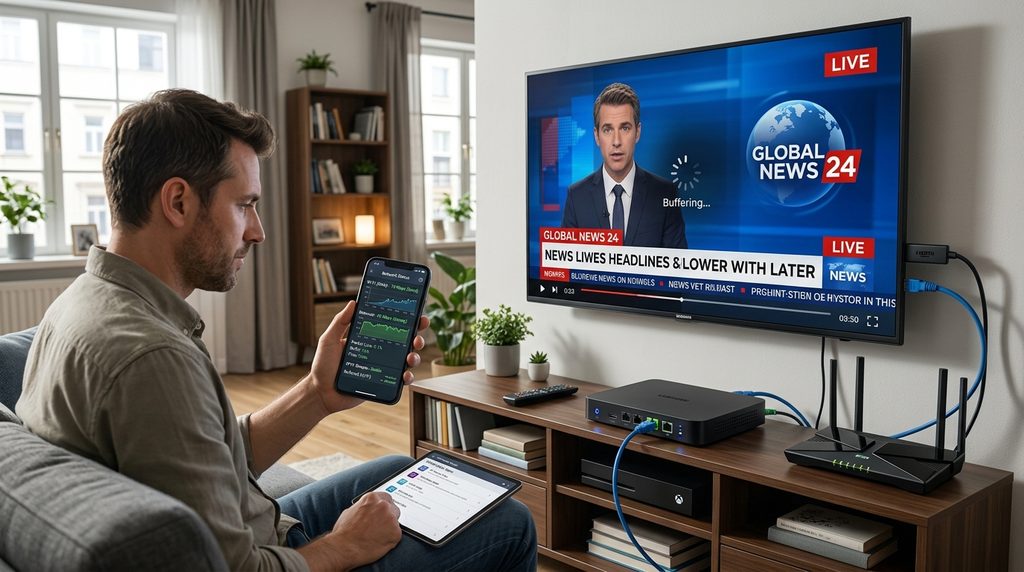
Buffering is frustrating because several completely different problems can look identical on screen. Strong 8K IPTV may be affected by the source feed or server load, but your own Wi-Fi, router, ISP routing, VPN route, device resources, or background traffic can also cause interruptions. If you immediately assume the service is responsible, you may replace a subscription and discover the same problem on the next one. If you assume the network is always responsible, you can waste hours changing settings while a source feed is clearly unstable.
Use a simple comparison process. First, test another Strong 8K IPTV channel. If one feed fails and several others work, the issue may be isolated. If everything struggles, open a normal streaming service on the same device. If that also struggles, investigate the connection. Restart the device and router, stop large downloads, and compare Wi-Fi with Ethernet when possible. Then try a second compatible player or device. The pattern across those tests is much more useful than one speed-test result.
A Five-Minute Diagnostic Sequence
Open two or three different channels.
Check another internet video service on the same device.
Restart the player and streaming device.
Pause downloads, cloud backups, and game updates.
Compare Wi-Fi with Ethernet or a stronger wireless position.
Try another supported player if the problem appears app-specific.
Contact support if the same issue remains across several controlled tests.
Judge the EPG, Favorites, and Daily Navigation
The first day with a large playlist is usually spent exploring. The thirtieth day is spent trying to reach the same favorite channels quickly. That difference is why the electronic program guide and navigation matter so much. Strong 8K IPTV can contain an enormous amount of content, but a weak guide or messy category structure can make that breadth difficult to use. Good television software should reduce the visible size of the library by helping you create a smaller, personalized lineup.
During the trial, add your priority channels to favorites, restart the player, and make sure they remain saved. Check whether the Strong 8K IPTV EPG shows useful program information and whether times match your location. Search for several channels, movies, or series rather than assuming the search tool works well from one result. If the interface makes these everyday tasks easy, the large catalog becomes an advantage. If basic navigation remains frustrating after setup, that is a legitimate reason to score the service lower even when the streams themselves are stable.
Test Support Before You Need Support
The seller or reseller is part of the practical Strong 8K IPTV experience because that person or company may handle activation, renewals, credential recovery, connection questions, and replacement details when something changes. The original article notes that reseller experiences can vary, which means a strong stream library does not automatically guarantee strong customer support. You should evaluate both.
Before buying a long plan, ask one real question through the Strong8KTVs contact page. Ask about your device, a must-have channel, simultaneous connections, renewal, or the recommended login method. You are not looking for instant perfection; you are looking for a response that is clear and relevant. If the answer avoids the question, pressures you to buy immediately, or cannot explain basic setup details, treat that as useful information before you increase your commitment to Strong 8K IPTV.
Compare Pricing Only After the Service Passes
The longest plan often looks like the best deal because the effective monthly cost is lower, but that calculation is meaningless if the service has not yet earned your confidence. Strong 8K IPTV should first pass your content, sports, device, network, guide, and support tests. Only then should you decide whether the discount attached to a longer duration is worth giving up the flexibility of a shorter plan.
After the trial, review the Strong8KTVs pricing options and match the plan length to your level of certainty. If everything worked well but you have tested only a short period, a shorter subscription can give you more time to see how Strong 8K IPTV behaves across weekends, app updates, and major events. A longer commitment becomes more reasonable after consistent use. The cheapest monthly equivalent is not automatically the safest purchase.
Which Type of Viewer Is a Good Fit?
The International Household
Strong 8K IPTV can make sense for a multilingual family that watches television from several countries. Traditional providers often place international content into separate packages, while a broad IPTV library may combine those regions. The value comes from convenience and variety, not merely from price. This type of household should focus on the exact countries, languages, and news or entertainment channels it watches rather than the overall catalog size.
The Sports-First Viewer
A sports fan may get strong value from Strong 8K IPTV if the right regional feeds are available and survive peak-time testing. The key is not how many sports channels appear in the playlist, but whether the viewer can reliably follow the competitions they actually care about. A trial that includes one major event is therefore much more useful for this buyer than hours of testing movies or daytime entertainment.
The Simplicity-First Viewer
Someone who watches only a few local networks and wants a completely standardized app may be a weaker fit. Strong 8K IPTV offers breadth and flexibility, but those strengths also introduce more choices around players, categories, and setup. A user who strongly prefers one official interface and provider-managed hardware may be happier with a mainstream live-TV streaming service or traditional television, even if the content catalog is smaller.
Red Flags That Should Stop You From Buying
Not every problem during a trial means Strong 8K IPTV is unsuitable, but repeated patterns should not be ignored. A temporary issue on one channel is different from several must-have channels failing every evening. One support delay is different from a seller who cannot answer basic questions. A player crash is different from the same account failing across multiple devices and apps. The point of testing is to distinguish isolated problems from patterns that are likely to affect daily use.
Your must-have channels are missing or repeatedly unavailable.
Important sports feeds fail consistently during live events.
Several devices and players show the same persistent playback problem.
The EPG or playlist is so disorganized that daily navigation remains frustrating.
The seller cannot explain activation, renewal, or connection limits clearly.
You are pressured to buy a long plan before completing a trial.
The “8K” label is used as the main reason to buy instead of actual stream quality.
A Simple Strong 8K IPTV Scorecard
If you want to make the decision less emotional, score Strong 8K IPTV after the trial. Do this only after you have used the service during realistic conditions. A single excellent 4K feed should not erase repeated problems elsewhere, and one temporary buffering incident should not erase several days of good performance. The scorecard forces you to look at the whole experience.
Category
Score Out of 10
Your Notes
Must-have channels
__/10
Availability, backups, audio
Sports
__/10
Peak-event stability and motion
Picture quality
__/10
Real quality, not just labels
Player and device
__/10
Speed, remote use, crashes
EPG and navigation
__/10
Guide, favorites, search
Reliability
__/10
Evening and longer-session performance
Support
__/10
Clarity and usefulness
Value
__/10
Price compared with what you will use
A scorecard does not turn Strong 8K IPTV into a laboratory test, but it helps stop one impressive feature from controlling the decision. If must-have channels, reliability, device performance, and support all score poorly, a low annual price should not rescue the purchase. If those categories score strongly and the service fits your household better than the alternatives you are considering, then a paid plan becomes easier to justify.
Frequently Asked Questions
Does Strong 8K IPTV mean every channel is 8K?
No. Strong 8K IPTV should be treated as a service or brand name rather than a guarantee that every live feed is native 8K. Actual quality depends on the source. Some streams may be HD, Full HD, 4K, or other levels, and your device and display also affect what you see. Judge important channels by their real sharpness, motion, compression, audio, and stability rather than the name alone.
Is Strong 8K IPTV good for sports?
It can be attractive for sports viewers because broad IPTV libraries may contain several regional and international sports feeds. The only useful answer for you, however, comes from testing the competitions you actually watch. Strong 8K IPTV should be tested during a real match or event whenever possible, because peak-time performance matters more than whether a channel opens during an empty schedule.
Why does Strong 8K IPTV buffer?
Buffering can come from the stream source, server conditions, ISP routing, Wi-Fi, router congestion, VPN routing, player configuration, decoder behavior, or device limitations. Test several channels and another internet service before deciding where the problem is. If Strong 8K IPTV fails on several devices and players while other streaming works correctly, a service-side issue becomes more plausible.
Can I use Strong 8K IPTV on a Smart TV?
Strong 8K IPTV is discussed with television-oriented players and a range of streaming devices, but the exact setup depends on the platform and credentials supplied with the account. Test your own Smart TV during the trial. If the built-in app struggles with a large playlist, an external streaming device may provide better performance than the television’s older hardware.
How should I test the free trial?
Use the Strong8K free trial as a buying test, not random free viewing. Check your 10 to 20 priority channels, one real sports event if possible, EPG accuracy, favorites, VOD, subtitles, search, longer playback sessions, and your main television or streaming box. Strong 8K IPTV should be tested during the same evening or weekend conditions in which you plan to use it after paying.
Should I buy the longest plan immediately?
Usually, no. A longer Strong 8K IPTV plan may have a better effective monthly price, but you are taking more risk if you have only used the service for a short trial. Start with enough testing to understand the channels, device, network, support, and player experience. Then choose a plan duration that matches your confidence rather than chasing the largest discount.
Does the player matter if the subscription is the same?
Yes. The player controls much of the interface and playback behavior. Two apps can handle the same Strong 8K IPTV account differently because they use different decoders, EPG systems, caching, navigation, and device optimization. If one player is unstable, test another compatible option before assuming the subscription is the only problem.
What matters more: picture quality or reliability?
Reliability usually matters more once a basic quality threshold is met. A stable Full HD feed is often more enjoyable than a higher-resolution feed that freezes repeatedly. Strong 8K IPTV should therefore be judged on the combination of quality and consistency. The best feed is the one you can actually watch comfortably from start to finish.
Final Verdict: Should You Buy Strong 8K IPTV in 2026?
Strong 8K IPTV can be worth buying for viewers who want a broad live-TV and VOD library, international content, sports, and flexibility across different players and devices. Its strengths are most relevant to households that will actually use that breadth. Its weaknesses are the same variables that affect many IPTV-style services: performance can depend on the exact source feed, player, device, network, and support route. That is why a generic yes-or-no review is less useful than a structured trial.
Start by checking the Strong8KTVs channel list and deciding what would make the service worth paying for. Then use the free trial to reproduce your normal viewing habits. Test live sports, important channels, picture quality, EPG information, favorites, longer sessions, and the exact device you plan to use. Ask a question through the contact page if any part of the setup or plan is unclear. Once Strong 8K IPTV proves itself under those conditions, compare the pricing options and choose a commitment that matches the evidence you collected.
The best reason to buy Strong 8K IPTV is not the size of the playlist or the number in the brand name. It is that your important channels work, live events remain watchable, the player feels comfortable, the guide is useful, support is reachable, and the price makes sense for the amount of content your household actually uses. If those conditions are met during your own test, the service has earned consideration. If they are not, buying a longer plan will not fix the underlying problems.