My8K is one of those IPTV terms that looks simple until you search for it. Some pages use the label for a consumer subscription, others connect the name with Strong 8K accounts, and still others use it around reseller panels or account-management systems. That creates an immediate problem for an ordinary viewer: two websites can mention the same name without necessarily selling the same package, using the same prices, or providing the same support.
The useful question is therefore not only “What is My8K?” but “Which product am I looking at, who supplies it, and what exactly will I receive?” The source material shows the term appearing across parts of the Strong 8K ecosystem for both personal subscriptions and reseller-oriented products. That makes identity the first thing to solve before worrying about devices, apps, channels, or picture quality.
This guide is built as a decoder rather than another generic IPTV overview. It starts by separating the name from the seller, then separates the account from the player, then follows the consumer setup from credentials to television. It also explains how to recognize a reseller product, why instructions from another website using the name may not apply to your account, how to test the parts that matter, and how to keep support tied to the provider that actually issued your subscription.
Table of Contents
My8K Is a Label Before It Is a Product
The easiest mistake is assuming that every page using this branding represents one universal storefront. The source material does not support that assumption. It describes the same wording across Strong 8K-related subscription pages, reseller panels, and different stores with their own prices, channel totals, and terms. Similar branding therefore does not prove that the seller, account configuration, or support relationship is identical.
For a consumer, this means the name should be treated as a starting point rather than proof of product identity. Before following a tutorial or entering payment information, identify the specific website offering the account. Check whether the page is selling personal viewing access or reseller credits, whether the subscription term is clearly stated, and whether the support contact belongs to that same seller. This one habit prevents many of the confusing situations surrounding My8K searches.
The Same Name Can Sit on Top of Different Offers
Imagine one subscription page advertising a personal annual account, another offering a reseller dashboard, and a third publishing setup instructions for credentials issued through its own server. All three pages may be related to the same broader ecosystem while still being poor substitutes for one another. If you buy from the first seller, a server address copied from the third site may have nothing to do with your account.
For viewers approaching the service through Strong8KTVs, the sensible reference is the Strong8KTVs route itself. The source connects that service with consumer access, a channel library, EPG, multiple stream qualities, and device support. Keep that account relationship separate from unrelated pages that happen to contain My8K in the name.
The Four Layers Behind a My8K Setup
A My8K setup becomes much easier to understand when you split it into four layers: the label, the seller or provider, the account, and the IPTV player. The label is what you see in search results. The seller is who creates or delivers your subscription. The account contains the access rights and connection rules. The player is the software that displays those channels and VOD on your device.
This four-layer model is useful whenever the setup behaves strangely. A valid account can look bad in a weak player. A good player cannot fix expired credentials. A seller can supply the account without developing the application. And a search result using familiar branding may still belong to a different seller. Once those responsibilities are separated, setup and troubleshooting become much less random.
First Identify Whether You Found a Consumer My8K Account or a Reseller Product
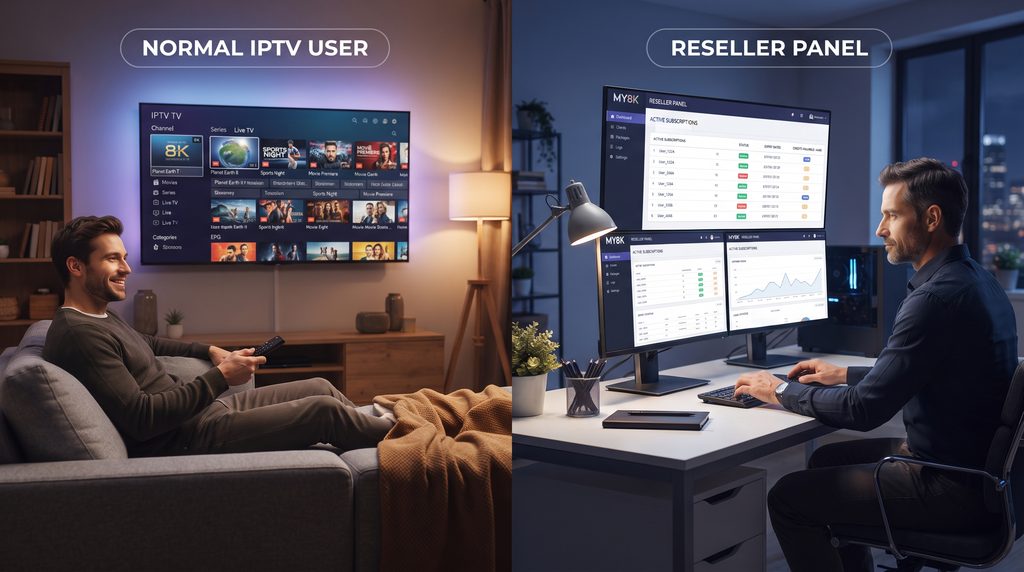
Search results become especially confusing because My8K is used around both ordinary viewing subscriptions and reseller systems. A personal subscription is designed for someone who wants to watch television, movies, series, or sports. A reseller panel is designed for someone who creates and manages subscriptions for other customers. Those are different products even when they appear under related branding.
If the page talks about credits, panels, creating users, managing expirations, or selling access to customers, you are probably looking at the business side rather than a normal home subscription. An ordinary viewer does not need reseller credits simply to watch content. Buying a panel because it sounds more powerful can leave you paying for tools that do not solve the problem you actually have.
Consumer account
Reseller product
Used to watch content
Used to create/manage customer access
Loaded into an IPTV player
Managed through a panel or dashboard
Usually priced by subscription period/connections
Often organized around credits or account capacity
Viewer cares about channels, VOD, EPG, quality
Reseller cares about account creation and customer management
Support focuses on playback/account access
Support may focus on panel operation and credit usage
If your goal is personal streaming, stay on the consumer path. The Strong8KTVs subscription page from the source provides one consumer-oriented reference. The point is not that every subscription using the name follows the same terms; it is that you should compare consumer products with consumer products and ignore reseller tools unless you specifically need them.
Follow the Credentials to Understand What You Actually Bought
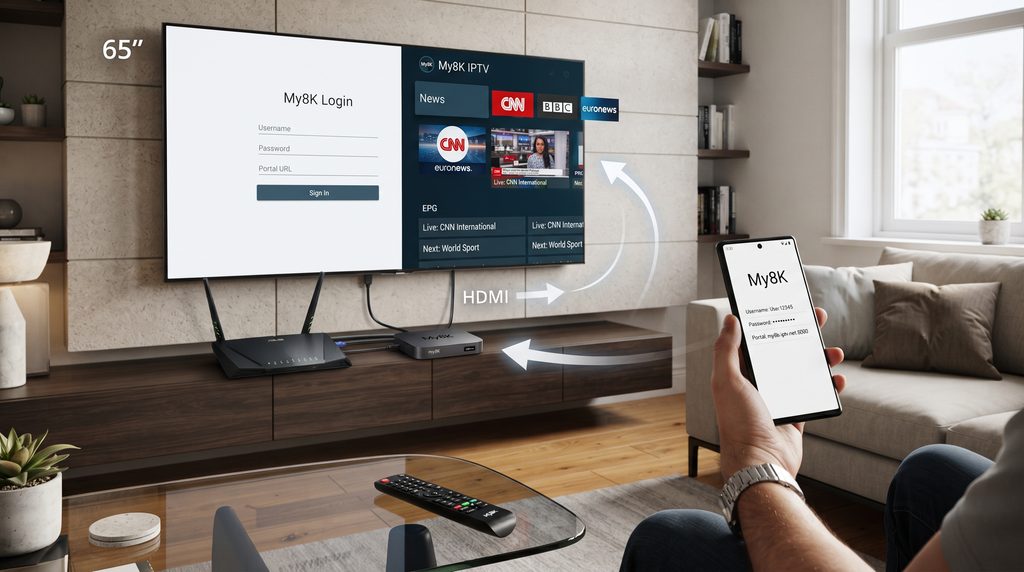
Once you know you are dealing with a consumer account, the next useful clue is the login format. A My8K subscription may be supplied through a username, password, server address, playlist information, or another supported method. These details are not just setup paperwork; they tell the compatible player where to connect and which account permissions to load.
This is why copying login instructions from another website using the name is risky. A tutorial can be perfectly correct for the seller that published it and completely wrong for your subscription. The server address, portal, application recommendation, or activation method may differ. Use the credentials issued with your own account and contact the seller that provided them when something is missing.
Treat Server Details as Account-Specific Information
Keep your login information private. Do not post full usernames, passwords, playlist URLs, or server addresses publicly when asking for help. A troubleshooting conversation usually needs the error message, device, player, and general symptom—not complete access credentials. The safer rule is simple: the account information came from your provider, and corrections to that information should come from the same provider.
What a Consumer My8K Account Can Contain
Offers using this branding can vary significantly by seller, which means one website’s channel count should not be treated as a universal specification. The supplied source gives examples of My8K-labelled stores advertising different totals and contrasts those offers with Strong8KTVs, which advertises its own live-channel and VOD library. The useful conclusion is not which number is bigger. It is that the account source matters.
For a Strong8KTVs customer, use the Strong 8K channel list to investigate that specific offer rather than relying on another seller’s My8K claims. Create a short list of the sports, news, regional, entertainment, and family channels you actually use. Then test those streams. A giant catalog is valuable only when the pieces you care about are present and usable.
VOD and EPG Are Separate Parts of the Consumer Experience
Movies and series normally appear in a VOD area rather than inside the live television guide. Good My8K VOD should be judged by search, title availability, season organization, episode order, subtitles, metadata, and playback—not only by the advertised library size. If a provider claims tens of thousands of titles but your preferred shows are difficult to find or episodes are badly organized, the headline number does not solve the usability problem.
EPG means Electronic Program Guide. It supplies current and upcoming program information for live channels. In a large My8K library, a good EPG reduces the need to open streams one by one just to discover what is playing. During testing, check guide accuracy on familiar channels instead of judging the feature by whether some schedule data appears somewhere in the playlist.
My8K Is Not the Same Thing as the IPTV Player
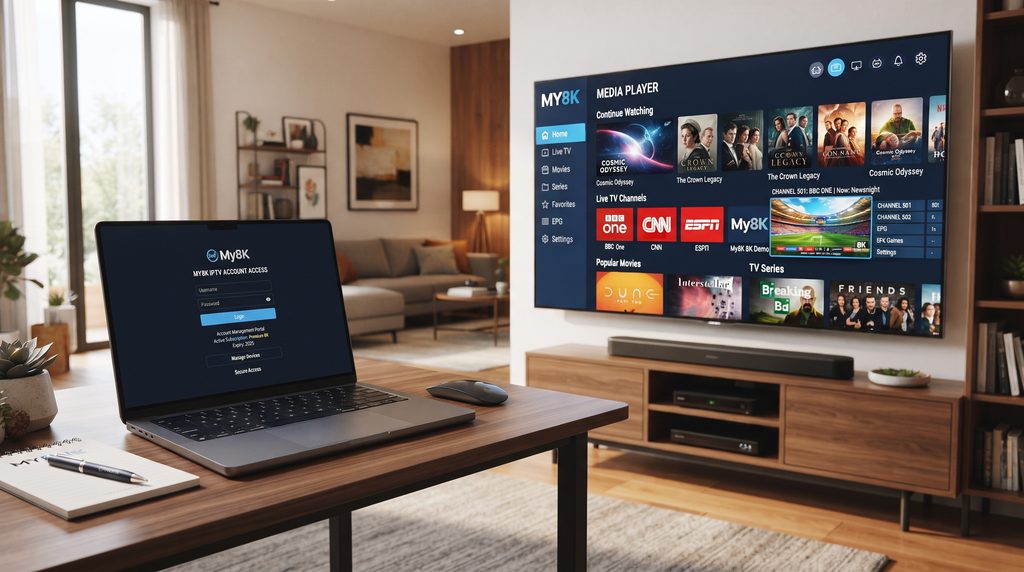
This distinction solves a lot of confusion. A My8K account gives you access rights; the IPTV player turns those rights into a usable interface. The player may provide categories, favorites, EPG layout, search, subtitles, parental options, external-player support, and VOD navigation. Those features can dramatically change how the subscription feels without changing the account itself.
If one application feels slow, crashes, or organizes the playlist badly, do not immediately assume the subscription itself is poor. When your authorized credentials support another compatible player, compare the account there. If channels and VOD work correctly in the second application, the first player’s configuration or performance becomes the more likely problem.
Installing a Player Does Not Create a Subscription
The reverse is also important. Downloading an IPTV player does not give you subscription channels automatically. The application needs valid subscription credentials from the provider or seller. This is why searches for a dedicated app can be misleading: what you may actually need is a compatible player plus the account information already issued to you.
Choose the Device Environment Before You Obsess Over the App
The account can be used across several device categories when the supplied account format is supported by an appropriate player. The source mentions Smart TVs, Android-based devices, Google TV, Fire TV, Apple-related devices, computers, and other platforms across different My8K and Strong 8K offers. The important point is that “supported” does not mean every device provides an equally good experience.
A Smart TV can offer the cleanest setup because no extra hardware is required, but older models may have slower processors and fewer player choices. Fire TV devices can modernize an older television but limited storage can become noticeable with large EPG and VOD caches. Android TV and Google TV usually offer broader app choice, while a computer is useful both for viewing and for determining whether a problem belongs to the account or the original television.
Google’s Google TV app help explains how applications are installed and managed on Google TV devices. If the account is going to be used mainly on that platform, choose a compatible player through supported installation methods and make sure the hardware has enough free storage to handle a large library comfortably.
Use the Device to Narrow the Player Choice
Device type
Main advantage
Main thing to check
Smart TV
No external box required
Player availability and hardware speed
Fire TV
Easy way to upgrade an older television
Storage and app performance
Android/Google TV
Flexible application ecosystem
Hardware quality and compatible players
Computer
Useful for testing and troubleshooting
Correct account format/player
Phone/tablet
Convenient secondary screen
Do not use it as the only performance test
My8K Picture Quality and Network Performance Belong in the Same Conversation
High-resolution terminology appears frequently around My8K and Strong 8K offers, but picture quality is not determined by the label alone. Resolution, bitrate, compression, frame rate, source quality, device decoding, and the television itself all affect what reaches your eyes. A stable Full HD stream can look excellent, while a badly compressed higher-resolution feed may look worse or require more bandwidth than your setup can deliver reliably.
Your home network matters because IPTV is continuous streaming. Wi-Fi interference, router distance, other household downloads, gaming, cloud backups, and simultaneous streams can create buffering even when the subscription is healthy. The FCC Broadband Speed Guide explains that broadband needs rise with more users, devices, and concurrent online activity. The source also states that Strong8KTVs recommends roughly 30–50 Mbps for smooth IPTV viewing.
Test the Stream Where the Television Actually Lives
Do not judge My8K performance from a speed test beside the router if the television sits two rooms away. Test the network at the real device. If buffering appears, compare several channels and, where practical, compare Wi-Fi with Ethernet. If Ethernet fixes the problem, the local wireless path deserves attention before the account does. If multiple streams fail across devices while other internet services remain healthy, the provider or stream source becomes more relevant.
My8K Connection Limits Are Household Rules, Not Device Counts
Connection terms can vary between sellers, which is another reason account information should come from the provider that issued your subscription. One seller may describe access on multiple devices but allow only one active stream at a time, while another provider may sell plans with several simultaneous connections. Those are account rules rather than simple device compatibility statements.
For Strong8KTVs, the source describes one through five simultaneous connection choices. The Strong 8K pricing page is the correct reference for those specific plans. A single viewer who moves between a television, phone, and laptop may still need only one active connection if the devices are never streaming at the same time. A household with three independent viewers needs a different arrangement.
Do not exceed the account’s allowed simultaneous usage and then diagnose the resulting playback failure as a service outage. Confirm the plan first. Installed screens and active streams are two different numbers.
Keep My8K Support Tied to the Seller That Issued Your Account
The biggest practical risk created by similar branding is support confusion. A tutorial from one website cannot necessarily reset an account purchased from another. An unrelated reseller may not be able to change your server address, confirm your expiration date, or explain the package you bought. The more providers and pages you mix together, the harder it becomes to know which instructions are valid.
Save the provider website, order information, and support route when you purchase. If the account later fails, start there. If someone on a forum suggests different credentials or a replacement domain, do not enter your private account information into an unknown service just because the branding looks familiar. Similar names are not proof of shared account control.
One Useful Support Question Can Verify the Relationship Early
During a trial or initial setup, ask the actual seller one legitimate question about your account format, connection allowance, or supported device. A clear answer helps confirm who handles your subscription. It also gives you a support path before you need urgent help with expiration, credentials, or server information.
Validate My8K in Three Checkpoints Instead of Randomly Testing Everything
Because My8K-branded offers can vary, a trial from the exact provider you are considering is more useful than a test account from another seller. The source says Strong8KTVs advertises a 24-hour trial, and some other sellers may offer trials of their own. The account you test should match the route you may actually buy from.
Checkpoint One: Identity and Login
First confirm that the credentials work in your intended player, that the account loads the expected live and VOD sections, and that the seller’s description matches what appears. This is the basic account-acceptance test. If the account format does not work on your main device, solve that before spending hours evaluating picture quality.
Checkpoint Two: Your Real Content
Next test the channels and VOD you actually care about. Save a small set of favorites, check sports during a real event if sports matter, inspect EPG accuracy, open several movies or episodes, and see whether search is usable. My8K should be judged by how quickly it gets you to your own content, not by how long you can scroll through categories.
Checkpoint Three: Normal Household Conditions
Repeat the important streams during your normal evening routine. Use the real television, the normal Wi-Fi or Ethernet connection, and the connection count your household will need. This checkpoint reveals whether the service still feels good when the setup stops being a demonstration and starts behaving like daily ownership.
Use a Fault Map When My8K Stops Working
Troubleshooting becomes easier when you ask which layer failed rather than immediately reinstalling everything. If credentials are rejected on every device, the My8K account or server details deserve attention. If one channel fails while others work, the problem is more likely isolated to that feed. If live streams work but the guide is blank, the EPG should be investigated separately.
Symptom
Most useful first check
Likely layer
Login rejected everywhere
Recheck account details
Account/provider
One channel fails
Open unrelated channels
Individual stream
Every channel buffers
Test network and second device
Network/device/provider
EPG missing but video works
Refresh guide and check time
EPG/player
One app is slow
Compare another compatible player
Player/device
Second stream fails
Check connection allowance
Account terms
Works on another device
Inspect original device/player
Local setup
The goal is not to try every fix. It is to use working parts of the setup as evidence. If the account works on a second device, you have learned that the account itself is probably not completely unavailable. If several unrelated channels work, one broken feed is not proof of a service-wide failure.
Turn My8K From a Giant Playlist Into a Small Daily Interface
A huge library feels impressive on the first day and exhausting on the tenth if you never organize it. Most viewers will repeatedly use a small fraction of the available channels. Build favorites early and hide or ignore regions you never use when the player allows it. Keep sports, news, family, and international channels easy to reach instead of scrolling through the raw playlist every evening.
Use EPG for live discovery and search for occasional channels. Keep movies and series inside their VOD sections rather than mixing everything into one mental list. A well-organized My8K account can feel faster and more valuable without the provider changing a single stream because the interface now reflects your actual habits.
For family use, configure player-level parental or category controls where available and make sure the subscription has enough simultaneous connections for the busiest normal period. Organization is not cosmetic; it is what turns a technically large account into something people can use without constantly asking where content went.
When My8K Is Actually Worth Using
My8K makes sense when the specific account—not the name in search results—fits your needs. The provider should be clear, the credentials should work on your main device, the content you care about should be present, picture quality should be acceptable, EPG and VOD should be usable where they matter, and the connection rules should match your household. If those conditions are met, the surrounding naming confusion becomes much less important.
The opposite is also true. An offer is not automatically worthwhile because it advertises an enormous library or high-resolution branding. If you cannot identify the seller, the account terms are unclear, the wrong product type is being offered, or your trial performs poorly on the channels you actually watch, the label should not convince you to continue.
For users specifically considering Strong8KTVs, the Strong8KTVs homepage in the source provides the relevant consumer path and advertises a 24-hour trial. Use that route to evaluate that service rather than assuming another seller using similar branding represents the same account.
Frequently Asked Questions About My8K
Is My8K the Same as Strong 8K?
The supplied source shows the names being closely associated on several Strong 8K-related panel and subscription pages. However, that does not prove every My8K website is operated by the same seller or offers identical terms. Treat the names as connected within parts of the ecosystem while still verifying the account source independently.
Can My8K Work on a Smart TV?
Yes, when the television has a compatible IPTV player that accepts the account format supplied by your provider. The exact experience varies by television operating system and hardware. Older Smart TVs may load large IPTV libraries more slowly than capable external streaming devices.
Can My8K Work on Firestick?
Services using this branding commonly describe Fire TV compatibility when a suitable player is available. Make sure the application accepts your specific credentials and keep enough free device storage for playlist, artwork, and EPG data. A Firestick can be especially useful for adding a modern IPTV interface to an older television.
How Many My8K Connections Do I Need?
Choose according to how many streams will run simultaneously, not how many devices have the account installed. One viewer can often use the account across several devices while keeping only one active stream. Families with two or more independent viewers should confirm the exact connection allowance with their provider before buying.
What Internet Speed Does My8K Need?
The exact requirement depends on stream quality and simultaneous household activity. The source states that Strong8KTVs recommends around 30–50 Mbps for smooth viewing. Playback performance also depends on Wi-Fi strength, router conditions, device capability, and the stream itself, so test at the real viewing device rather than relying only on the speed advertised by your ISP.
Do I Need a My8K Reseller Panel to Watch IPTV?
No. A reseller panel is intended for creating or managing customer subscriptions. An ordinary viewer generally needs a consumer subscription plus a compatible IPTV player. If a page focuses on credits, customer creation, or panel management, make sure you are not looking at a business product when your goal is only personal streaming.
Why Are There Several My8K Websites?
The source shows the wording being used by several stores and Strong 8K-related systems with different prices, account types, and advertised catalogs. Similar names alone do not establish common ownership. Verify the exact seller, website, subscription terms, and support route before assuming instructions from one site apply to another.
Final Thoughts: Decode My8K Before You Try to Optimize It
The biggest problem is often not technical at all. It is identity confusion. The same term can appear around personal subscriptions, reseller systems, account panels, and different sellers, which makes it easy to mix instructions that belong to separate products. Start by identifying who issued your account and whether you are dealing with a consumer subscription or a reseller product.
Then follow the four layers. Keep the brand name separate from the seller, keep the seller separate from the account, and keep the account separate from the IPTV player. The seller handles the commercial relationship and account support. The account determines access and connection rules. The player determines much of the interface. Your device and network determine how well that combination performs in your home.
Once those pieces are clear, the rest becomes practical. Verify the channels you care about, check VOD and EPG on real content, use the player you plan to keep, test the network at the television, choose enough simultaneous connections, and keep the provider’s support information saved. If the subscription works well under those conditions, the account has earned its place in your setup. If it fails the content or reliability tests that matter to you, the branding should not overrule the result.
My8K is easiest to understand when you stop treating it as one mysterious app or universal storefront. It is better approached as a label attached to an account ecosystem. Identify the exact product first, then judge the specific subscription you actually received.