Searching for my8k me login can lead to more confusion than it should because the words “login,” “account,” “activation,” and “IPTV credentials” are often used as if they describe the same thing. They do not. A person may be trying to open a billing page, activate a subscription, sign in to a reseller panel, recover account information, or simply connect an IPTV player to an existing subscription. Those actions can involve different websites and completely different credentials, which is why a username that works in one place may fail in another even when nothing is actually wrong with the service. Treating my8k me login as a specific account-access task keeps the first troubleshooting step clear.
The most useful way to understand my8k me login is to start with the purpose of the login rather than the page name. Current Strong8K information referenced in the original guide identifies my8k.me/login as a billing activation login, while everyday IPTV viewing generally relies on separate credentials such as a username, password, server address, M3U information, or an Xtream-style login. That distinction matters because entering streaming credentials into a billing portal will usually produce an error, and entering management-panel credentials into an IPTV player will not load channels. The problem can therefore look technical when the real issue is simply using the right information in the wrong place.
Table of Contents
Quick Answer: What Does My8K Me Login Usually Mean?
my8k me login usually refers to a web-based account or billing access point in the My8K or Strong 8K ecosystem rather than the screen inside an IPTV application where a viewer enters streaming credentials. If you were specifically given my8k.me/login by the account source, use that exact address for the purpose they described. If your only goal is to watch live TV, movies, or series, you are more likely to need the separate IPTV username, password, server details, M3U URL, or Xtream-style information supplied with the subscription. Before trying to fix anything, first decide whether you are managing an account or trying to play content, because that one distinction solves a large percentage of login confusion.
What My8K Me Login Is — and What It Is Not
The phrase my8k me login is easy to misunderstand because it sounds like a universal sign-in for everything connected with My8K or Strong 8K. In practice, account ecosystems can contain several layers. A billing or activation page may handle account management, renewals, credits, or reseller-related activity, while an IPTV player simply authenticates a streaming subscription so the application can load content. The original information supplied for this article identifies the My8K page as a billing activation login, which means it should not automatically be treated as the same place a normal viewer uses to watch television.
For Strong8KTVs customers, the cleanest starting point is the Strong8KTVs homepage, because it keeps the consumer workflow tied to the service that issued the subscription. If the issue is related to activation, renewal, missing credentials, or account access, the Strong8KTVs contact page is more useful than guessing which similarly named portal might control the account. That simple habit also reduces the risk of entering private information into a page belonging to an unrelated seller.
Choose the Right Login Type Before Troubleshooting
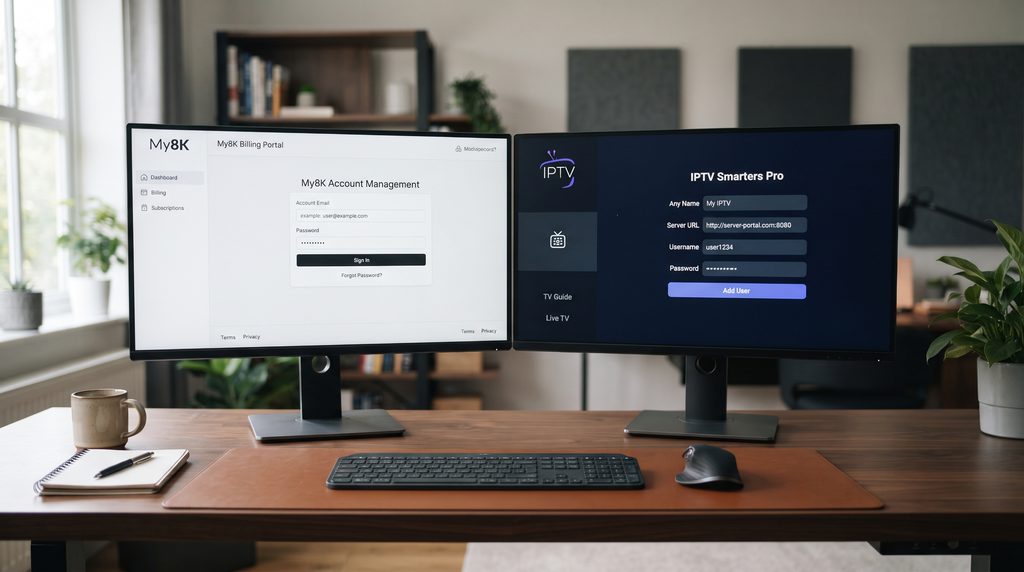
Before resetting passwords, clearing browsers, reinstalling applications, or assuming a service is down, identify the login type you actually need. Most my8k me login problems become easier once you put the account into one of a few basic categories. A billing login is used in a browser for account or activation tasks. A reseller login can include management tools for creating or renewing customer lines. IPTV streaming credentials are entered inside a player, while an M3U URL or Xtream-style account provides the information the player needs to load channels and on-demand content.
Access Type
What It Is For
Where You Normally Use It
Common Sign You Chose the Wrong One
My8K billing login
Billing, activation, or account management
Web browser
Your IPTV username is rejected
Reseller panel
Create, renew, or manage customer subscriptions
Management dashboard
Normal customers cannot access panel tools
IPTV username and password
Authenticate a streaming subscription
Compatible IPTV player
Billing website says password is invalid
M3U URL
Load a playlist and related content
Player that supports M3U
Trying to open it as a normal account page
Xtream-style login
Load live TV, VOD, series, and often EPG data
IPTV application
Using panel credentials instead of stream credentials
Provider website account
Orders, information, support, or subscription help
Provider website
Assuming it controls every third-party player
This table is more than a terminology exercise. If channels load correctly in your player but my8k me login fails, the streaming account may still be working perfectly. If the web portal opens but no channels load on the television, the issue is more likely connected to the streaming credentials, player configuration, subscription status, or server information. Keeping those systems separate gives you a much cleaner troubleshooting process and prevents you from changing settings that were never broken. In other words, my8k me login should be checked separately from the player whenever one side still works.
How to Access My8K Me Login Safely
If my8k me login is genuinely the portal you were instructed to use, the safest approach is straightforward: use the exact address supplied by the account source and verify the domain before entering anything. Similar-looking names can be easy to confuse, particularly when backup billing addresses or reseller domains exist. Do not assume that a page is legitimate just because its logo, colors, or wording look familiar. The domain itself matters more than the appearance of the page. A careful my8k me login attempt starts with the verified domain, not with a password guess.
A Simple Login Checklist
Open the exact portal address supplied with your account.
Check the spelling of the domain before entering a username or password.
Confirm whether the credentials are for billing, reseller management, or IPTV playback.
Type the details carefully and remove accidental spaces created by copying and pasting.
Avoid repeatedly guessing passwords if the first few attempts fail.
Do not expose usernames, passwords, server URLs, or playlist links in screenshots.
Log out after account-management work on a shared device.
Save the verified portal securely so you do not need to search for it again.
The goal is not to make my8k me login complicated; it is to remove uncertainty before sensitive information is entered. If you were never given billing-panel access and only received IPTV viewing credentials, you probably do not need the billing portal for everyday streaming. In that situation, opening more account websites will not fix a television player. You should work with the credentials and setup information that belong to the streaming subscription instead.
Billing Credentials vs IPTV Credentials: Know What You Were Given
The credentials connected with my8k me login depend on the account type. A billing or reseller account may have a management username and password created only for the web portal. A consumer IPTV subscription may provide an entirely different username and password, plus a server or host address. Some services may provide an M3U URL instead, while others offer an Xtream-style set of details that the player combines into one account. These details can belong to the same broader service without being accepted by the same login screen. That is why my8k me login credentials should be labeled separately from the details used for streaming.
Strong8K-related setup information in the original article also references M3U and Xtream-style credentials for normal IPTV viewing. For Strong8KTVs users who are still testing the service, the Strong 8K free trial route is the safer place to receive the appropriate setup details than trying credentials copied from another My8K website. Keep the activation message after the account starts because it can save a lot of time if you later forget which server, username, or login method was originally supplied.
A Better Way to Store Multiple Credentials
If you have more than one username or password, do not save them as an unlabeled list. Store each one with a short description such as “billing portal,” “reseller panel,” “IPTV player,” or “M3U/Xtream.” Add the provider or seller name and the expiration date if one exists. This small step prevents the most common my8k me login mistake: trying every credential everywhere until something works. It also makes support much easier because you can explain exactly which system is failing without sending private details to several different people.
Using Your Streaming Credentials in an IPTV Player
If the real goal is to watch content, the billing page may have nothing to do with the problem. Open a compatible IPTV player on the device you want to use and select the login method that matches the information supplied with the subscription. The wording varies between applications, but common options include “Xtream Codes,” “Login With API,” “Add User,” and “M3U Playlist.” A successful my8k me login does not automatically configure the player, because the player still needs the separate streaming details associated with the subscription.
Enter the host or server address exactly as supplied, then add the streaming username and password if the selected method requires them. Small copy-and-paste errors matter here: an extra space, missing character, wrong protocol, or incomplete host address can stop authentication. Once the account is accepted, give the application enough time to synchronize the content library. Large channel lists, movies, series, and EPG information may take a little time to populate on the first load, especially on slower devices. For content expectations, you can also review the Strong8KTVs channel-list page without changing your my8k me login settings.
Troubleshooting My8K Me Login by Symptom
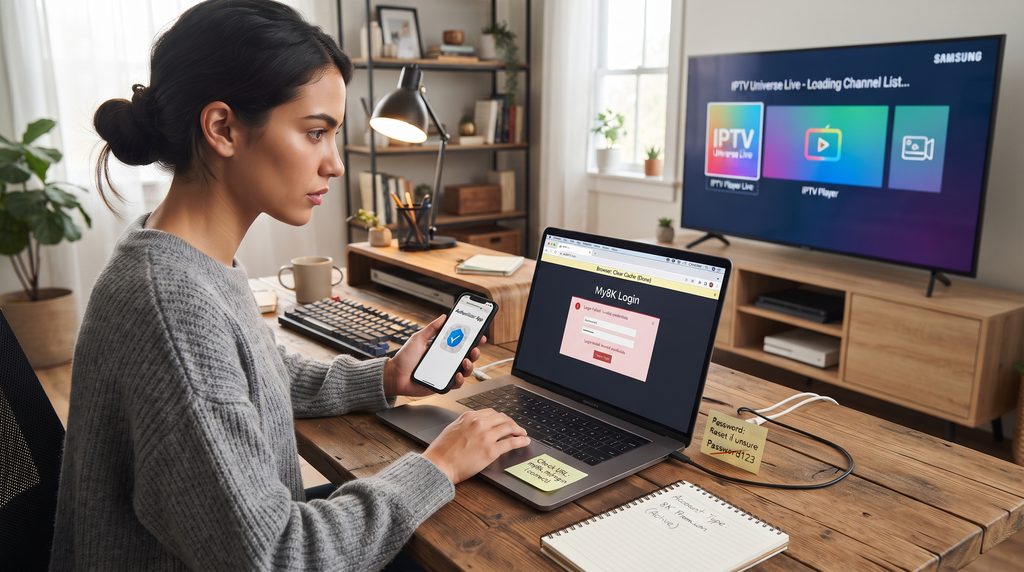
Good troubleshooting starts with the symptom, not with random fixes. When my8k me login fails, first identify what you actually see: does the page refuse to load, does the page load but reject the password, does the portal work while the IPTV player fails, or does the streaming account work while the portal rejects you? Those situations point to different causes. Clearing everything, changing every password, and reinstalling every application at once makes it harder to discover what was wrong because too many variables change together.
What You See
Most Likely Area to Check
Best First Action
Login page does not open
URL, browser, DNS, or network
Verify the address and test another trusted browser
“Invalid password” on the web portal
Wrong credential type or mistyped password
Confirm that you are using billing credentials
IPTV works but web login fails
Separate management credentials
Contact the account source instead of changing player settings
Web login works but channels fail
Streaming account, player, host, or expiration
Check IPTV credentials and subscription status
Old bookmark suddenly fails
Portal address may have changed
Ask the original seller for the current verified link
Login returns to the same page
Browser session or site data
Try a private window or clear data for that site
Account works on one device only
Device or application configuration
Compare the settings between devices
Everything stopped after expiration
Subscription or account status
Confirm renewal with the provider or seller
If the Login Page Does Not Load
When the page itself will not open, do not start by changing the password because the website has not reached the authentication stage yet. First confirm that other websites load normally on the same connection. Then recheck the address, try another browser, and test from another trusted device if one is available. A temporary browser-cache, DNS, or network issue can affect a single site even when the rest of the internet appears normal.
If an old bookmark no longer works, contact the account source before searching for a replacement portal, because the correct address may have changed. A my8k me login page that never loads should be treated as an access or browser problem before it is treated as a password problem.
If the Portal Says the Password Is Invalid
An invalid-password message is different because the site is loading and actively rejecting the credentials. Check Caps Lock, remove spaces before or after copied text, and confirm that autofill did not insert a password saved for another similar domain. Most importantly, verify that the password belongs to the web account rather than the IPTV player. Repeatedly trying every password you have is a poor my8k me login strategy because it can create more confusion and, depending on the system, may trigger temporary account-protection behavior.
If IPTV Works but My8K Me Login Does Not
This situation is actually useful because it tells you the streaming credentials are probably still valid. Do not reinstall the IPTV player or change the host address just because the web portal rejects you. The more likely explanation is that the portal uses different billing or management credentials, the account-management password changed, or the specific page does not belong to your subscription. Contact the person or service that issued the account and ask which login is intended for management access. Keeping the working player untouched avoids turning one login problem into two separate problems.
Phone, Smart TV, and Computer: What Actually Changes?
The underlying account does not become a different account just because you switch devices, but the best workflow changes. Current Strong8K information in the supplied article describes my8k me login as smartphone compatible, so legitimate billing or activation access should generally work through a normal mobile browser. A phone can actually be convenient for checking an account, confirming a renewal, or retrieving setup information because the browser is easier to use than the limited browser built into many televisions.
On a Smart TV, focus on the IPTV application rather than trying to perform account-management work in the television browser. Enter only the streaming details the application needs. If you have to recover a password, manage billing, or contact support, use a phone or computer and then return to the TV after the account information is confirmed. This reduces typing mistakes and keeps the management side separate from playback. It also avoids the common situation where a user thinks my8k me login should appear inside the television app even though the app only accepts Xtream or M3U-style streaming credentials. Keeping my8k me login in the browser and streaming credentials in the player makes the TV setup much easier to understand.
My8K Me Login for Resellers vs Regular Viewers
Resellers and ordinary viewers often search the same phrase while needing completely different tools. A reseller may use my8k me login for billing, activation, account creation, renewals, or other management tasks. A regular customer usually does not need those controls and should receive only the information required to use the subscription. This is one reason a login page can appear important in reseller communication while being almost irrelevant to someone who simply wants to watch IPTV on a television. Keeping my8k me login tied to the correct role prevents unnecessary account confusion.
Protecting Your Account and Login Details
Login security matters more when several credential types are involved because each one can expose a different part of the account. Keep billing usernames, reseller passwords, IPTV credentials, server URLs, and M3U links private. Do not post them in public forums or social-media comments, and do not upload screenshots that show complete credentials while asking for troubleshooting help. Even if a detail looks harmless, another person may be able to use it to access or interfere with the account.
If you are allowed to choose your own management password, use a unique password instead of reusing one from email, social media, or another service. CISA recommends using strong, unique passwords, and that advice is especially sensible for a web portal that may control billing or account access. A password manager can also help you label each credential so you do not accidentally paste an IPTV password into my8k me login or use a panel password in a player. Keeping a unique password for my8k me login also reduces the damage if another unrelated account is compromised.
The Strong8KTVs Customer Path: Keep the Process Simple
Strong8KTVs customers do not need to jump between every My8K-branded website they can find. Use the service’s own consumer pages for consumer tasks. The Strong8KTVs homepage is the starting point for general service information, while the Strong 8K pricing options page is the appropriate place to review plan information. If you already have a subscription and need account help, use the Strong8KTVs contact page rather than assuming another seller can see or modify the account.
For streaming, use the activation details and player instructions that came with the subscription. If those details are missing, expired, or no longer work across several compatible devices, contact support and ask for account-specific help. If you are only comparing content, use the channel information rather than repeatedly changing player settings. The key point is that my8k me login should only enter the workflow when it is actually connected to the management or billing task you are trying to complete.
Common Mistakes That Create My8K Me Login Problems
Using IPTV credentials on a billing page: a valid streaming username can still be invalid for account management.
Using billing credentials inside an IPTV player: the player normally needs the streaming account instead.
Trusting an old saved URL forever: if a portal changes, an outdated bookmark can fail even when the account remains active.
Letting browser autofill choose the password: similar domains can cause the browser to insert credentials from the wrong account.
Changing player settings when only the web portal is broken: if IPTV still works, leave the working setup alone.
Posting credentials for help: support can troubleshoot an error without receiving your password in a public place.
Forgetting who sold or activated the account: the account source is often the only party that can confirm the correct portal or reset.
Treating every My8K-related website as one system: similar branding does not guarantee shared accounts or shared support.
When to Stop Troubleshooting and Contact Support
There is a point where more troubleshooting stops being useful. If you have verified the domain, confirmed the correct credential type, checked for typing errors, and tested a second trusted browser or device, repeating the same steps will not create new information. This is especially true when my8k me login is controlled by a seller or reseller system because only the account source may be able to reset a panel password, confirm a portal change, restore an expired account, or explain why access was disabled. Once the basic my8k me login checks are complete, the account source is usually more useful than another round of random changes.
When contacting support, describe the problem without sending sensitive credentials unless a secure process specifically requires them. Mention the device, browser or IPTV application, whether the account worked before, what changed, and the exact error message. Also explain whether the failure happens on the web portal or inside the IPTV player. Saying “my login does not work” is vague, while saying “the IPTV player still works, but the billing portal rejects the management password” gives support a much clearer starting point.
Frequently Asked Questions About My8K Me Login
What is my8k me login used for?
The information supplied for this article identifies my8k me login as a billing activation login within the Strong 8K/My8K environment. That means its purpose is closer to account management than everyday playback. A normal viewer may never need to use that page if the subscription is already active and the IPTV player has the correct streaming credentials. Always follow the instructions from the account source because reseller and customer workflows can differ.
Is my8k me login the same as my IPTV player login?
No, not necessarily. A billing portal and an IPTV player can use completely different usernames, passwords, and server information. If your player asks for an Xtream-style login or an M3U playlist, it is requesting streaming details rather than a web-management password. If my8k me login rejects the same password you use in the player, that does not automatically mean the subscription has stopped working.
Why does my IPTV password fail on the My8K page?
The most likely explanation is that the IPTV password belongs to the streaming account while the web page expects separate billing or management credentials. Check the activation message or seller instructions to see how each credential was labeled. Do not keep guessing different passwords if you are unsure which account type the portal expects. Contact the original account source and ask which credentials are assigned to the management login.
Can I use my8k me login on a phone?
The Strong8K information included in the original material describes the login as smartphone compatible, so legitimate portal access should generally work in a normal mobile browser. Use an updated browser and check that password autofill did not select details from another similar website. A phone browser is for the web account, while IPTV playback on the phone still requires a compatible player and the separate streaming credentials. Those are two different uses of the same device.
What should I do if my8k me login is down?
First determine whether the page is unavailable only on your device or for everyone using the same account source. Check another website, verify the address, and test a second trusted browser or connection. If an old bookmark fails for an extended period, ask the seller or administrator whether the portal address has changed. Avoid entering credentials into an unverified replacement page found through a random search result.
Where do I get Strong8KTVs streaming credentials?
Use the activation information supplied with the Strong8KTVs trial or subscription. The streaming details may include a username, password, server address, M3U URL, or Xtream-style information depending on the setup method. If those details are missing or no longer work, contact the service connected to your account. Do not assume that my8k me login will reveal or replace the streaming credentials unless your provider specifically says it does.
Final Thoughts on My8K Me Login
my8k me login becomes much easier to understand when you stop treating every login as the same login. Billing access, reseller management, website accounts, IPTV usernames, M3U playlists, and Xtream-style credentials can all exist around the same service while serving different jobs. Most confusion begins when a user takes a valid credential from one system and tests it in another. The better approach is to identify the task first, confirm who issued the account, and then use only the page and credentials associated with that exact task.
For Strong8KTVs customers, keep the consumer workflow connected to the provider that supplied the subscription. Use the service website for general information, pricing, channels, trials, and support, and use the player credentials for everyday viewing. Only use my8k me login when the account source has connected that portal to your billing or management access. Keep all credentials private, verify domains before signing in, label different login types clearly, and contact the original account source when a portal, password, activation, or subscription problem cannot be solved through basic checks.