8k iptv sounds like a simple idea: television delivered over the internet at an extremely high resolution. In practice, the phrase covers several different things at once. It can describe a service designed for modern high-resolution televisions, a provider that includes 8K in its branding, or a streaming setup that may contain a mixture of SD, HD, Full HD, 4K, and occasional higher-resolution content. That difference matters because buyers can easily assume that an “8K” name means every channel is delivered in native 7680 × 4320 resolution. The source material does not support that assumption, and a useful 8k iptv guide should make the limitation clear before discussing anything else.
The real question is not whether the label looks impressive. It is whether the complete viewing chain can deliver the channels and movies you care about with good picture quality, stable playback, a usable program guide, and a device that handles the service comfortably. Internet quality, bitrate, compression, original source resolution, player behavior, screen size, Wi-Fi conditions, and simultaneous household use can all affect the result. This article approaches 8k iptv as a readiness question: what does the term really mean, when does higher resolution matter, what hardware and network conditions are useful, and what should you prove during a trial before paying for a longer subscription?
Table of Contents
First Reality Check: 8K IPTV Is Not One Resolution Promise
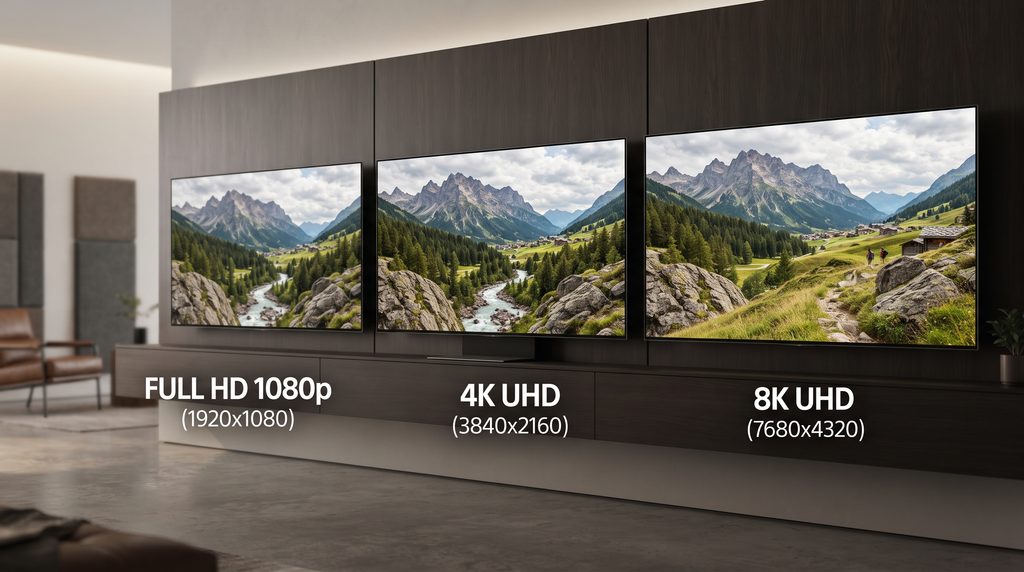
IPTV means Internet Protocol Television, so the basic idea is television and on-demand video delivered through an internet connection instead of relying only on a traditional cable line, satellite dish, or antenna. The “8K” part is where expectations become more complicated. Genuine 8K UHD uses 7680 × 4320 pixels, which is four times the pixel count of 4K UHD and sixteen times the pixel count of Full HD. The International Telecommunication Union publishes technical recommendations covering Ultra High Definition Television formats, including the standards associated with 4K and 8K video.
That specification describes a display format; it does not prove that every source inside an 8k iptv subscription was produced natively at that resolution. Live news, regional television, older programs, sports feeds, and movies can all originate at different quality levels. Some may be SD or HD, many may be Full HD, and some premium sources may be available at 4K. The service itself can still be useful on an 8K television because the television can display and upscale lower-resolution sources, but upscaling does not create the same original detail as a true native 8K production.
Nine Things to Know Before You Build an 8K IPTV Setup
1. Native Resolution and Branding Are Two Different Things
The first fact is the most important: 8k iptv should not be read as a guarantee that every live channel or VOD title is native 8K. A provider can use 8K as part of its positioning while still offering several quality tiers. The source material says Strong8KTVs presents 4K, Full HD, HD, and SD quality levels across its service. That is a more realistic description of a large IPTV library, because the provider cannot manufacture source detail that did not exist in the original broadcast or file.
When comparing streams, pay attention to what actually appears on screen. Fine text, faces, grass during football, motion around players, dark movie scenes, and compression artifacts are more useful clues than the channel label alone. A clean Full HD feed can look better than a badly compressed higher-resolution stream, especially when the latter uses a weak bitrate. For 8k iptv, picture quality is the result of several variables working together rather than one resolution number.
2. Source Quality Matters Before Your Television Does
An expensive 8K television cannot turn a weak source into perfect native detail. Modern televisions can upscale lower-resolution video, and good processing can make HD or 4K content look cleaner on a large panel, but the source still sets the upper limit on real captured detail. This is why an 8k iptv buyer should judge the original stream, bitrate, and compression before blaming the screen.
For example, two sports channels may both display a 4K-style label, yet one can look noticeably sharper because it starts with a better source and uses a healthier bitrate. Another stream may show blockiness around fast motion or lose detail in grass and crowd scenes. The most useful test is therefore side-by-side observation on the same television, not simply reading the resolution badge in the player.
3. Screen Size and Viewing Distance Change How Much Resolution You Notice
The practical value of this kind of service depends partly on how you watch. Resolution differences become easier to notice on larger displays and at closer viewing distances because individual pixel detail occupies more of your field of view. On a smaller screen viewed from across a large room, the difference between a very good 4K source and a higher-resolution source may be much less dramatic than the marketing language suggests.
That does not make an 8K television pointless. It simply means resolution should be one part of the decision rather than the entire decision. Contrast, color, motion handling, bitrate, compression, and source stability can have a bigger effect on everyday enjoyment than the jump from one resolution tier to another. A good 8k iptv setup should therefore prioritize the complete image instead of only maximum pixel dimensions.
4. You Do Not Need an 8K Television Just to Use the Service
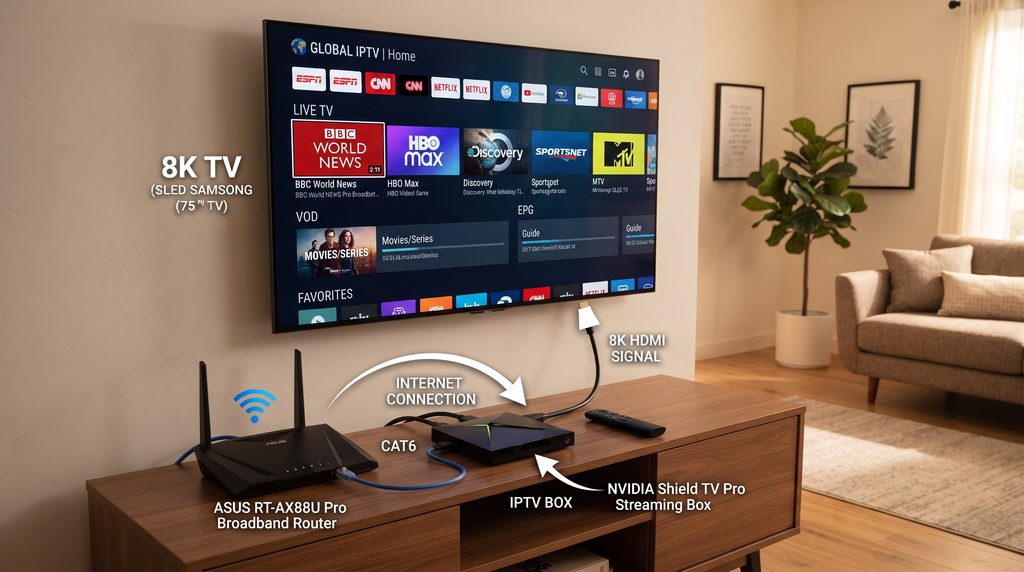
A service associated with 8k iptv can still work on compatible HD and 4K televisions. The important requirements are that the device supports the player, the account format can be added correctly, and the available stream can be decoded at a resolution the hardware supports. An actual 8K television is only necessary if you specifically want to display genuine native 8K video at the panel’s full resolution.
This is useful for buyers who already own a good 4K television. There is no reason to replace the screen only because the subscription includes 8K in its name. Test the service on the television you already use. If the picture looks good, channels remain stable, and the player is responsive, the setup is already doing its job.
5. Network Stability Matters More Than a Big Speed-Test Number
Higher-resolution video normally requires more bandwidth, but the quality of the connection matters as much as its headline speed. An 8k iptv household can have a fast internet package and still experience buffering if Wi-Fi is weak, the router is overloaded, several people are downloading large files, or the connection repeatedly drops. A stable connection that consistently delivers enough bandwidth can be more useful than one that peaks very high and then collapses.
The FCC broadband speed guidance explains that household internet needs depend on the number of users, devices, and simultaneous activities sharing the connection. The source material says Strong8KTVs recommends roughly 30–50 Mbps for smooth use of its service, while several simultaneous high-quality streams can require more total available capacity. Treat that figure as a baseline rather than a universal guarantee.
6. Wi-Fi Can Be Good Enough, but Ethernet Is a Great Diagnostic Tool
Wi-Fi is convenient and can work very well with 8k iptv when the router is modern, the signal is strong, and interference is limited. A good 5 GHz connection can deliver high throughput over reasonable distances, while 2.4 GHz can reach farther but may experience more congestion in some homes. The problem begins when the television sits behind several walls or far from the router and the connection fluctuates.
Ethernet removes many wireless variables because the streaming device connects directly to the router. You do not need to wire the whole house automatically, but Ethernet is valuable when troubleshooting. If 8k iptv becomes stable as soon as the same device is connected by cable, the local wireless network becomes a strong suspect. That result is more useful than repeatedly changing provider or player settings without evidence.
7. Your Device and Player Can Limit the Experience
A modern Smart TV, Fire TV device, Android TV box, computer, phone, or tablet can all be part of a high-resolution IPTV setup, but they do not have identical processing power or application choices. An older Smart TV may struggle with a very large playlist because the player is loading thousands of channels, logos, movies, series, and EPG entries. The same account can feel much faster on a newer external streaming device.
The player also matters because it handles navigation, favorites, search, guide information, playback controls, and often decoding. If one app behaves poorly while another compatible player works normally with the same account, the first application is part of the problem. Before paying for a subscription, confirm that a reputable player is available for your device and supports the login format you receive.
8. A Huge Channel Count Is Meaningless If Your Channels Are Missing
Large content libraries are part of the appeal of 8k iptv, but the total number is one of the least useful buying metrics on its own. Most households repeatedly watch a small set of sports networks, news stations, entertainment channels, regional television, and family programming. A service can contain thousands of extra channels and still be a poor fit if the twenty channels you actually use are missing or unreliable.
Strong8KTVs provides a Strong 8K channel list that can be used as the first filter. Build a personal shortlist before a trial starts. Include the countries, languages, sports, news, and entertainment categories that matter to your household. Then test those exact channels. This gives 8k iptv a practical measure of value instead of treating catalog size as a score by itself.
9. A Trial Is More Important Than the Resolution Claim
The best way to judge 8k iptv is to reproduce your normal viewing conditions. A trial should answer whether the service works on your television, player, network, and favorite content. Do not spend the entire period browsing random categories. Test priority channels, VOD, EPG, a real sports event if sports matter, and evening performance when the household normally watches television.
A second device can also help when a problem appears. If the account works perfectly on a computer but struggles on one television, the device or player deserves attention. If several devices show the same issue while normal internet video works correctly, the service or source becomes a stronger suspect. The trial is where 8k iptv marketing should be converted into evidence.
Are You Actually Ready for 8K IPTV?
You do not need a laboratory-grade setup to use 8k iptv, but a few conditions make the experience much easier to judge. The point of this readiness check is not to force upgrades. It is to identify whether a problem is likely to come from the service or from equipment and network conditions that were already weak before the subscription was added.
Readiness Area
Good Starting Condition
If This Is Weak
Television/device
Responsive hardware with a compatible player
Test another device before blaming the service
Internet
Stable broadband with enough capacity for household use
Reduce competing traffic and retest
Wi-Fi
Strong signal at the viewing device
Move closer, improve coverage, or test Ethernet
Player
Compatible login support and smooth navigation
Try another reputable compatible player
Content priorities
Written shortlist of channels and VOD
You may waste the trial browsing randomly
Connections
Plan matches simultaneous viewers
Household use may exceed the allowed streams
Trial plan
Real tests during normal viewing hours
You may miss evening or sports problems
If most of these conditions are already in place, a trial can tell you something meaningful. If several are weak, improve or at least identify them before judging the service. Otherwise a slow television, crowded Wi-Fi network, or incompatible player can distort the entire result.
How to Judge Picture Quality Without Being Fooled by the Label
Resolution labels are easy to compare because they give you a number. Real picture quality is harder, but it is also more useful. During an 8k iptv trial, use several types of content because each reveals different weaknesses. News channels are good for judging text sharpness and faces. Football and racing reveal motion quality, frame-rate issues, and compression around fast movement. Dark movies reveal blockiness and lost detail in shadows. Ordinary entertainment shows are useful for judging consistency over longer viewing periods.
Watch from your normal seating position. There is little value in standing twenty centimeters from the television to inspect pixels if nobody watches that way. Also compare audio synchronization, channel startup time, and whether quality remains stable for thirty minutes or more. A beautiful image that freezes every few minutes is not a strong viewing experience. For 8k iptv, stability and quality should be scored together.
Test Content
What to Look For
News
Text clarity, faces, stable audio
Football or racing
Smooth motion, grass detail, compression
Dark movie scenes
Blocking, banding, lost shadow detail
Animation
Clean edges and color transitions
Long viewing session
Stability, bitrate consistency, buffering
One Screen and Four Screens Are Different IPTV Problems
A single viewer can test 8k iptv with one device and one active stream. A family needs to think about total household demand. Strong8KTVs provides different connection options through its pricing page, and the important number is how many people watch simultaneously, not how many devices exist in the house.
A television, tablet, smartphone, and laptop can all be configured while only one stream is active at a time. In that case, one connection may be enough. If three people regularly watch different content simultaneously, the subscription and internet connection both need to support that pattern. Three high-quality streams also place more demand on the home network than one. An 8k iptv setup should therefore be sized around real household behavior rather than the maximum number of devices you own.
8K IPTV Means Different Things for Sports, Movies, and News
For sports, the most valuable part of the service is not maximum resolution by itself. Motion quality and reliability are more important because viewers cannot pause a live event while the stream recovers. Test the sports categories you actually follow and use a real event when possible. Watch long enough to see whether the feed remains stable under the conditions that matter.
For movies and series, organization becomes more important. Search for specific titles, open multiple episodes, inspect subtitles, and check whether the player remembers your progress. A huge VOD library can be useful, but it becomes frustrating if search is poor or seasons are disorganized. A high-resolution label does not fix a messy VOD experience.
For news and everyday television, EPG and startup speed can matter more than ultra-high resolution. People often move quickly between channels and want to see what is on without opening every stream. That is why 8k iptv should be evaluated as a complete television system rather than only a picture-quality product.
The Program Guide Matters More Than People Expect
EPG means Electronic Program Guide. It displays current and upcoming program information beside live channels, helping viewers understand what is on without opening each stream. In a large 8k iptv library, that can make the difference between a usable television interface and a long list of channel names.
Guide data is separate from the video stream. A channel can play normally while the EPG says “No Information,” and a time-zone problem can make correct schedule data appear several hours early or late. If the guide fails, refresh the EPG, check the device time, and verify the player settings before treating it as a full service outage. Test the guide on your favorite channels rather than expecting perfect data across thousands of rarely used entries.
A Better Way to Troubleshoot 8K IPTV
The most common mistake with 8k iptv is changing too many things at once. If buffering appears and you immediately replace the player, restart the router, enable a VPN, switch devices, and change the decoder, you may accidentally solve the problem without learning what caused it. A better method changes one variable at a time and observes the result.
Start with another channel. If only one stream fails, the source may be isolated. If every channel buffers, test normal internet video on the same device. If all streaming is poor, investigate the network. Compare Wi-Fi with Ethernet if practical. If normal streaming works but the IPTV account struggles, try another compatible player or device. If the account works elsewhere, the original device becomes a stronger suspect. This process makes 8k iptv troubleshooting evidence-based instead of random.
Login errors should be handled separately. Recheck the credentials exactly as supplied rather than reinstalling the application repeatedly. Missing EPG data should also be treated as a guide problem first. If basic checks do not solve the issue, use the Strong8KTVs contact page for service-specific support.
What You Should Not Buy Just Because of 8K IPTV
An 8k iptv subscription does not automatically justify buying a new television, new router, expensive streaming box, or faster internet plan. Upgrade only when your current setup shows a real limitation. If a good 4K television displays the streams clearly, there is no technical reason to replace it simply because the provider uses 8K branding. If Wi-Fi is stable, Ethernet is optional. If the current streaming device is responsive, a more expensive box may add very little.
The same rule applies to internet speed. If your connection already handles the service and other household activity without buffering, buying a faster plan may not change anything. Diagnose the bottleneck first. The smartest setup is not the most expensive one; it is the one where each component is good enough for the actual streams and household use.
Use the Trial as a Proof Session
The source material says Strong8KTVs provides a 24-hour trial. For 8k iptv, that period should be treated as a proof session rather than free entertainment. Prepare the channels, VOD titles, sports event, device, and player you want to test before activation. That prevents the limited trial from disappearing while you scroll through categories you will never use.
Run the first test during ordinary viewing and another during the evening. Try your priority channels, check VOD search and playback, inspect EPG information, and watch one stream for an extended period. If sports matter, use a real event. If several people will watch simultaneously, test the intended connection pattern. If buffering appears, compare the network or device rather than immediately concluding that 8k iptv is unstable.
Frequently Asked Questions About 8K IPTV
Is 4K sometimes better than an 8K-labeled stream?
Yes. Resolution is only one part of picture quality. Bitrate, compression, frame rate, source quality, and stability can make a well-encoded 4K stream look better than a poorly delivered higher-resolution feed.
Can I use 8K IPTV on Firestick or Android TV?
Compatible streaming devices can be used when a suitable IPTV player supports the account format. The maximum resolution and overall responsiveness still depend on the specific hardware and application.
Why does one channel buffer while others work?
That pattern suggests the problem may be limited to the individual source rather than the entire 8k iptv service. Test another version of the channel and return later before making larger network or account changes.
Where can I see Strong 8K channels?
The Strong8KTVs channel-list page provides the current content categories presented by the service. Use it to identify your priority channels before testing.
Should I buy a long subscription immediately?
Use the trial first. An 8k iptv plan becomes worth a longer commitment only after your priority channels, device, player, EPG, network, and normal viewing hours have been tested successfully.
Final Verdict: 8K IPTV Is a System, Not a Resolution Badge
The most useful way to understand 8k iptv is as a complete streaming system. Native 8K resolution is only one possible part of that system, and often not the part that matters most. The original source quality, bitrate, compression, network stability, player, device, screen, EPG, and content selection all influence the final experience. A great 4K or Full HD stream that remains stable can deliver more everyday value than an unstable feed with a higher label.
Before spending money on hardware or a long subscription, check whether your current television and streaming device already support the player you want, whether the home network is stable, and whether the channels you actually watch are available. Use the Strong8KTVs channel list and pricing pages to narrow the decision, then use the trial to test real viewing conditions. If a problem appears, isolate the device, player, network, or individual stream before assuming the entire 8k iptv service is responsible.
If the priority channels look good, sports remain stable, VOD is usable, the EPG covers the favorites you rely on, and the household can stream comfortably at the required connection count, the setup has passed the tests that matter. That is a much stronger reason to choose 8k iptv than the number printed in the name.