Table of Contents
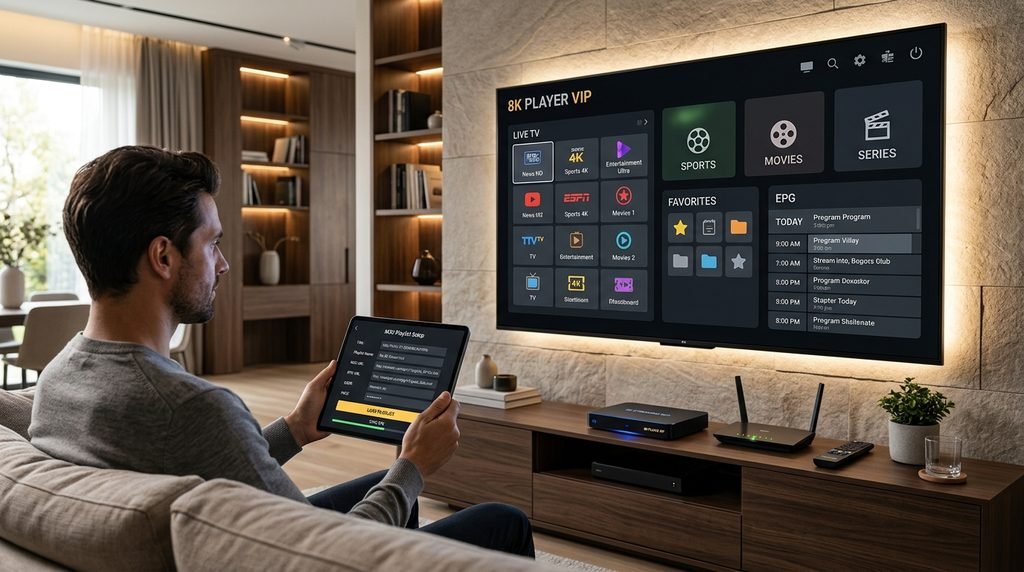
8k player vip is one of the IPTV player names commonly associated with the Strong 8K ecosystem, particularly on Fire TV and Android TV devices. It is designed to turn subscription credentials or an authorized playlist into a television-friendly interface where users can browse live channels, groups, electronic program guide information, movies, and other content available through their service. The important distinction is that the player is the software interface rather than the television subscription itself, so installing the application alone does not automatically provide channels.
People usually search for 8k player vip because they want a straightforward Strong 8K player, need a replacement for another app, have received a Downloader code, or are troubleshooting an older version. Current Strong-related download pages describe the application as an advanced M3U-oriented player with channel groups and EPG functionality, while recent Strong community updates show that its download address and Downloader code have changed over time.
This guide explains what the player does, how installation generally works, which credentials you need, how to handle changing Downloader codes, what to check when channels fail to load, and whether VIP is preferable to alternatives such as Fast 8K, Player Plus, Player Prime, or TiviMate-style players. If you are also evaluating the underlying Strong8KTVs service, check the Strong8KTVs channel lineup before installation so you know which channels you actually want to test.
Quick Answer: What Is 8K Player VIP?
8k player vip is an IPTV media player used primarily on Android-based television devices such as Android TV boxes and Fire TV hardware. Strong-associated download pages currently describe it as a player for playlists, channel groups, and EPG navigation, while setup pages associate it with M3U-oriented Strong accounts. The player organizes access supplied through your own subscription rather than functioning as an independent television provider.
That means downloading 8k player vip does not create a Strong subscription or unlock content by itself. You still need valid credentials or another supported account format supplied by the service you are authorized to use. If you are starting from scratch, the Strong8K free trial gives you a more useful way to evaluate both the player and the streaming service before choosing a longer plan.
1. 8K Player VIP Is a Player, Not the Subscription
The first concept to understand is the difference between the application and the service behind it. 8k player vip handles the graphical interface, channel categories, playback controls, favorites, EPG, and navigation, while the subscription supplies the actual stream information. A player without valid content credentials is similar to a web browser without a website address: the software can open content, but it does not create that content.
This distinction becomes particularly important when troubleshooting. If 8k player vip opens normally but every channel fails, the problem could involve the playlist, subscription status, server, network, or credentials rather than the application itself. If your account works in another supported player but not in VIP, the app configuration becomes a stronger suspect.
It also prevents unnecessary purchases. You generally should not need to buy an entirely new Strong subscription simply because you prefer a different player interface. Confirm with your provider which applications and login formats are supported, then use the same authorized account where the configuration permits it.
2. Which Devices Work Best With 8K Player VIP?
Current Strong-oriented app listings primarily position 8k player vip as an Android TV and Fire TV option. Android-based streaming boxes are a natural fit because the interface can be controlled with a television remote, while Fire TV users commonly install IPTV players through a downloadable APK when the exact app is not distributed through the normal store. Strong-associated pages also list other dedicated options for Windows, macOS, phones, and television platforms, so VIP does not need to be forced onto every device.
The fact that an application can technically install on a device does not guarantee an ideal experience. Older Fire TV sticks and inexpensive Android boxes may have limited memory, slower processors, or very little free storage, which can make enormous playlists and large EPG databases slower to navigate. A modern device can therefore make 8k player vip feel considerably more responsive without changing the subscription.
Best Devices to Consider
For a television-first setup, prioritize:
- Fire TV devices with enough free storage
- Android TV or Google TV boxes
- Android-based Smart TVs where compatible
- Modern television hardware with good Wi-Fi or Ethernet
- Devices capable of hardware video decoding
If you primarily watch on Windows, macOS, iPhone, or iPad, choosing a native application for that platform is usually cleaner than trying to force an Android APK into an unsupported environment.
3. How to Install 8K Player VIP on Firestick or Android TV
The normal installation process depends on where the current APK is distributed. When the application is available through a trusted app store, that is generally the simplest path. When your legitimate provider instead supplies an APK or Downloader code, Fire TV and Android TV can support installing applications outside their normal stores, although that process should be treated carefully because sideloaded applications do not receive the same distribution checks as ordinary store downloads.
Amazon’s developer documentation confirms that Fire TV supports Android applications and describes installing applications outside the Appstore as sideloading. Google also recommends keeping Play Protect enabled on Android TV because it checks installed applications and can detect potentially harmful software, including apps obtained outside Google Play.
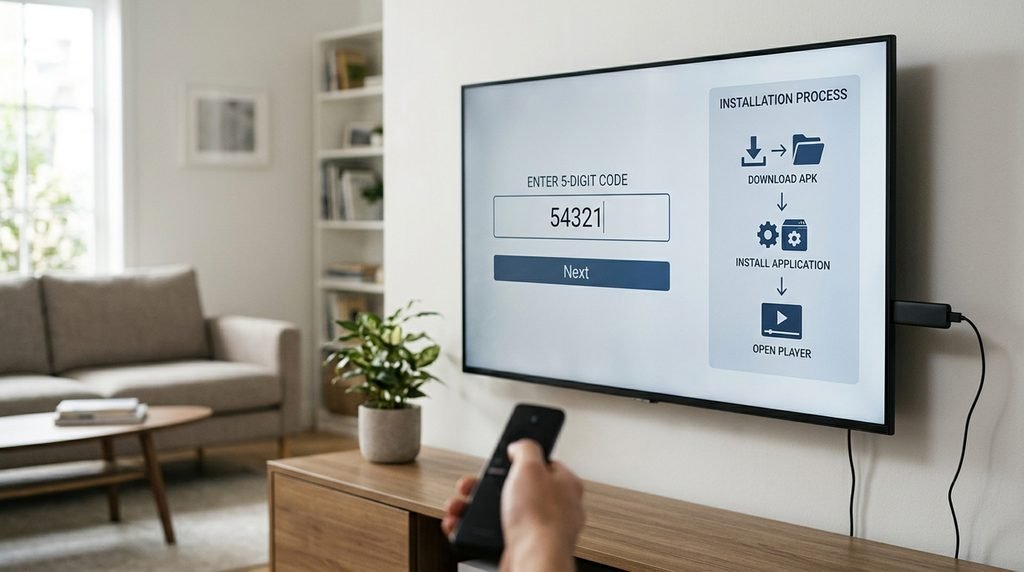
A normal 8k player vip installation looks like this:
- Confirm the current application source with your provider.
- Open the Downloader or approved installation application.
- Enter the current verified URL or Downloader code.
- Download the APK.
- Allow installation for that specific source if your device requests permission.
- Complete installation.
- Open the application.
- Enter your authorized account or playlist information.
- Wait for the playlist and EPG to finish loading.
- Test your important channels before changing advanced settings.
Do not search random websites for a “modded” version merely because one Downloader code stopped working. Codes can change while the application itself remains available.
4. What Is the Current 8K Player VIP Downloader Code?
This is one area where users need to be careful. Strong-related websites currently display different codes because some pages still contain older download information, while a more recent Strong community announcement from May 29, 2026 listed 2057169 for 8k player vip. Older Strong pages still show codes such as 439873 or 9352817, demonstrating why copying an old number from Google can lead to a failed download or outdated package.
The practical rule is simple: do not treat any Downloader code as permanent. Confirm the latest code from the support route associated with your account immediately before installing. If your existing copy of 8k player vip already works properly, there is also no reason to repeatedly reinstall it simply because a new download link appears.
Why Downloader Codes Change
The numerical code normally points toward a download URL rather than being part of your IPTV subscription. If the hosting location changes, an updated APK is published, or the provider changes distribution infrastructure, a new code may be issued. Your IPTV username or subscription credentials are separate from that installer code.
5. How Do You Log In to 8K Player VIP?
After installation, 8k player vip needs the account information supplied with your authorized service. Strong download references frequently associate the application with M3U accounts, while broader setup pages also describe IPTV players that support either M3U playlists or Xtream-style server, username, and password combinations. The exact login screen can depend on the version distributed to you.
If the app requests a playlist URL, paste the complete M3U information supplied with your account rather than entering only your username. If it presents separate server, username, and password boxes, enter each credential exactly as issued. Capitalization, missing characters, extra spaces, and an incorrect server address can all prevent the playlist from loading even when the subscription remains active.
Never post a screenshot containing your complete playlist URL publicly. M3U addresses can contain account information directly inside the URL, so sharing one can expose subscription credentials in the same way as sharing a username and password.
6. EPG and Channel Groups Are Major 8K Player VIP Features
One reason viewers choose 8k player vip instead of a very basic media player is organization. Current Strong-related descriptions specifically emphasize playlists, channel groups, and EPG functionality. Those features matter when your subscription contains thousands of entries because endlessly scrolling through the full playlist would be frustrating.
The EPG, or electronic program guide, lets you see what is currently showing and what comes next. During your first setup, allow the guide time to synchronize before assuming data is missing. Large playlists can take longer to process, particularly on inexpensive streaming devices.
Create Favorites Early
Do not leave 8k player vip organized exactly as the original playlist if you only watch a handful of categories. Build a favorites group containing your local channels, sports, news, entertainment, movie networks, and other regular choices. This can turn an overwhelming playlist into a much more manageable television interface.
Use the Strong8KTVs channel list to identify what you want before you begin. Then verify those channels inside the app rather than spending the first hour opening random categories.
7. What to Do When 8K Player VIP Will Not Open
Application launch problems occasionally appear in community discussions. In June 2026, one Strong community thread described a related VIP+ build repeatedly closing on several Android devices, while the same user said they could still use the regular 8k player vip version. Other commenters discussed cache clearing and updated versions, although the experience was not identical for everyone.
If 8k player vip suddenly closes immediately, start with basic troubleshooting rather than deleting all your data. Force-close the app, restart the device, verify that enough storage remains available, and check whether your provider has published an updated installer. Clearing cache can be reasonable, but clearing all application data may remove the playlist and settings, so make sure you can restore your credentials first.
If the application continues crashing after reinstalling a current verified version, try another supported Strong player temporarily. That tells you whether the problem is limited to VIP or affects the account more generally.
8. How to Fix Buffering in 8K Player VIP
Buffering does not automatically mean 8k player vip is defective. Streaming depends on the source, server capacity, ISP route, Wi-Fi conditions, device processor, available memory, VPN path, player decoder, and other factors. The application can influence playback behavior, but it cannot repair a weak internet connection or unstable source feed.
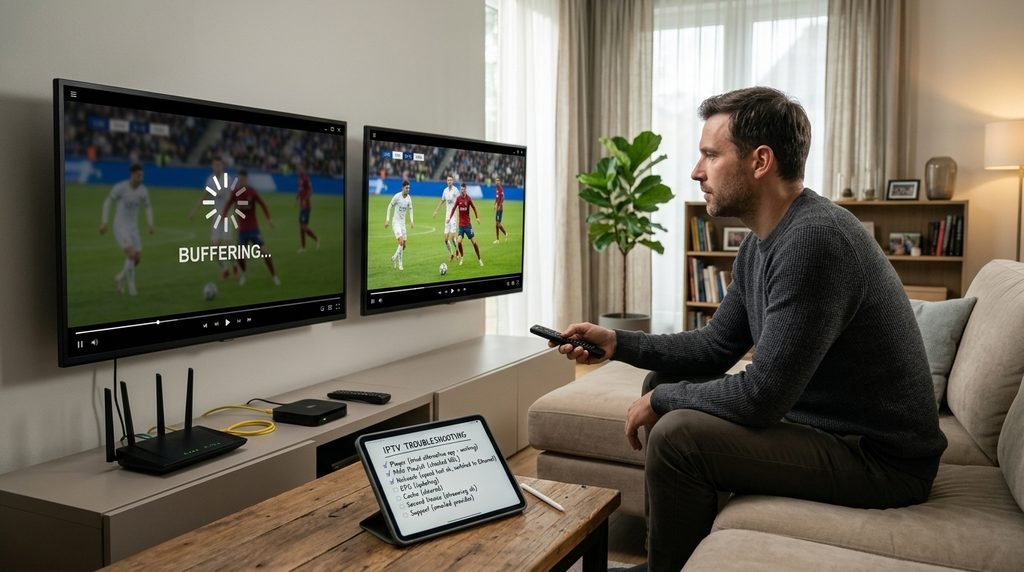
Troubleshoot systematically:
- Test another channel.
- Restart the app.
- Restart the streaming device.
- Check normal internet performance.
- Compare Wi-Fi with Ethernet if possible.
- Pause large background downloads.
- Test another supported IPTV player.
- Test a second device.
- Contact support if the same streams repeatedly fail everywhere.
If the same account works perfectly in another player on the same device and connection, the 8k player vip configuration deserves closer attention. If both players struggle on exactly the same channels, the source or network becomes a more likely explanation.
9. 8K Player VIP vs Other Strong 8K Players
Strong-related app lists currently include several alternatives such as Fast 8K, 8K Player Plus, 8K Player Prime, 8K Player VIP+, TiviMate 8K Pro, Strong Power, and VOD-focused versions. That means 8k player vip is one option inside a much larger player ecosystem rather than the only interface available.
The best player depends on what you value. Some viewers want extremely simple channel navigation, others care about advanced EPG controls, while movie-heavy users may prefer a VOD-oriented layout. Switching players can also be useful when you want to determine whether an issue is caused by the interface or the subscription.
| Player Type | Best For | Main Priority |
|---|---|---|
| 8K Player VIP | General TV viewing | Groups and EPG |
| Fast 8K | Simple everyday use | Speed and navigation |
| Player Plus | Alternative interface | General viewing |
| Player Prime | Different TV layout | Ease of use |
| VIP+ | Users wanting another VIP-style build | Interface preference |
| VOD player | Movies and series | On-demand browsing |
| TiviMate-style option | Advanced TV users | Guide customization |
Do not install every player merely because it exists. Choose one or two and test them carefully with the same channels so the comparison remains meaningful.
Is 8K Player VIP Really an 8K Video Player?
The name can be misleading if interpreted too literally. An application called 8k player vip cannot convert ordinary HD source material into genuine native 8K content. The source, encoding, device, connection, and television all have to support the relevant resolution before you can actually display native 8K.
Treat the name primarily as part of the Strong player branding. When comparing streams, focus on whether they look sharp, handle motion well, maintain audio synchronization, and remain stable. A well-delivered 1080p or 4K sports stream can provide a much better real-world experience than an unstable feed labeled with a higher resolution.
Is 8K Player VIP Free?
Current Strong-associated app listings describe the player among downloadable player options rather than as a separate television subscription. However, the fact that 8k player vip can be downloaded does not mean the streams themselves are free. You still need a compatible authorized subscription or playlist.
If you are evaluating Strong8KTVs, use the Strong8K free trial before purchasing a longer subscription. This allows you to determine whether the application, channels, EPG, device, and network all work together before reviewing the current Strong8KTVs pricing plans.
How to Test 8K Player VIP Properly
A good test covers more than whether the application launches. After the playlist loads, check the features you will use every day and deliberately test during your normal viewing period. If sports are important, include a live event instead of assuming daytime entertainment channels represent peak-hour performance.
Use this checklist:
- Confirm the playlist loads correctly.
- Test your 10 most important channels.
- Create a favorites group.
- Verify EPG information.
- Test channel switching.
- Watch one stream continuously for 20 minutes.
- Test live sports when possible.
- Search for movies and series.
- Test subtitles and alternate audio.
- Restart the app and verify favorites remain.
- Check performance during evening hours.
- Compare another player if something repeatedly fails.
The trial is also a good opportunity to assess support. If you cannot determine which login method or application version you need, use the Strong8KTVs contact page rather than repeatedly downloading versions from unfamiliar websites.
Common 8K Player VIP Mistakes
The first mistake is confusing the player with the subscription and assuming installing 8k player vip automatically includes television channels. The second is using an old Downloader code without confirming whether the distribution link has changed. The third is exposing playlist credentials by sharing screenshots publicly while asking for help.
Another mistake is blaming the application immediately whenever buffering occurs. Test the same stream through another supported player and network before deciding which component is responsible. Finally, do not disable security protections permanently just to install one APK; only allow installation from the source you need and keep device security tools such as Play Protect enabled where available.
Frequently Asked Questions About 8K Player VIP
What Is 8K Player VIP Used For?
8k player vip is used to organize and play content supplied through a compatible IPTV subscription or playlist. Current Strong-related descriptions emphasize M3U playlists, channel groups, and EPG functionality. The app is therefore mainly an interface between your authorized account and the television.
Does 8K Player VIP Include Channels?
No player installation should be assumed to include a television subscription automatically. 8k player vip needs valid content credentials or a playlist supplied by your service. Installing the APK alone is not the same as activating a Strong8KTVs subscription.
What Is the 8K Player VIP Downloader Code?
The code has changed over time. A May 2026 Strong community update listed 2057169, while older Strong pages continue to show other numbers, so verify the latest code immediately before installing rather than relying on a permanently saved number.
Is 8K Player VIP Available on Firestick?
Yes, Strong-related download pages specifically list 8k player vip as a Firestick-oriented M3U player. Installation may involve an APK and Downloader when the exact build is not available through the regular app store. Use only a verified current installer.
Why Is 8K Player VIP Not Loading Channels?
Possible causes include expired credentials, an incorrect M3U URL, temporary server problems, network issues, incomplete playlist synchronization, or an application problem. Restart the app, verify the account, test another channel, and compare another supported player before reinstalling everything.
Is VIP Better Than Fast 8K?
Not universally. 8k player vip emphasizes channel groups and EPG organization, while Fast 8K is positioned as another straightforward Strong player. Try both if your provider supports them and keep whichever interface performs better on your specific television.
Final Verdict: Should You Use 8K Player VIP in 2026?
8k player vip remains a useful Strong-oriented option for Fire TV and Android TV users who want organized playlists, channel groups, live-TV playback, and EPG navigation. Current Strong app directories still list it alongside newer alternatives, while recent updates show that distribution URLs and Downloader codes can change. That makes verifying the current installer just as important as choosing the application itself.
The best way to evaluate 8k player vip is to combine it with a trial of the actual service. Check the Strong8KTVs channel lineup, install a verified copy of the application, load your authorized account, test your priority channels during normal viewing hours, and compare another compatible player if something does not work correctly. Only after the complete setup performs reliably should you decide which subscription length makes sense.
Ultimately, 8k player vip should make IPTV easier to navigate rather than adding another layer of confusion. Understand that the player and subscription are separate, protect your credentials, verify changing download codes, use favorites and EPG tools, and troubleshoot systematically. If it performs well on your device and gives you comfortable everyday navigation, there is little reason to switch simply because another player has a newer name.