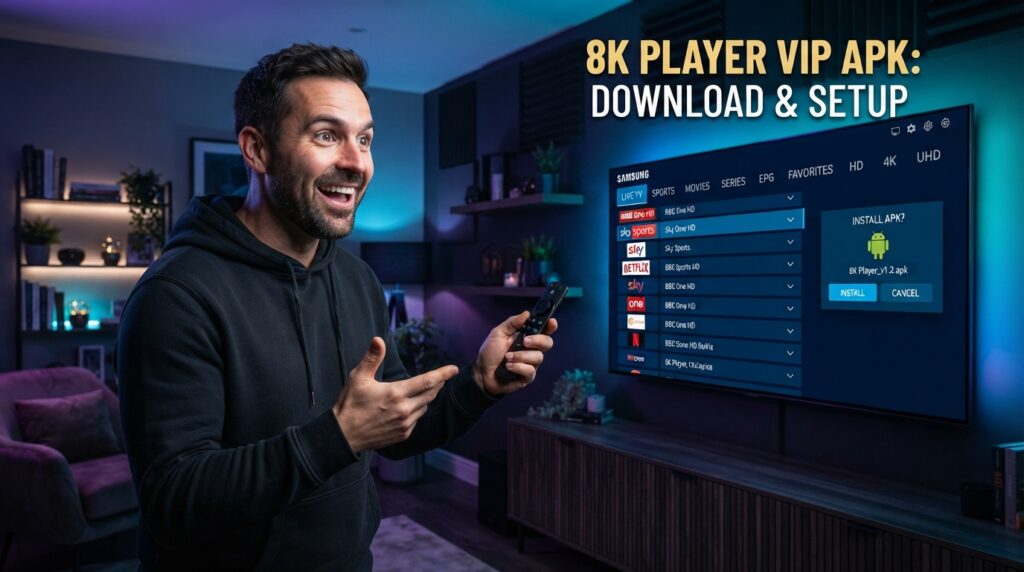
The 8k player vip apk is the Android installation package used to install the 8K Player VIP application on compatible streaming devices such as Amazon Fire TV hardware, Android TV boxes, and other Android-based television platforms. The APK gives you the player interface for live television, movies, series, favorites, channel groups, Electronic Program Guide data, and playback controls. Your authorized subscription is a separate layer that supplies the streams and login permissions, so installing the software by itself does not create a working television package.
That separation is important because people often treat installation problems, account problems, and playback problems as though they are all the same thing. A perfectly installed VIP player can still show an invalid login when the subscription has expired or the credentials were entered incorrectly. A valid subscription can also work in another player while VIP crashes locally. Understanding which layer is failing gives you a much cleaner way to troubleshoot instead of reinstalling everything whenever one stream freezes.
The source material also shows why installation information needs to be treated as time-sensitive. Recent Strong-related announcements identify Downloader code 2057169 for 8K Player VIP, while another Strong-branded setup page still lists 9352817 and older community material contains 439873. That does not automatically mean one number is malicious. It shows that APK destinations and Downloader shortcuts can change, so the safest approach is to verify the current 8k player vip apk route before installing rather than treating one number as permanent.
Table of Contents
What Are You Actually Installing With the 8K Player VIP APK?
An APK is an Android application package. When you install the 8k player vip apk, you are installing the player software itself, not purchasing a subscription and not downloading a permanent bundle of live channels. The app is designed to take authorized account information and turn it into a remote-friendly interface that makes a large IPTV library easier to browse on a television.
That means two people can install the same 8k player vip apk and see completely different content. One account may include one set of countries, sports groups, and VOD categories while another account uses a different reseller configuration. The app can organize whatever the account is allowed to access, but it does not decide what the provider has enabled for that user.
This distinction also matters when you compare players. If the VIP interface feels slow, you may be able to try another compatible player without changing the subscription. If a different application accepts the same authorized account and works better on your hardware, the problem may be the player or device rather than the underlying service. The 8k player vip apk should therefore be judged first as an interface and playback application.
How Should You Handle Downloader Codes and APK Sources?
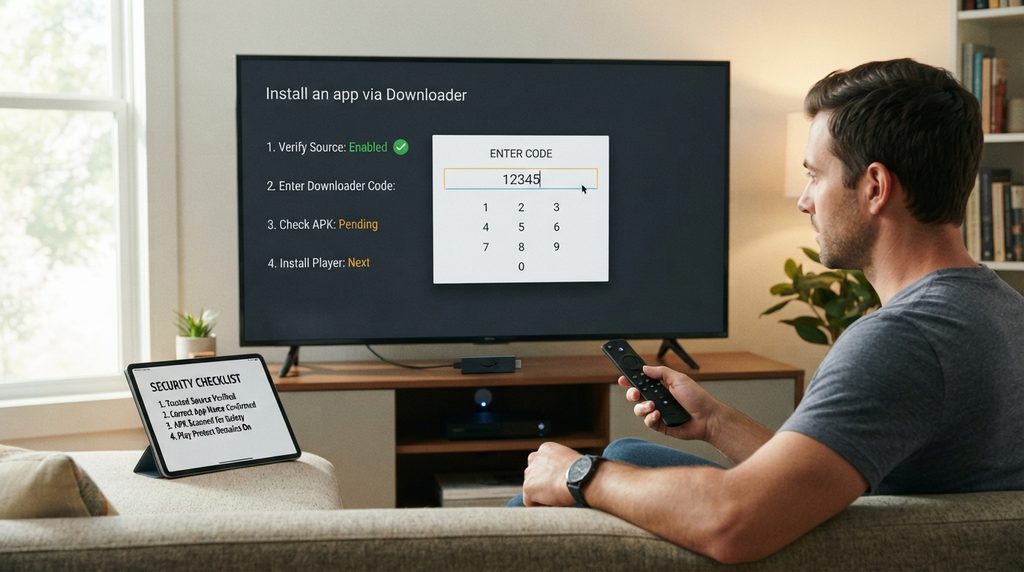
Fire TV users often install apps through a Downloader-style shortcut because typing a short numeric code with a remote is easier than entering a long web address. The important limitation is that a code is only a redirect to a destination. It does not prove the destination is permanent, and it does not independently verify that the file behind the code is the exact 8k player vip apk build you intended to install.
Files can be moved, replaced, mirrored, or republished. A distributor can publish a newer build under a different code while an older page continues ranking in search. That is why conflicting Downloader numbers can exist at the same time. The practical rule is to confirm the source connected to your provider, reseller, or established Strong app announcement before you enter credentials into a sideloaded application.
Why 2057169 Matters Without Treating It as Permanent
The source identifies 2057169 as the recent Downloader code supported by current Strong-related announcement material for the 8k player vip apk. It also notes that a May 29, 2026 community app update used the same number. That makes it a stronger current reference than older values such as 439873, but the conflicting 9352817 listing on another Strong-branded page proves why the number should still be dated and verified rather than presented as permanent.
If 2057169 no longer resolves when you eventually install the app, do not start entering random codes copied from old tutorials. Ask the provider which 8k player vip apk build is currently recommended for your device. If your existing VIP installation still opens, loads the guide, and plays your important channels correctly, there is normally no reason to replace it solely because a different Downloader code appears online.
Source verification matters more than the code itself. A familiar icon or file name can be copied, and a repackaged APK can be different from the original build. Keep the normal security protections on your Android or Fire TV device enabled, verify the destination before installation, and avoid unknown file-sharing pages that have no clear connection to the account you use.
Which Devices Are the Best Fit for 8K Player VIP?
The 8k player vip apk is mainly relevant to Android-based television hardware. The source identifies Firestick and Android TV as the natural targets for the VIP build, which makes sense because the interface is intended for remote-controlled television use. Android TV boxes, some Google TV devices that allow compatible Android applications, and certain Android tablets may also run the build depending on the hardware and software version.
Device capability can change the experience dramatically. A large subscription can contain thousands of channels, a huge VOD library, channel logos, movie artwork, and several days of guide information. An older Fire TV stick with little free storage can feel slow even when the 8k player vip apk itself is working correctly. Long category-loading times, repeated EPG refreshes, lag while browsing VOD, and random closes can all be influenced by limited memory or storage.
Before blaming the service, check how much storage is available and restart the device. If possible, compare the same account on newer Android hardware. When the VIP app runs smoothly on a stronger box but repeatedly struggles on an older stick, that evidence points more toward the device than the subscription.
Device Type
Why It Fits
What to Watch For
Fire TV Stick
Common Android-based TV platform
Free storage, memory, app stability
Android TV Box
Remote-friendly Android environment
Decoder behavior, EPG size, responsiveness
Google TV Device
Can support compatible Android apps
Build compatibility and storage
Android Tablet
May run the APK depending on the build
Interface scaling and touch behavior
iPhone / iPad
Not an Android APK platform
Use a compatible App Store player instead
What Account Information Do You Need After Installation?
Installing the 8k player vip apk is only the software step. The application still needs authorized account information supplied by your IPTV service or reseller. Depending on the build and configuration, that may be a username and password tied to a preconfigured backend, an M3U playlist, or another supported login method.
Use only the credentials issued for your own subscription. Do not copy usernames, passwords, server addresses, or M3U links from screenshots, YouTube descriptions, or old tutorials. Those examples can be expired, incomplete, or belong to another account. A complete M3U address can also contain the username and password directly inside the URL, so it should be handled with the same care as a normal password.
If the 8k player vip apk shows an invalid username, password, playlist, or connection message, first confirm that the subscription is still active. Then compare every character with the details the seller supplied. An extra space, one wrong letter, or a copied field with hidden whitespace can make a valid account look broken.
When requesting support, share the device model, app behavior, and error message while hiding credentials. Do not paste a complete M3U URL into a public group or an unknown “playlist checker.” The goal is to diagnose the 8k player vip apk without exposing enough information for someone else to access your account.
What Should You Check During the First Launch?
The first session after installing the 8k player vip apk should be used to create a clean baseline. Add the authorized account exactly as supplied and let the playlist, categories, artwork, and EPG finish loading before changing advanced options. Open several live channels, a sports stream, and one movie or series so you know basic playback works.
Then create a small favorites group and check whether guide information appears on the channels you actually watch. Restart the app once and make sure the favorites and account remain available. This gives you a known working state that becomes useful if the player later starts behaving differently.
Build a Stable Baseline Before Changing Settings
Install the verified 8k player vip apk build.
Add only your authorized account details.
Let the playlist finish loading completely.
Wait for the first EPG synchronization.
Test five priority live channels.
Open one sports stream and one VOD title.
Create a small favorites group.
Check audio, subtitles, and guide timing.
Restart the player before changing advanced playback settings.
Only after the baseline works should you experiment with decoder options, buffer controls, external playback, or other advanced settings. If you change several options immediately and the 8k player vip apk becomes unstable, you will not know which change created the problem. One change at a time gives you useful evidence.
What Should You Do if 8K Player VIP Opens, Crashes, or Refuses to Start?
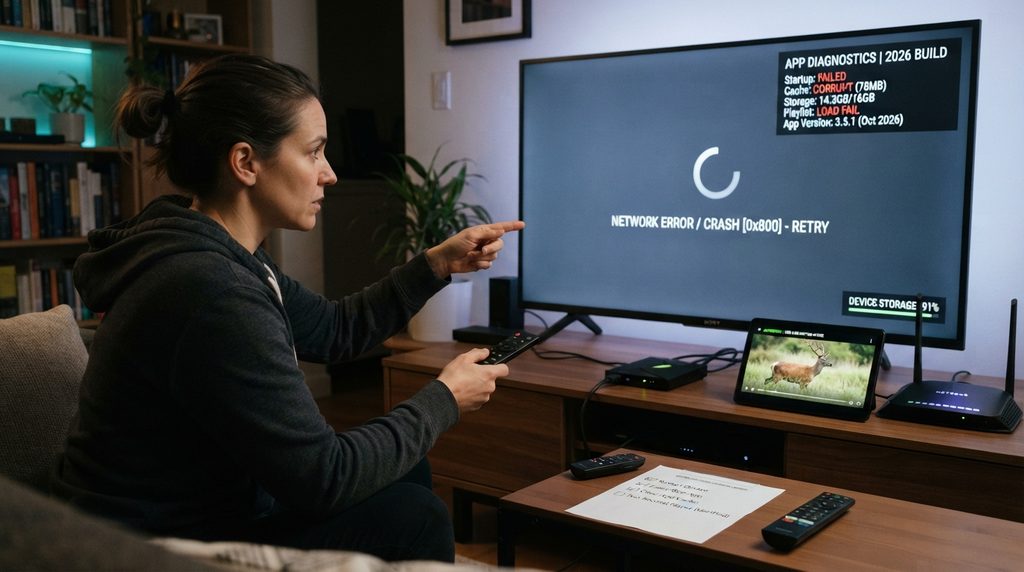
A crash at startup is different from a channel that buffers after playback begins. The source includes 2026 community reports describing random VIP crashes, slow or failed startup connections, and VIP+ builds that opened and immediately closed for some users. Those reports are anecdotal rather than proof that every 8k player vip apk installation is unstable, but they show why crash symptoms should be diagnosed separately from stream quality.
If the app opens and closes before you reach normal playback, restart the streaming device first. Force-close the application, check free storage, and try clearing the cache. Avoid clearing all application data as the first step because that can remove account information, favorites, and other preferences. Make sure you can restore the login before you erase anything.
Playlist size can also matter. Large VOD catalogs and artwork databases can expose weak hardware during startup or browsing. If the VIP player repeatedly crashes on one old Android box but works normally with the same account on a stronger device, the hardware becomes a stronger suspect. If the same device runs another player smoothly with the same account, the VIP build or local configuration deserves closer attention.
The source also mentions individual reports where VIP or VIP+ behavior changed after previously working. Those reports should not be treated as evidence of a general outage. Their value is showing why comparing a second player and checking with the account provider is more useful than repeatedly reinstalling the same failing 8k player vip apk build.
When Playback Buffers, Is the APK Really the Problem?
Buffering can happen even when the 8k player vip apk is installed correctly. The source stream, provider infrastructure, ISP routing, Wi-Fi signal, VPN path, router congestion, device decoder, available memory, and background traffic can all create pauses that look like an application problem. Reinstalling the APK will not fix weak Wi-Fi or a bad source feed.
Start by testing another channel. Restart the affected stream and device, verify that ordinary internet video works, compare Wi-Fi with Ethernet when practical, and pause large downloads or cloud backups. Those steps tell you whether the problem is isolated to one feed or appears more broadly.
Use a Second Player to Separate App Problems From Service Problems
Load the same authorized account and problem channel into another compatible player on the same device and network. If the second player runs smoothly while the 8k player vip apk buffers repeatedly, the VIP decoder, cache, build, or compatibility deserves more attention. If both applications struggle with the same channel, the source or network becomes a stronger suspect.
Test another channel in the same category.
Try a stream from a different group.
Restart the stream and 8k player vip apk.
Restart the television or streaming device.
Check another streaming service on the same hardware.
Compare Wi-Fi with Ethernet where possible.
Pause large downloads and cloud backups.
Try the same account in another compatible player.
Test a second device before blaming the subscription.
Change one variable at a time. If you replace the app, server information, router settings, DNS, VPN, and account details together, you may eventually improve playback without learning what fixed it. Controlled testing is much more useful than repeatedly reinstalling the 8k player vip apk whenever one stream freezes.
8K Player VIP vs VIP+ vs TiviMate: Which One Fits You Better?
The standard VIP player, VIP+, and TiviMate overlap in what they can do, but they suit different viewing styles. The normal 8k player vip apk is commonly used for straightforward Strong-style viewing where the main goal is quick access to live television, VOD, groups, favorites, and EPG information. VIP+ is another Strong-oriented variant, while TiviMate is built around deeper Android TV playlist and guide management.
The source’s community reports show why keeping an alternative can be useful. Some users described VIP+ opening-and-closing problems while the regular VIP version still worked for at least one user, and others discussed VOD or startup issues while mentioning TiviMate as an alternative. Those anecdotes do not establish a universal ranking, but they show that one player’s behavior does not automatically describe the underlying service.
Player
Best Fit
Main Thing to Test
8K Player VIP
Simple everyday Strong-style viewing
Startup, live TV, EPG
8K Player VIP+
Alternative VIP-style interface
Stability and VOD
Fast 8K
Lightweight navigation
Responsiveness
Player Plus
Straightforward categories
Navigation speed
Player Prime
General viewing
Search and favorites
TiviMate
Advanced Android TV users
EPG and customization
Compare the alternatives fairly. Use the same account, device, network, and five to ten priority channels. If the 8k player vip apk starts faster and feels easier for your household, keep it. If another player handles the EPG or VOD library better, use that interface instead. Changing players does not automatically improve or worsen the underlying IPTV streams.
A feature-heavy player is not always better. Some households only need reliable live TV, favorites, and basic VOD navigation. Others want multiple playlists, recording, catch-up, multiview, parental controls, and deeper EPG organization. The right player is the one that removes friction from the way you actually watch.
Does the “8K” Name Mean You Are Getting Native 8K Video?
The 8k player vip apk cannot turn a lower-resolution source into genuine native 8K. Native 8K playback requires an actual 8K source, suitable encoding, enough network capacity, a compatible decoder, the correct display path, and an 8K television. If the source is Full HD or 4K, a television may upscale it, but upscaling is not the same as receiving native 8K detail.
Judge picture quality using real content instead of the app name. Sports are useful for checking fast camera movement, scoreboard text, frame pacing, and audio synchronization. News makes small text and graphics easier to inspect. Movies reveal compression and banding in dark scenes. A stable Full HD or 4K stream can be much more enjoyable than a higher-resolution label attached to a feed that repeatedly freezes.
That is why the 8k player vip apk should primarily be evaluated as software. Startup reliability, remote navigation, category organization, EPG behavior, favorites, VOD browsing, decoder stability, and general responsiveness affect your viewing every day. The “8K” label matters much less when the interface is difficult to use or the app constantly crashes.
How Should You Test the App and Subscription Before Paying Long Term?
The app and service should be evaluated together. A good VIP interface cannot compensate for a subscription that lacks the channels you want, and a strong subscription can feel frustrating inside an unstable player. For Strong8KTVs, start with the Strong8KTVs channel list and identify the streams you actually care about before the trial begins.
Then request the Strong8K free trial and install the player on your main Fire TV or Android TV device. Watch several priority channels for meaningful periods rather than opening everything for five seconds. Test a real sports event if sports matter, inspect the EPG, search VOD, create favorites, test subtitles and alternate audio, and restart the 8k player vip apk after setup to make sure the interface remains usable.
Repeat the important tests during normal evening viewing hours. Device and network conditions can behave differently when the household is busy or a major event is live. If a problem appears, compare another compatible player before deciding whether the 8k player vip apk, service, or network is responsible.
Support should also be part of the trial. If you are unsure whether 2057169 is still the recommended code, which build fits your hardware, or what account information the app expects, use the Strong8KTVs contact page before making a longer commitment. Once the app and subscription work reliably together, compare the Strong8KTVs pricing plans and choose a duration that reflects what you actually tested.
Do not let a Downloader code or a VIP label determine how long you subscribe. The strongest reason to keep the 8k player vip apk is that it works comfortably with the account and hardware you already use. The strongest reason to buy a longer subscription is that the entire setup has proved itself under your normal viewing conditions.
Frequently Asked Questions About 8K Player VIP APK
What Is the Current 8K Player VIP Downloader Code?
The source identifies 2057169 as the recent code supported by current Strong-related announcements for the 8k player vip apk. Another Strong-branded page still lists 9352817, and older community material includes 439873. Because those values can change, verify the current installation route with the provider before sideloading.
Does the 8K Player VIP APK Include Channels?
No. Installing the 8k player vip apk installs the player interface. You still need an authorized subscription, account, playlist, or other supported credentials. The content and permissions come from the service, not from the APK file itself.
Why Does 8K Player VIP Keep Crashing?
Possible causes include the specific app build, corrupted cache, low free storage, limited device memory, a very large playlist, backend connection problems, or another compatibility issue. Community reports describe crashes for some users, but those are anecdotal and do not mean every 8k player vip apk installation has the same problem.
Why Does VIP Say Invalid Username or Password?
Check whether the account is still active and compare the credentials character by character with what the provider supplied. If the same account works in another compatible player, return to the 8k player vip apk and inspect the saved login rather than assuming the subscription has failed.
Should I Install VIP+ Instead of the Normal VIP Player?
Not automatically. VIP+ is another Strong-oriented option, but community reports in the source include startup problems for some VIP+ users. If the normal 8k player vip apk already works reliably, a different label alone is not a reason to switch.
Should You Install 8K Player VIP APK in 2026?
The 8k player vip apk can be a practical choice for Fire TV and Android TV users who want a straightforward Strong-oriented interface for live channels, movies, series, groups, favorites, and EPG data. The current source points to 2057169 as the recent Downloader code, but the existence of conflicting values on other Strong-related pages proves why installation shortcuts should always be verified before use.
Install the app from a source connected to the account you trust, keep normal device protections enabled, and use only your own authorized credentials. Create a simple working baseline before changing advanced settings. If the 8k player vip apk crashes or buffers, diagnose the symptom instead of repeatedly reinstalling the application. A startup crash, invalid login, and one unstable stream are three different problems.
For Strong8KTVs users, check the channel lineup, use the free trial, and use the contact page when the recommended build or account setup is unclear. Compare another compatible player when a repeated problem appears so you can tell whether the issue follows the app or the underlying subscription.
Once the 8k player vip apk, account, device, EPG, priority channels, and network all work reliably together, compare the Strong8KTVs pricing plans and choose a subscription duration that matches what you have actually verified. A good IPTV player should disappear into the background after setup. Stability, safe installation, useful guide data, and easy navigation matter more than chasing every new build or memorizing one Downloader number.