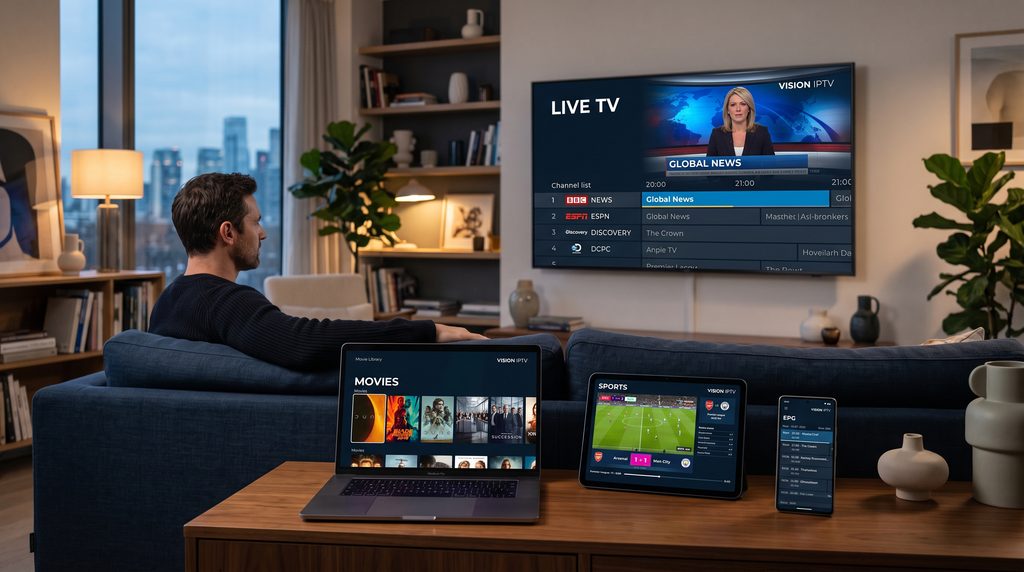
An 8k iptv service can sound like a simple promise: more channels, sharper video, and a modern replacement for cable. In practice, the experience depends on much more than the number written in the name. A subscription can advertise huge libraries and high-resolution streams while still being a poor fit if your favorite channels are unreliable, the guide is difficult to use, your television struggles with the player, or your home network cannot deliver stable video during the hours you actually watch.
The supplied source describes Strong8KTVs as offering a large live-channel and VOD library, several quality levels, EPG functionality, broad device support, multiple connection options, and a 24-hour trial. Those are useful features, but they should be treated as things to verify rather than reasons to buy automatically. The right way to judge an 8k iptv service is to look at the complete viewing system: content, stream quality, device, player, network, guide, household usage, and support.
This guide follows that real buyer journey. First you define what you need. Then you evaluate the content and picture quality, match the subscription to your devices and internet connection, decide how many simultaneous streams your household requires, and use the trial as a controlled test. By the end, you should know whether an 8k iptv service fits your home instead of choosing one because the marketing page contains the biggest numbers.
Table of Contents
Start With Your Household, Not the 8K IPTV Service Name
Before comparing providers, decide what success looks like in your home. One person who watches football and news on a Fire TV has a completely different requirement from a family that wants children’s channels, international television, movies, series, and three simultaneous streams. If you skip this step, every 8k iptv service looks attractive because each one can overwhelm you with channel totals, device logos, and quality labels.
Write down the things that would actually make you renew after the first month. That may be ten live channels, one regional sports package, reliable evening performance, a usable EPG, a strong VOD catalog, two concurrent connections, or compatibility with a specific Smart TV. These requirements should become the filter through which you judge the subscription. Anything outside that list is a bonus rather than the reason you buy.
Household question
Why it matters
Which 10–20 live channels matter most?
Channel relevance matters more than the total library size
Do you watch live sports?
Sports expose motion and peak-time stability problems quickly
Do you use movies and series heavily?
VOD organization and playback become important
Which device will be used most?
Player speed and hardware capability affect daily use
How many people watch at the same time?
Determines the simultaneous connection plan
Is a television guide essential?
EPG quality can make a huge library manageable
When do you normally watch?
Evening and live-event tests may reveal problems a daytime test misses
This simple profile makes every later comparison easier. The best 8k iptv service for you is not automatically the one with the most streams. It is the one that performs best against your specific viewing pattern.
What “8K IPTV Service” Really Means
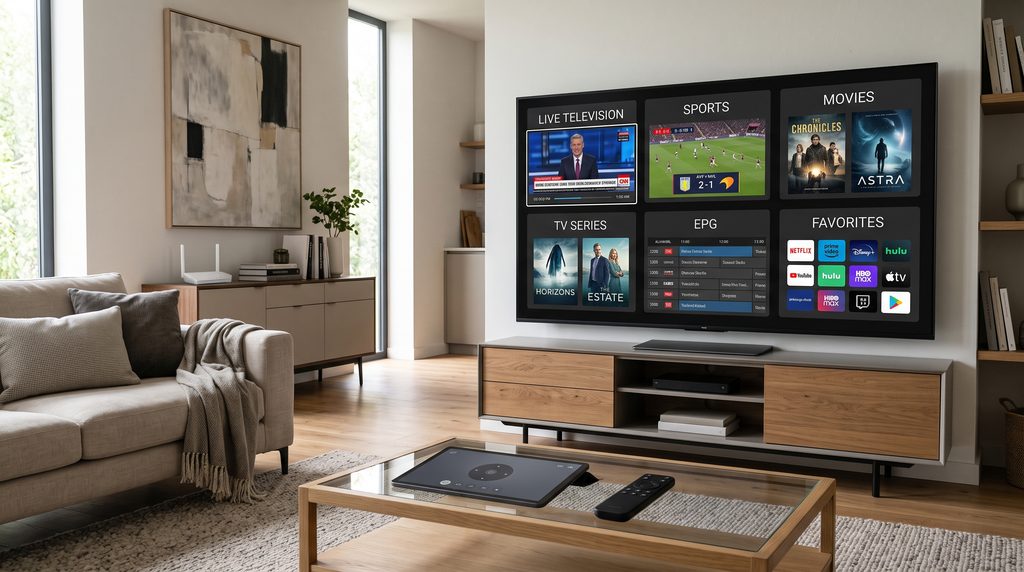
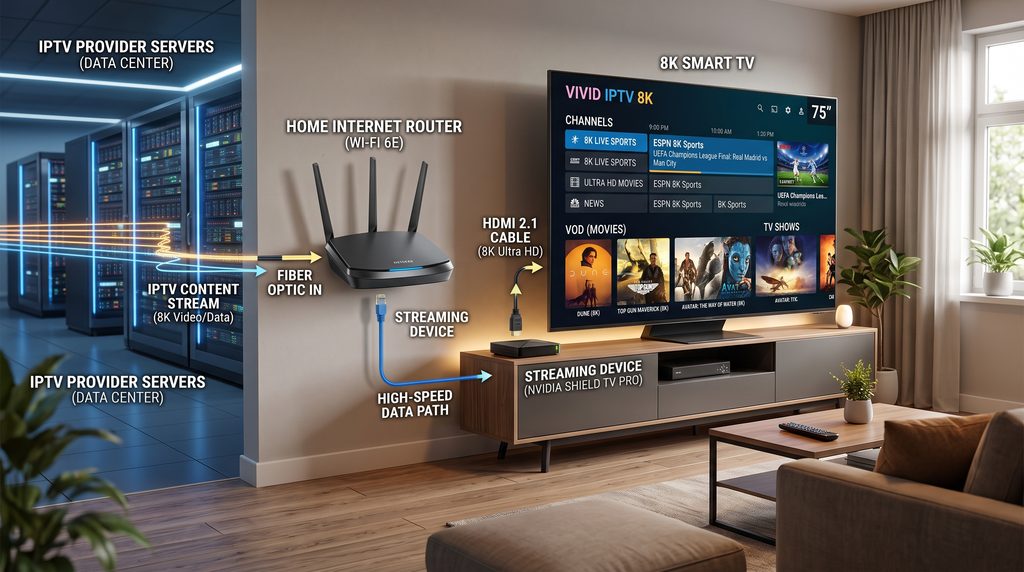
An 8k iptv service delivers live television and on-demand content over an internet connection rather than relying entirely on traditional cable or satellite infrastructure. The user normally receives authorized account credentials that can be loaded into a compatible IPTV player. The application then organizes live channels, movies, television series, favorites, search, and guide information into one interface.
The “8K” part needs more careful interpretation. Native 8K video uses a resolution of 7680 × 4320, but a large television library is built from many original sources. News channels, sports feeds, local stations, international networks, older movies, and television series are not all produced at one resolution. An 8k iptv service can therefore include a mixture of SD, HD, Full HD, 4K, and other qualities even when the brand emphasizes high-resolution viewing.
That does not make the high-resolution positioning meaningless. It simply means the service should be evaluated by what reaches your screen. A stable, clean 2160p sports feed can be far more valuable than a channel carrying an impressive label but weak compression or constant buffering. Your television may also upscale lower-resolution video, which can improve presentation without turning the original source into native 8K.
Build a Content Profile Before You Compare Huge Libraries
The source says Strong8KTVs advertises a very large live-channel and on-demand catalog. Large numbers can be useful because they create more regional and entertainment options, but they can also distract from the real question: does the 8k iptv service include the content you repeatedly watch? A household does not gain much from thousands of extra channels if the few networks it cares about are missing or unreliable.
Use the Strong 8K channel list as a reference for the Strong8KTVs offer and create a short priority list. Include specific networks rather than vague categories. “Sports” is too broad; “the channels I use for Premier League and Formula 1” is useful. “International TV” is too broad; identifying the country or language group you actually need gives you something concrete to verify.
Separate Must-Haves, Nice-to-Haves, and Noise
A practical way to judge an 8k iptv service is to divide the catalog into three levels. Must-have content is what would make you cancel if it disappeared. Nice-to-have content adds value but is not essential. Everything else is noise until you actually use it. This prevents a huge channel count from compensating psychologically for weak performance on the content that matters most.
The same rule applies to VOD. A library containing tens of thousands of titles sounds impressive, but search quality, episode organization, subtitles, metadata, playback success, and the presence of the movies or series you personally want determine whether the catalog is useful. Quantity should earn attention; usability should earn the purchase.
Judge Picture Quality as a Ladder, Not a Resolution Badge
Picture quality is one of the areas where 8k iptv service marketing can become misleading if the buyer focuses only on the highest advertised resolution. Resolution matters, but so do bitrate, compression, frame rate, source quality, network stability, device decoding, and display processing. A high-resolution stream with poor compression can look worse than a lower-resolution feed with a cleaner source.
Quality layer
What to inspect
Where problems become obvious
Resolution
Fine detail and sharpness
Text, faces, distant objects
Bitrate/compression
Blocking, smearing, loss of texture
Grass, smoke, crowds, dark scenes
Frame rate
Smooth motion
Football, racing, fast camera pans
Audio sync
Sound aligned with picture
News presenters, live sports commentary
Stability
Whether the stream remains usable
Long sessions and peak-time events
Device decoding
Whether hardware handles the format correctly
High-quality feeds on older devices
During a trial, compare different quality levels of the same or similar content. If the 4K feed looks excellent but becomes unstable while a Full HD alternative remains smooth, the lower-quality stream may provide the better experience. An 8k iptv service should be judged by the best reliable quality it can deliver to you, not the most impressive badge available somewhere in the playlist.
Match the 8K IPTV Service to Your Internet and Home Network
Internet speed is important because an 8k iptv service delivers video continuously, but the number on your broadband package is only part of the story. A home can have a fast fiber connection while the television receives weak or unstable Wi-Fi through several walls. Several people streaming, gaming, making video calls, or downloading files at the same time can also change available capacity during the evening.
The FCC Broadband Speed Guide provides general context for how different online activities and simultaneous household use affect broadband demand. The supplied article also states that Strong8KTVs recommends roughly 30–50 Mbps for smooth streaming. Treat that as a provider recommendation rather than a guarantee, because real performance still depends on the stream, device, local network, and how many activities share the connection.
Wi-Fi Is Convenient; Ethernet Is a Useful Control Test
You do not need Ethernet simply because you use an 8k iptv service. Modern Wi-Fi can handle high-resolution streaming perfectly well when signal strength and congestion are under control. Ethernet becomes especially useful when you need to determine whether buffering comes from the service or your wireless environment. A wired test removes interference, distance, and many Wi-Fi variables in one step.
If the same stream repeatedly struggles on Wi-Fi but becomes stable over Ethernet, replacing the subscription is unlikely to solve the root problem. If both connections fail while other internet applications work normally, the 8k iptv service or individual stream becomes a stronger suspect. This is why changing one variable at a time is better than guessing.
Choose the Device and IPTV Player You Will Actually Live With
The supplied source says Strong8KTVs supports several device categories, including Smart TVs, Firestick, Android devices, smartphones, tablets, computers, Apple TV, and other streaming environments. Broad compatibility is useful, but an 8k iptv service can still feel very different from one device to another. Hardware performance, available storage, remote control design, app choice, and decoding capability all affect daily use.
A Smart TV may be the cleanest setup because no external box is required, but older televisions can have slower processors and fewer IPTV player choices. Fire TV devices offer a familiar streaming environment but storage can become tight when large playlists, artwork, and EPG databases accumulate. Android TV and Google TV devices often offer flexible player choices. Computers are especially useful for diagnosis because they let you test whether the same account behaves differently from the television.
The Player Is Part of the Experience Even When It Is Not the Provider
The IPTV application controls the interface you touch every day: favorites, search, categories, guide layout, VOD navigation, playback controls, subtitles, and channel switching. If an 8k iptv service works technically but feels frustrating, compare another compatible player before deciding the subscription itself is bad. The account provides access; the player determines much of the usability.
Test the subscription on the device you plan to use most. A powerful phone can make a giant playlist feel fast even when an older television struggles. Your trial should reproduce normal ownership, not the easiest possible demo.
EPG, VOD, and Sports Are Where an 8K IPTV Service Becomes More Than a Channel List
Once the basic channels work, the next question is whether the subscription is comfortable to use every day. Three areas deserve special attention: EPG, VOD, and live sports. They test different parts of an 8k iptv service and reveal weaknesses that a five-minute channel check can miss.
EPG Turns a Large Library Into a Usable Television Guide
EPG stands for Electronic Program Guide. Instead of manually opening channels to see what is playing, a good guide shows current and upcoming programs. This becomes increasingly valuable as an 8k iptv service grows from a small favorites list into thousands of live streams. Check the guide on channels you already know so you can verify whether program names and times are accurate rather than merely confirming that some EPG data exists.
VOD Quality Is About Organization and Playback, Not Only Title Count
For movies and series, search for several types of content instead of opening only the newest featured title. Try an older movie, a multi-season series, subtitles where available, resume playback, and different genres. A huge VOD library can still disappoint when episodes are missing, metadata is poor, posters load slowly, or search is unreliable. If VOD is a major reason you want an 8k iptv service, give it serious weight in the trial.
Sports Are the Best Stress Test for Many Buyers
Live sports combine fast motion with peak demand, so they expose problems quickly. The supplied article says Strong8KTVs promotes coverage across multiple major sports categories. If sports are important to you, test a real event and look for smooth motion, stable playback, audio synchronization, fast channel startup, and alternate feeds. A stable backup stream is more valuable during a match than a perfect-looking primary feed that repeatedly freezes.
Choose Simultaneous Connections Based on Real Household Use
One of the easiest subscription mistakes is confusing device count with simultaneous streams. An 8k iptv service can be configured on several devices while the account allows only one active stream at a time. If only one person watches at once, one connection may still be enough even when the account is installed on a television, phone, and computer.
If two or three people regularly watch different content at the same time, the connection allowance becomes part of the product itself. The supplied source says Strong8KTVs offers one through five connection options, and the Strong 8K pricing page lets buyers compare those plans. Choose according to concurrent viewing rather than the total number of screens in the house.
Household pattern
Connection logic
One person watches at a time
One connection may be enough
Two independent viewers
Consider two simultaneous connections
Three people regularly watch different streams
Consider three
Large household with frequent overlap
Higher connection plans may make sense
Several devices installed, but never used together
Do not pay for extra streams you do not need
This decision affects both price and reliability. Trying to exceed the permitted connection count can make an otherwise working 8k iptv service appear broken when the real issue is simultaneous usage.
Use the 24-Hour Trial as a Mini Version of Real Ownership
The trial is where marketing claims become measurable. The source says Strong8KTVs offers a free trial. Instead of spending the first hour opening random channels, plan the test around your actual viewing habits. An 8k iptv service should prove itself under the conditions that will matter after you pay.
Start With Content and Setup
Confirm that your priority channels exist, load the account on your main device, let EPG and VOD information synchronize, and create a small favorites group. Check whether the interface feels manageable. If the 8k iptv service already misses important channels or performs badly on your intended device, there is little value in being impressed by categories you never planned to use.
Use the Evening for the Harder Test
Repeat the important channels when household internet use is closer to normal. Watch one or two streams continuously rather than switching every thirty seconds. If a live sporting event is available and sports matter to you, use it. Compare Wi-Fi and Ethernet if buffering appears. The evening test tells you more about an 8k iptv service than a quiet daytime demonstration because both network demand and live-event load can change.
Write Down Repeated Problems Instead of Trusting Memory
Keep a simple note with the channels that failed, whether buffering happened repeatedly, whether EPG times were correct, how quickly the application responded, whether VOD titles opened, and how your main device behaved. One temporary problem should not automatically disqualify an 8k iptv service, but a repeated problem on something important deserves real weight.
Turn the Trial Into a Buy, Wait, or Skip Decision
After the trial, do not ask whether the service was “good.” Ask whether it passed your requirements. A useful 8k iptv service decision should be based on the same priorities you wrote down at the beginning: must-have channels, sports stability, picture quality, EPG usability, VOD quality, device performance, simultaneous connections, and support.
Decision
What the trial looked like
Buy
Priority content works, main device is stable, guide/VOD meet your needs, and peak-time performance is acceptable
Wait or choose a shorter plan
Core experience is good but you still have uncertainty about support, sports, or long-term consistency
Skip
Important channels fail, repeated buffering affects normal viewing, or the setup is frustrating on your main device
Price comes after this decision, not before it. A cheap annual plan is not good value when the 8k iptv service fails the parts of the trial you care about. A slightly higher monthly cost can be reasonable when it buys a setup you actually use. Likewise, if the service passes comfortably, there is no need to reject it simply because another provider advertises a larger catalog.
Troubleshoot the Layer That Actually Failed
When something goes wrong after activation, avoid rebuilding the entire setup. An 8k iptv service depends on multiple layers, so the symptom should determine what you test first. One dead channel points toward an individual source. Every stream buffering points more toward the network, player, device, or broader service. Missing EPG with working channels is a guide problem. An account that works on a computer but not on a television points toward the original device or application.
Restart the application before reinstalling it. Try another channel before assuming a full outage. Compare another device before replacing hardware. If the problem remains specific to Strong8KTVs after basic checks, use the Strong8KTVs contact page rather than contacting unrelated services with similar names.
Protect the Account and Keep the Setup Recoverable
Authorized IPTV credentials, playlist URLs, server information, and customer-account details should be treated as private. Do not post complete login information publicly when asking for help, and do not paste credentials into random “status checker” websites. Losing control of the account can create connection problems that have nothing to do with the original 8k iptv service.
For customer portals and other online accounts where you control the password, CISA recommends strong, unique passwords and password managers. Save the exact provider website and support route after purchasing so that you do not accidentally enter account details into a look-alike page later.
Keep basic recovery information organized as well: subscription expiration date, permitted connection count, provider contact details, main device, and one alternative compatible player. This does not make an 8k iptv service immune to outages, but it makes future troubleshooting much faster because you know what your normal configuration should look like.
Frequently Asked Questions About an 8K IPTV Service
Does Every Channel Stream in Native 8K?
No. An 8k iptv service can contain SD, HD, Full HD, 4K, and other source qualities because the underlying broadcasters and productions are different. Judge the visible quality, bitrate, motion, and stability of the channels you actually watch rather than assuming the service name describes every stream.
How Fast Should My Internet Be?
The exact requirement varies with stream quality and household use. The supplied source says Strong8KTVs recommends around 30–50 Mbps for smooth streaming, but an 8k iptv service can still struggle on a fast plan when Wi-Fi is weak, several devices share the connection, or the stream source itself is unstable. Test the television’s real connection rather than relying only on the speed written on your internet package.
Can Strong8KTVs Work on Firestick or Smart TV?
The supplied article says Strong8KTVs supports Firestick, Smart TVs, Android devices, computers, phones, tablets, Apple TV, and other streaming environments. Actual usability still depends on the compatible player and hardware. Test the 8k iptv service on the device you expect to use most before buying a long plan.
What Should I Check in the VOD Library?
Check search, movie playback, multi-season series, episode order, subtitles, metadata, posters, and resume behavior. A large title count makes an 8k iptv service look impressive, but the library becomes valuable only when you can find and play the content you want without unnecessary friction.
How Many Simultaneous Connections Do I Need?
Count how many people regularly watch different streams at the same time. One person can often use one connection even if the 8k iptv service is installed on several devices. Two independent viewers generally need two simultaneous streams, and larger households may need more. Do not pay for extra connections simply because you own multiple screens.
Is an 8K IPTV Service Worth It?
It can be worthwhile when live channels, VOD, sports, EPG, device compatibility, network performance, and connection options match your household. The 8K label by itself should not decide the purchase. An 8k iptv service earns its value when the complete setup works reliably during the viewing situations that matter to you.
Final Thoughts: Buy the Viewing Experience, Not the Biggest Number
An 8k iptv service should be judged as a complete home-entertainment system. The subscription supplies content access, but your experience is shaped by the source quality, IPTV player, streaming device, home network, EPG, VOD organization, simultaneous connection limit, and the support available when something stops working. Focusing only on channel count or maximum resolution ignores most of what determines whether you will enjoy the service after the first week.
Start with your household requirements and reduce the giant catalog to the content you actually care about. Test picture quality with your eyes rather than the channel label. Use sports when you need a demanding stability test. Check EPG and VOD as real everyday features, not marketing boxes. Run the service on your main device and under your normal network conditions. Then choose the number of simultaneous connections based on actual concurrent viewing.
Most importantly, use the trial to make the decision. If the 8k iptv service handles your priority channels, remains stable during normal viewing hours, looks good on your television, works comfortably in your preferred player, and gives your household the right connection allowance, those results are meaningful. If the important parts repeatedly fail, a huge channel total or a discounted long-term plan should not convince you to ignore the evidence.
The best 8k iptv service is not the one that wins the marketing-number competition. It is the one that disappears into the background when you sit down to watch television because the content you want is easy to find, the picture is good, and the stream simply works.