Choosing an 8k iptv provider is harder than it first looks because most services are marketed with the same big promises: huge channel libraries, 4K or 8K quality, massive VOD catalogs, multiple devices, fast support, and low prices. Those claims can make very different providers look almost identical on a sales page. The useful differences usually appear later, when you test the channels you actually watch, load the service on your own hardware, check the guide, compare evening stability, and see how support responds when something is unclear.
The source article already covers the right evaluation areas, but a long “11 things to check” list makes the decision feel more complicated than it needs to be. A better way to choose an 8k iptv provider is to use a selection funnel. First eliminate providers that fail your basic requirements. Then test the strongest candidate under real conditions. After that, verify the support, account terms, and connection structure before deciding whether the price makes sense.
Strong8KTVs is used throughout this guide as one example because the source describes it as offering a large live-channel and VOD library, multiple stream qualities, EPG, several connection options, broad device compatibility, support, and a 24-hour trial. The goal is not to assume that those features automatically make it the best 8k iptv provider. The goal is to show how those claims should be tested before a longer subscription is purchased.
Table of Contents
Stage One: Eliminate Any 8K IPTV Provider That Does Not Fit Your Basic Requirements
The first stage should be fast. Before you worry about tiny quality differences, remove any 8k iptv provider that cannot meet your basic needs. If the service does not carry the channels you watch, does not work on your main device, does not offer enough simultaneous connections, or gives no practical way to test the account, there is little reason to spend another hour comparing it.
This is where many buyers waste time. They compare thousands of channels, read long reviews, and debate resolution claims before confirming the obvious. Your shortlist should contain only providers that already pass the basic fit test. That turns an overwhelming market into a small number of realistic options.
Requirement
Pass
Fail
Priority channels
Your important channels are present
Several must-have channels are missing
Main device
Compatible player works properly
Setup depends on unsupported hardware
Connections
Plan matches simultaneous viewing
Household needs more streams than offered
Trial
You can test the real service
You are asked to buy long-term without testing
Support
Clear contact route exists
Seller identity or support path is unclear
Anything that fails a true non-negotiable should leave the shortlist. The point of choosing an 8k iptv provider is not finding a service that looks impressive in general. It is finding one that is usable for your household.
Ignore the Numbers That Do Not Help You Choose
IPTV marketing often makes the decision look mathematical. One provider says 20,000 channels, another says 24,000, and another claims an even larger total. The same competition happens with movie counts, series counts, and quality labels. Those figures can be useful for understanding scale, but they do not tell you whether an 8k iptv provider will deliver the twenty channels you personally use without constant problems.
The same warning applies to the “8K” label. Native 8K is 7680 × 4320 resolution, but large IPTV libraries are made from many source types. Broadcasters, sports feeds, older programs, local networks, and movies are not all produced at the same resolution. The source itself notes that Strong8KTVs promotes 4K, Full HD, HD, and SD qualities while using Strong 8K branding. That is a more realistic way to interpret a modern 8k iptv provider: a high-resolution-focused service with mixed source qualities rather than a promise that every stream is native 8K.
The Numbers That Actually Matter
A few numbers are genuinely useful: subscription length, simultaneous connection count, trial duration, and the number of your priority channels that work properly. Those directly affect cost and usability. A provider having 5,000 more channels than another matters much less when none of those extra channels are part of your normal viewing.
Use Your Real Channel List as the First Serious Filter
Channel relevance is one of the fastest ways to separate a useful 8k iptv provider from one that simply has a large catalog. Create a short list of the channels and content categories you would actually miss if they disappeared. For most people, that list is much smaller than the provider’s full library.
Strong8KTVs provides a dedicated Strong 8K channel list, which makes this type of screening possible for that service. Instead of scrolling through everything, search for your national channels, main sports networks, news stations, family channels, movie networks, and preferred international or language groups. Then use those same channels during the trial.
Build a 20-Channel Priority Test
A strong shortlist can be built around roughly twenty priority channels. Include the content you watch every week, not channels you think you might use someday. If an 8k iptv provider performs well on that list, the large catalog becomes a bonus. If it repeatedly fails on your essentials, the impressive total loses most of its value.
This same logic should be applied to regions and languages. “International TV” is too broad to be useful. A buyer who specifically wants Moroccan, French, UK, Spanish, Canadian, or US regional content should check those groups directly. An 8k iptv provider can have a huge international library while still being weak in the exact region that matters to you.
Do Not Fully Trust an 8K IPTV Provider Until You Test the Real Service
A trial is the point where marketing stops and evidence begins. Performance depends on your location, ISP, router, device, IPTV player, viewing time, and preferred channels, so another customer’s review cannot completely predict your experience. Any provider you seriously consider should ideally be evaluated on the same hardware and internet connection you plan to use after purchasing.
The source says Strong8KTVs offers a Strong 8K free trial. Use that time deliberately. Do not waste most of it browsing random channels just to see how large the library is. Start with must-have content, test again during evening hours, and include a live sports event when sports are important to you.
Use the Trial in Three Phases
The first phase is compatibility: does the account load correctly on your device and preferred player? The second is content: are your channels, sports, VOD, and EPG actually there? The third is stress: does the 8k iptv provider remain stable during longer sessions and busy viewing hours? A service that passes only the first ten minutes has not really been tested.
Write down repeated failures rather than judging from memory. One stream going offline temporarily can happen on a large platform. Five priority channels repeatedly freezing under normal conditions is a pattern. Your goal is to distinguish isolated problems from things that would make daily use annoying.
Judge Streaming Quality Beyond the Resolution Label
A good 8k iptv provider should look good on your television, but picture quality is more complicated than a 4K or 8K badge. Bitrate, compression, frame rate, source resolution, audio synchronization, device decoding, and stream stability all affect the result. A well-encoded Full HD stream can look cleaner than a heavily compressed 4K-labelled feed.
Quality factor
What to watch for
Resolution
Sharp text, faces, and fine detail
Compression
Blocking, smearing, or loss of texture
Frame rate
Smooth movement during sports
Startup time
How quickly channels begin playing
Audio sync
Voices and commentary aligned with video
Long-session stability
Whether the stream remains usable after 30–60 minutes
Sports are especially useful here because fast motion reveals weak frame rates and compression while popular events can expose peak-load instability. If an 8k iptv provider looks excellent on a static news channel but struggles badly during a major match, that difference matters for a sports-focused buyer.
Test the Complete Device and Network Setup, Not Just the Provider
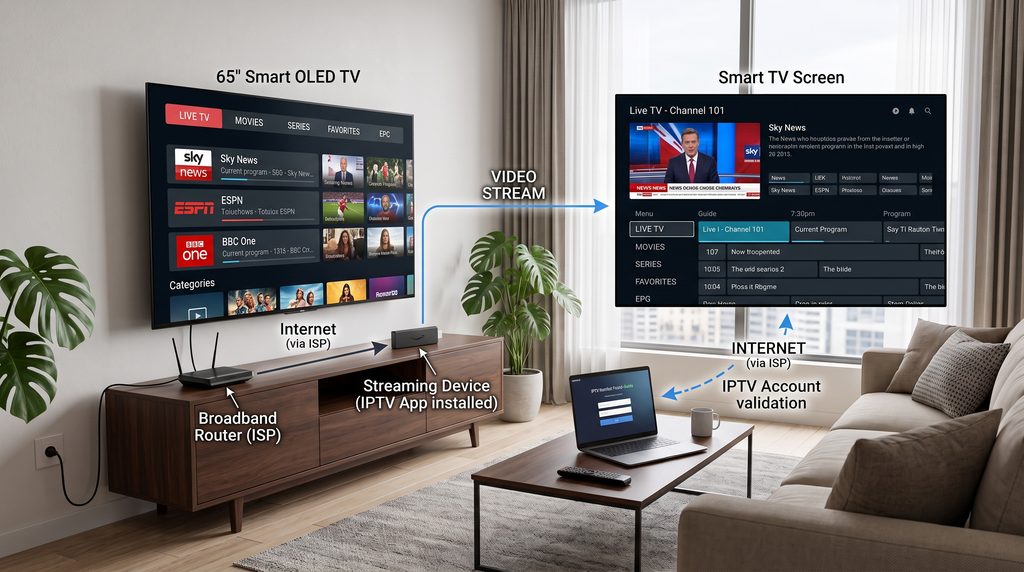
The provider controls the account and stream access, but your own setup still determines part of the experience. An 8k iptv provider can be functioning correctly while weak Wi-Fi causes buffering, an older Smart TV makes the interface slow, or an incompatible player rejects credentials. That is why provider evaluation must happen on the equipment you will actually use.
The source says Strong8KTVs supports Smart TVs, Firestick, Android devices, smartphones, tablets, PCs, Macs, Apple TV, MAG devices, and other environments. Broad compatibility is useful, but the exact application and hardware still matter. A modern Android TV box may handle a large library smoothly while an older television application struggles with the same account.
Make Sure You Are Not Blaming the Provider for Weak Wi-Fi
The FCC Broadband Speed Guide explains that household bandwidth demand changes with the number of users, devices, and simultaneous activities. The supplied article says Strong8KTVs recommends roughly 30–50 Mbps for smooth use, although households with several active streams may need more total capacity. Raw speed is still only part of the picture because Wi-Fi strength and stability matter too.
If your IPTV service buffers on Wi-Fi, compare Ethernet when practical. Pause large downloads and cloud backups. Test closer to the router. Try another device on the same network. If Ethernet becomes stable while Wi-Fi remains poor, changing provider may not solve anything. If both connections fail on the same channels while normal internet use remains healthy, the service or specific streams deserve more attention.
EPG, VOD, and Navigation Decide Whether the Service Is Comfortable Every Day
Once playback works, usability becomes the next filter. A huge 8k iptv provider library can be frustrating if the guide is incomplete, search is weak, VOD seasons are disorganized, or the player becomes slow after loading everything. These features may sound secondary during the purchase, but they shape the experience every day after the novelty disappears.
EPG Should Work on the Channels You Actually Watch
EPG stands for Electronic Program Guide. It shows current and upcoming programs so you do not need to open channels individually. During the trial, inspect the guide on your favorites rather than judging the provider from guide coverage somewhere else in the library. An 8k iptv provider with accurate EPG on your key channels can feel dramatically easier to use than one with a larger library but unreliable schedule information.
VOD Needs More Than a Huge Title Count
Test several movies and at least one multi-season series. Check search, metadata, subtitles, episode order, poster loading, playback startup, and resume behavior. A large VOD number tells you how much content an 8k iptv provider claims to offer; these practical tests tell you whether you can actually use it comfortably.
Favorites Can Matter More Than Thousands of Extra Channels
Create a small favorites section and see how quickly you can reach it after restarting the player. If the application allows category management, hide regions and groups you never use. A well-organized 8k iptv provider setup should make your regular content easier to reach over time, not force you to scroll through the complete catalog every evening.
Choose the Connection Limit Based on Simultaneous Viewing
One connection usually means one active stream, not one installed device. This distinction matters when comparing an 8k iptv provider because a household can install the account on several devices but still need only one connection if people never watch at the same time. Another household may own fewer devices but need three streams every evening.
The source says Strong8KTVs offers one through five connection options, and buyers can compare them on the Strong 8K pricing options page. Think about the busiest normal period in the household rather than the total number of screens you own.
Viewing pattern
Likely connection need
Solo viewer
1 may be enough
Couple watching different content
2
Three simultaneous viewers
3
Larger household with frequent overlap
4–5 may make sense
Several installed devices but only one active stream
1 may still be sufficient
Paying for too many streams wastes money, while buying too few can make a perfectly good 8k iptv provider feel restrictive. Connection count is therefore part of value, not just a technical specification.
Verify Support, Seller Identity, and Account Security Before a Long Subscription
Support is easy to ignore during a smooth trial. It becomes much more important when an account stops authenticating, a server address changes, a device needs configuration help, or billing needs clarification. Before committing to an 8k iptv provider, make sure you know exactly who supplied the account and where you will go when something needs attention.
The source says Strong8KTVs provides a dedicated contact page and promotes ongoing support. A useful way to evaluate support is to ask one legitimate question during the trial. Speed matters, but a clear and accurate response is more meaningful than a fast generic reply.
Keep Credentials and Provider Details Private
An IPTV subscription may include usernames, passwords, playlist URLs, server addresses, or other account details. Those credentials should not be posted publicly or entered into random “checker” websites. For customer dashboards where you control the password, CISA recommends long, unique passwords and using a password manager. The same general security habit is useful for subscription accounts.
Save the exact provider domain and support route after subscribing. Similar IPTV names can appear online, so knowing which site actually manages your account helps prevent confusion later. A good 8k iptv provider relationship should be recoverable when something breaks, not dependent on remembering where you originally bought it.
The Best 8K IPTV Provider Depends on the Type of Viewer
There is no single provider profile that makes sense for every household. A sports-heavy user, a family, and a solo movie viewer should not score an 8k iptv provider in exactly the same way. The service can be technically identical while the value changes because each buyer prioritizes different features.
Sports-First Viewer
A sports buyer should place live stability, motion quality, alternate feeds, and peak-event performance above VOD size. Test the 8k iptv provider during an actual match, fight, race, or other important event. Look at how quickly feeds start, whether audio remains synchronized, and whether a backup stream is available when the primary source has trouble. A perfect movie library cannot compensate for unreliable live sports if sports are the main reason you subscribe.
Family Household
Families should give more weight to simultaneous connections, organization, children’s and entertainment channels, and the features of the IPTV player. Parental controls may be handled by the application rather than the 8k iptv provider itself, so confirm whether the player supports PIN protection or category locking when that matters. Test the service during the evening when multiple people are likely to use the home internet at once.
Solo Viewer
A solo user can often save money by choosing one connection and focusing heavily on content relevance, device compatibility, and price. There is little reason to pay for five streams if only one person watches. For this buyer, the best 8k iptv provider may simply be the one that reliably covers a narrow set of favorite channels and VOD on one main device.
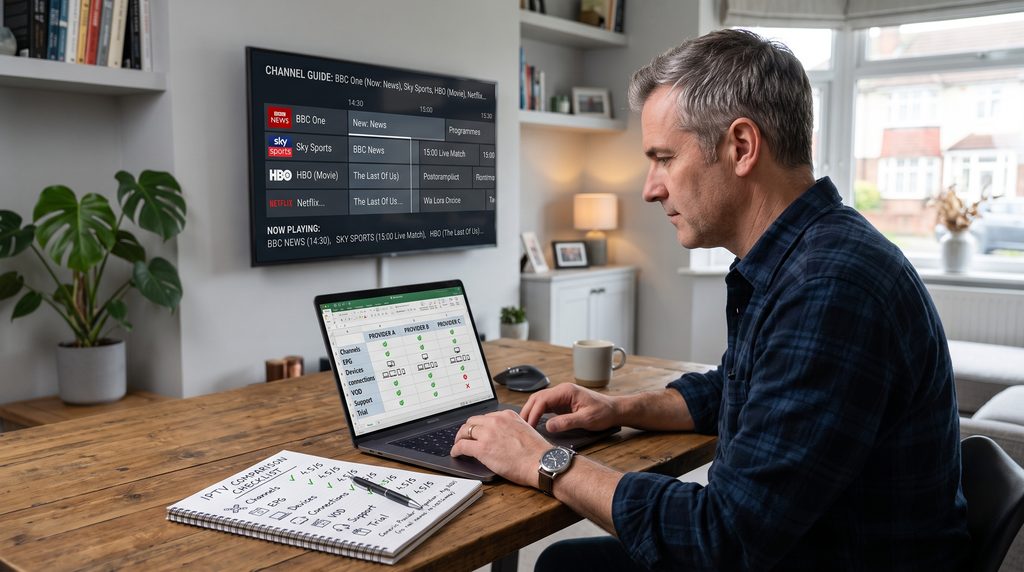
Use a Provider Scorecard Instead of Relying on a General Impression
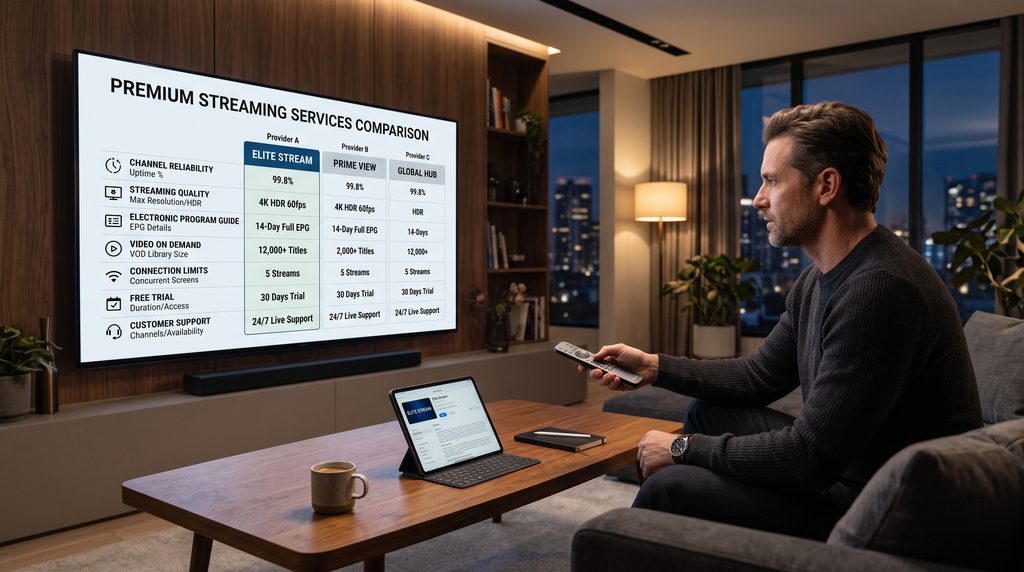
After the trial, score the provider on the areas you actually tested. This prevents one flashy feature from dominating the decision. An 8k iptv provider can have excellent picture quality but weak support, or huge VOD but poor sports stability. A scorecard makes those trade-offs visible.
You can change the weights. A sports fan may give streaming stability and sports feeds half of the total score. A family may increase connections and organization. The important thing is that the 8k iptv provider is being judged against your priorities instead of a generic marketing checklist.
How Strong8KTVs Fits This Provider-Selection Framework
Based on the supplied article, Strong8KTVs presents several features that make it possible to evaluate the service rather than buying blindly. It advertises a large live-channel and VOD library, mixed stream qualities, EPG functionality, broad device compatibility, one-to-five connection options, a 24-hour trial, and support routes. Those are relevant ingredients for an 8k iptv provider, but the real question is how they perform for the individual buyer.
Use the Strong8KTVs homepage to understand the service, check the channel list for your priorities, use the trial on your actual device, compare the connection plans, and ask support a real question if one arises. If the service performs reliably under those conditions, it has passed a much stronger test than simply having a convincing homepage.
If the trial exposes repeated failures on your must-have content, poor device compatibility, unusable guide data, or another issue that matters to your household, do not ignore that evidence because the provider advertises a large library. A strong 8k iptv provider should fit the viewer, not force the viewer to tolerate problems just because the feature list is long.
Frequently Asked Questions About Choosing an 8K IPTV Provider
What Is an 8K IPTV Provider?
An 8k iptv provider supplies internet-based access to live television and usually on-demand entertainment through a compatible IPTV application. The provider manages the account, available content, stream sources, connection limits, and other service-side features, while the player’s interface and the viewer’s own device and network also affect the final experience.
Does Every Channel From an 8K IPTV Provider Stream in Native 8K?
No. Large IPTV libraries contain content originating from many broadcasters and sources, so actual quality can include SD, HD, Full HD, 4K, and other formats. Treat the 8K branding as high-resolution positioning and test the real feeds instead of assuming every channel uses 7680 × 4320 video.
Should I Avoid an IPTV Provider That Does Not Offer a Trial?
A trial is valuable because it lets you test the service with your own location, network, device, and channels. If an 8k iptv provider does not offer one, you have less direct evidence before paying, so the size and length of the initial commitment deserve more caution. The source says Strong8KTVs offers a 24-hour trial.
How Many Connections Should I Buy?
Choose according to how many streams will run at the same time, not how many devices contain the account. One active viewer may need only one connection even if the 8k iptv provider is configured on several screens. A family with three people watching independently may need three simultaneous connections.
Does the Provider and IPTV Player Mean the Same Thing?
No. The 8k iptv provider supplies the subscription and stream access, while the IPTV player usually provides the interface used to browse channels, favorites, EPG, and VOD. A poor player can make a working service feel frustrating, so test another compatible application before assuming every usability problem comes from the provider.
Should I Choose the Cheapest Provider?
Not automatically. Low price is useful only after the service passes your important tests. A slightly more expensive 8k iptv provider can represent better value when priority channels, streaming stability, EPG, VOD, support, and connection options are significantly better. Likewise, there is no reason to pay extra for features you do not use.
Is Strong8KTVs a Good 8K IPTV Provider?
The source describes Strong8KTVs as offering several features worth testing, including a large channel and VOD catalog, EPG, multiple stream qualities, broad device support, several connection plans, trial access, and support. Whether it is the right 8k iptv provider for you depends on how those features perform on your own channels, device, network, and normal viewing schedule.
Final Thoughts: Choose an 8K IPTV Provider by Elimination, Testing, and Fit
Choosing an 8k iptv provider becomes much easier when you stop trying to compare every marketing claim at once. Start by eliminating services that fail your non-negotiables. Check your priority channels, main device, connection needs, trial availability, and support route. A provider that fails one of those core requirements does not need deeper analysis simply because it advertises more channels or a bigger VOD library.
Then test the strongest candidate properly. Watch your real channels, run a live sports test if that matters, inspect the EPG, explore VOD, use the main television or streaming device, and repeat important streams during normal evening conditions. Make sure buffering is not simply weak Wi-Fi, and make sure a slow interface is not an application problem before blaming the provider itself.
After the trial, score what happened instead of relying on a general impression. Priority content and stability should carry more weight than channel totals. Device compatibility, EPG, VOD, simultaneous connections, support, and price should then complete the picture. A provider does not need to win every category; it needs to perform well in the categories that matter to your household.
The best 8k iptv provider is therefore not necessarily the provider with the biggest claim, the lowest annual price, or the most impressive resolution label. It is the one that survives your screening, performs well during your test, fits the way people in your home actually watch, and gives you a support path you understand. That is a decision built on evidence rather than advertising.