strong8k epg is what turns a huge Strong 8K channel library into something that feels more like normal television. Instead of seeing only channel names and manually opening streams to discover what is playing, the Electronic Program Guide can show current programs, upcoming schedules, start and end times, and other information directly beside the live channels. For viewers who use sports, movie networks, news, international television, or dozens of favorites, that guide can matter almost as much as the streams themselves.
The confusing part begins when strong8k epg stops working while the channels continue playing. A blank guide can make the entire service look broken even though the video side is completely healthy. The source material includes 2026 community reports describing exactly that situation, with users seeing failed or incomplete EPG updates while Strong 8K live streams remained available. Understanding why that can happen is the key to fixing the guide without unnecessarily deleting a working playlist or rebuilding the entire application.
Table of Contents
Treat Strong8K EPG as a Separate Layer From the Television Stream
The most important concept in strong8k epg troubleshooting is that guide information and live video are not the same thing. The video stream supplies the television picture and audio, while the EPG supplies information about that channel. If the EPG server, mapping, cache, or refresh process has a problem, the stream can continue working because the player already knows where to request the video.
This explains one of the most common Strong 8K situations: you open a channel and it plays immediately, but the guide beside it says “No Information.” That is frustrating, but it is also useful evidence. The account is still authenticating, the playlist is still loading, and the video source is reachable. The strong8k epg layer is the part that needs investigation.
The opposite situation also tells you something. If both the channels and strong8k epg disappear at the same time, the guide may not be the main problem at all. The account, playlist URL, server, credentials, or network could be unavailable. Separating the two systems prevents you from spending an hour trying to repair guide data when the player cannot even reach the playlist.
Strong8KTVs lists EPG functionality among the features described on the Strong8KTVs homepage. With a large live-channel library, a reliable guide becomes especially important because opening channels individually is a poor way to browse television. Strong8k epg gives that library context: what is playing, what is next, and which channel is worth opening.
How Strong8K EPG Reaches Your Player
Strong8k epg may look like one feature on the screen, but several steps happen before a program title appears beside a channel. The process starts with the Strong 8K playlist. That playlist gives the IPTV player channel entries and identifiers. A guide source then supplies scheduled programs, often in a structured EPG format. The player downloads that information, matches the guide records against the playlist, stores some of the data locally, and displays the result in the television-guide interface.
Some account types can provide guide information automatically when the user adds the subscription. Other setups may use a separate guide source. The original article references an external TiviMate EPG explanation describing XMLTV-style data containing channel names, program titles, descriptions, and start and end times. The exact implementation can vary, but the principle remains the same: strong8k epg works only when the player can obtain the guide and correctly associate it with the channels.
| Part of the EPG chain | Its job | What failure can look like |
|---|---|---|
| Strong 8K playlist | Supplies channel entries | Channels themselves may disappear |
| EPG source | Supplies schedule information | Guide remains blank or update fails |
| Channel mapping | Connects schedule data to the correct stream | Only some channels show “No Information” |
| Device time | Places programs at the correct local time | Every show appears one or more hours early or late |
| Local EPG cache | Stores guide data for fast loading | Old programs remain after schedules change |
| IPTV player | Displays and refreshes the guide | One app fails while another works |
This chain explains why there is rarely one universal strong8k epg fix. A blank guide caused by a failed download needs a different response from a guide where the data exists but is mapped to the wrong channels. Wrong times need a different fix again. The symptom tells you which part of the chain deserves attention.
Read the Strong8K EPG Symptom Before You Try to Fix It
The fastest way to make guide troubleshooting unnecessarily complicated is to treat every strong8k epg problem as “EPG not working.” A completely blank guide, three missing channels, yesterday’s schedules, an incorrect time offset, and a failed update message are five different symptoms. They point toward different causes and should not all trigger the same reset.
| What you see | Most likely area | Best first move |
|---|---|---|
| Every channel says “No Information” | EPG download/source | Run a normal EPG refresh |
| Only a few channels are blank | Channel mapping | Check another version of the same channel |
| Programs appear but are old | Cached guide data | Refresh or clear only EPG data |
| Everything is shifted by one or more hours | Time zone or offset | Check device date, time, and zone |
| EPG update explicitly fails | Guide source or connectivity | Verify that the source is reachable and assigned |
| One player is blank but another works | Application/configuration | Inspect the first player’s EPG settings |
| Channels and EPG both disappear | Playlist/account/network | Troubleshoot the service connection first |
“No Information” Usually Means the Channel Exists but the Schedule Does Not Match
When strong8k epg displays “No Information,” the player usually knows that the channel exists but does not currently have usable scheduling information associated with it. The guide may not have downloaded, the relevant channel identifier may not match, the provider may not have guide data for that stream, or the local cache may be stale. None of those possibilities automatically means your subscription has expired.
The original source describes January and June 2026 discussions where Strong 8K users reported incomplete or failed EPG updates while live playback continued working. That is important because deleting the playlist in this situation could destroy a functioning configuration without fixing the actual strong8k epg problem. Start with the guide, not the account.
Strong8K EPG on TiviMate: Check the Guide Source Before Rebuilding the Playlist
TiviMate is popular with IPTV users partly because it provides detailed control over playlists, EPG sources, guide updates, favorites, and channel organization. When strong8k epg information is supplied correctly, TiviMate can present Strong 8K channels in a familiar television-guide layout with current and upcoming programming displayed beside each stream.
When adding a compatible Strong 8K account, let the first synchronization complete before deciding that strong8k epg is missing. Large playlists and guide databases can take time to process, particularly on slower streaming devices. Opening the guide immediately after adding thousands of channels can show empty rows simply because the application is still downloading or matching data in the background.
If TiviMate Is Blank but the Channels Work
Begin by triggering the normal EPG update from TiviMate’s settings and leave the application open long enough for the process to complete. Then verify that the guide source is associated with the correct Strong 8K playlist. If your setup uses a separate source, an unassigned EPG can download successfully while still showing nothing beside the channels because the application does not know which playlist should use it.
If the update reports success but strong8k epg still appears empty, restart TiviMate and check again. Some devices do not immediately redraw a very large guide after synchronization. Only after those checks should you consider clearing EPG-specific data or re-adding the guide source. Clearing the entire application should remain much further down the troubleshooting path because it can remove working playlists, favorites, and other configuration.

Why Strong8K EPG Can Be Perfect on One Channel and Missing on the Next
Partial guide coverage is different from a complete strong8k epg failure. Very large IPTV libraries can include permanent networks, backup feeds, regional versions, temporary event channels, PPV streams, and different resolution variants of the same station. Those entries do not always share identical channel identifiers, which makes automatic guide matching imperfect.
If one version of a network has no guide information, search the playlist for another version of the same channel. An HD, Full HD, regional, or backup feed may have stronger strong8k epg mapping even when the video content is similar. Saving the correctly mapped version to your favorites can be more useful than spending a long time trying to repair guide information for a duplicate stream you rarely need.
Manual EPG Assignment Can Fix Good Streams With Bad Mapping
More advanced IPTV players may allow you to assign guide information manually. This can help when a channel works perfectly but its playlist identifier does not match the strong8k epg record automatically. If another entry contains the correct schedule for the same network, the player may let you associate that guide listing with the stream you prefer.
Manual mapping is useful for favorites, but trying to repair thousands of channels individually is rarely worth the effort. Focus on the television networks you actually watch. A correct strong8k epg for 30 favorite channels delivers more practical value than perfect mapping for thousands of entries you will never open.
If Strong8K EPG Shows the Right Programs at the Wrong Time, Check the Clock First
A guide where every program appears one, two, or several hours early or late is giving you a different clue. The data itself is probably present; the timing is being interpreted incorrectly. Before changing strong8k epg sources or deleting cached information, confirm the streaming device’s date, local time, time zone, and daylight-saving configuration.
Some IPTV players also provide a manual EPG time offset. That can be useful when one specific source is consistently shifted, but it should not be the first fix for an incorrectly configured device. Correcting a global clock problem with a player-specific offset can create new problems later, particularly when daylight-saving changes or another playlist uses correctly timed guide data.
International Channels Can Make Time Problems Look Bigger Than They Are
Strong 8K libraries can contain channels from many countries, which means the original programs may be scheduled in several local time zones. A confusing international group does not automatically mean the entire strong8k epg system is shifted. Test a network whose local schedule you already know. If that channel is correct while an overseas category looks unusual, the issue may be limited to that region or guide source rather than your device clock.
When Strong8K EPG Stops Updating, Protect the Working Parts of the Setup
Refreshing is the least destructive response when strong8k epg suddenly becomes stale or disappears. Most IPTV players include a command such as Update EPG, Refresh Guide, Update Playlist, or Clear EPG. Start with a normal update. Make sure the device is online, leave the application open, and give a large guide enough time to finish downloading before assuming the process failed.
If the player reports an error, first confirm that normal internet access works and that live Strong 8K channels still load. When the streams work but strong8k epg cannot update, the guide source becomes a stronger suspect. The original article references a June 2026 community discussion where multiple Strong 8K users reportedly experienced EPG connection failures while the playlists and streams continued working. In that situation, reinstalling every user’s application would not address the shared guide-side problem.
Escalate the Fix Only When the Previous Step Tells You Something
A sensible strong8k epg repair sequence moves from low-risk actions toward more invasive ones. Start by confirming the channels work, manually refresh the guide, verify the source assignment, and check device time. Then restart the application. If the problem remains, clear only EPG-specific data where the player provides that option and allow a fresh guide download. Re-add the guide source or compare another compatible player only after those easier checks fail.
This approach matters because IPTV applications often contain much more than guide data. Favorites, hidden categories, custom channel names, account credentials, and other preferences can all be stored in the same application. Solving a strong8k epg problem should not require destroying unrelated settings unless the evidence clearly points toward a corrupted application configuration.

A Huge Strong8K EPG Database Can Stress Small Streaming Devices
Guide information is lightweight compared with video, but storing schedules for thousands of channels over several days can still create a large local database. Fire TV hardware and inexpensive Android boxes often have limited free internal storage, especially after applications, cached images, system updates, and IPTV artwork accumulate. The result can be slow guide loading, delayed updates, or an application that feels increasingly sluggish.
If strong8k epg takes unusually long to refresh, check available storage before deciding that the remote guide source has failed. Removing unused applications or unnecessary cache can improve the device’s breathing room. Some IPTV players also allow users to control how many historical or future EPG days are stored. Reducing that range can make sense if you do not need a large schedule archive.
Clearing EPG Data Is Different From Clearing the Entire App
If the player offers an EPG-specific database or cache option, use that before clearing complete application data. Full application clearing can return the player to a fresh-install state and remove playlists, favorites, hidden categories, custom mapping, and login information. Strong8k epg troubleshooting should preserve as much of the working setup as possible.
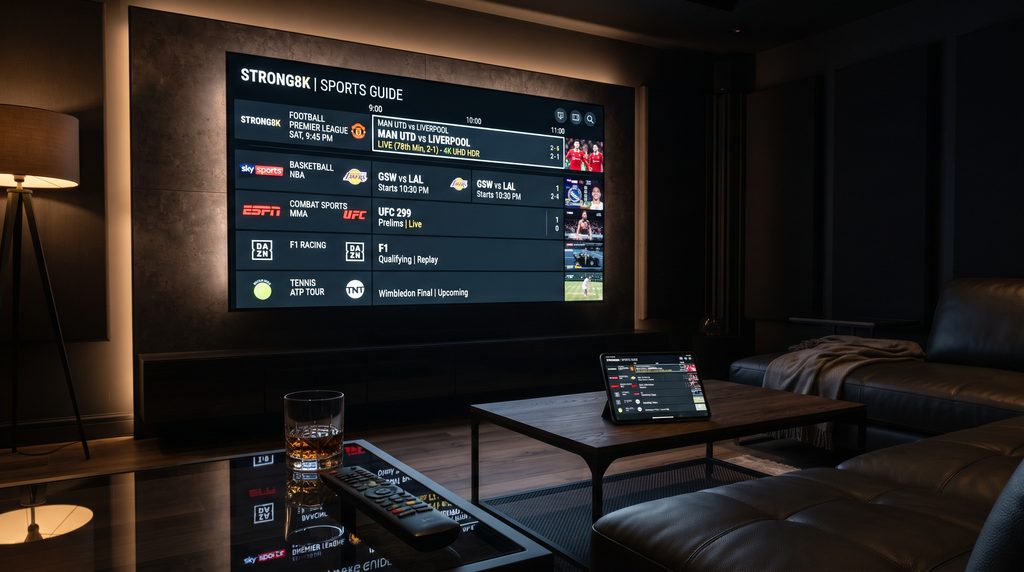
Strong8K EPG Is Especially Valuable for Sports—When the Event Mapping Is Accurate
Sports viewing is one of the clearest examples of why strong8k epg matters. A viewer often cares more about the event than the channel name. A useful guide can tell you which football match, basketball game, race, fight, or tournament is scheduled without forcing you to open several feeds manually. That becomes particularly helpful when a large sports category contains national networks, league channels, international feeds, and temporary event streams.
The original source says Strong8KTVs promotes a wide range of sports categories and links viewers to the Strong 8K channel list. Combining that channel selection with a smaller favorites group can make strong8k epg much easier to use. Instead of loading a giant guide every time you want to find a match, you can build a focused sports section containing the networks and feeds you actually follow.
PPV and Temporary Event Feeds May Have Weaker Guide Coverage
Permanent television networks are generally easier to associate with regular scheduling data than temporary event channels. A PPV or event-specific stream may appear shortly before an event and may not carry the same consistent strong8k epg information as an established sports network. For an important match or fight, verify the stream itself before the event begins rather than depending entirely on the guide title.
Do Not Try to Perfect Strong8K EPG for Every Channel You Own
Trying to maintain perfect guide information across an enormous IPTV library can turn television into a maintenance project. Most households watch a tiny fraction of the channels included with their subscription. If you regularly use 20, 30, or 50 networks, strong8k epg accuracy on those favorites matters far more than whether an obscure duplicate feed from another region has complete schedule information.
Start by building favorites. Hide or ignore categories you never use, then examine guide quality inside that smaller group. When two versions of the same channel exist, keep the one with reliable playback and better strong8k epg mapping. If your player supports manual assignment, reserve that work for important channels rather than trying to repair the entire database.
This approach also makes problems easier to notice. If your 30 favorite channels normally have complete strong8k epg data and suddenly all become blank, you can identify the change immediately. When you browse thousands of entries at once, normal gaps and actual failures are much harder to distinguish.
Strong8K EPG Problem or Playlist Problem? Use What Still Works
When something goes wrong, ask two basic questions: do the channels play, and does the guide load? Those answers divide many Strong 8K problems immediately. Working video with missing guide information points toward strong8k epg. Missing video with old guide information points somewhere else, because cached schedules can remain visible even when the live playlist is currently unreachable.
| Live channels | EPG | Most likely interpretation |
|---|---|---|
| Working | Working | Normal operation |
| Working | Blank | Strong8K EPG source, mapping, or cache issue |
| Working | Wrong time | Device time zone or guide offset problem |
| Not working | Old guide still visible | Cached EPG exists but playlist/account has a problem |
| Not working | Blank | Account, server, network, or wider service issue |
| Working in another player | Guide works there too | First application’s configuration becomes the main suspect |
This comparison prevents strong8k epg from becoming the default explanation for every IPTV problem. The guide is important, but it is only one layer of the system.
Strong8K EPG Does Not Need the Same Bandwidth as 4K Video
Downloading schedule information requires much less bandwidth than streaming high-resolution television. A strong8k epg failure by itself is therefore unlikely to mean that your broadband package is simply too slow. The more relevant question is whether the device can reliably connect to the guide source when the refresh occurs.
If one device cannot update strong8k epg but another device on the same connection updates normally, the broadband speed is probably not the first suspect. Look at the player, device storage, local configuration, or guide assignment instead. If several internet services are failing at the same time, then the wider connection deserves more attention.
For broader household streaming context, the FCC Broadband Speed Guide can help explain how multiple simultaneous online activities affect available bandwidth. That matters more for the live video side than for strong8k epg itself, although a completely unstable internet connection can obviously prevent both systems from updating correctly.
Test Strong8K EPG During the Trial, Not After You Buy a Long Plan
Many buyers test an IPTV trial by opening a few channels, checking picture quality, and deciding whether the streams buffer. If a television-style guide matters to you, strong8k epg deserves its own part of the test. A service can stream beautifully and still become annoying for daily use if the guide is incomplete, consistently wrong, or difficult to update on your preferred player.
The source article links a Strong 8K free trial route. When testing that specific service, use the trial on the device and player you plan to keep. Check several channels whose schedules you already know, confirm that current programs are correct, look at upcoming listings, inspect the local time, and test the guide again after restarting the application.
Test the Guide Like You Would Use It Every Evening
Create a temporary favorites group containing your important news, sports, movie, children’s, or international channels. Then browse those channels through strong8k epg instead of opening streams from the full playlist. This quickly tells you whether the guide adds real convenience or whether the channels you care about are poorly mapped.
Sports viewers should pay particular attention to event names and start times. Movie-channel users should compare the guide against what is actually playing. International viewers should check whether schedules align correctly with their local time zone. If strong8k epg works well across the content you personally use, that is much more meaningful than calculating what percentage of a massive library has perfect guide data.
When Strong8K EPG Support Becomes More Useful Than More Troubleshooting
There is a point where local troubleshooting stops producing new information. If live channels work normally, the internet connection is healthy, you have refreshed strong8k epg, verified the guide assignment, checked device time, restarted the application, and perhaps compared another compatible player, a continuing guide failure may require provider-side help.
When contacting support, explain the pattern instead of only writing “EPG not working.” Mention the device, IPTV player, whether all channels or only some channels lack guide information, whether live streams continue playing, whether the update reports an error, and when strong8k epg last worked correctly. That information makes it easier to distinguish a guide-source problem from a mapping problem or local player configuration.
Strong8KTVs customers can use the Strong8KTVs contact page for subscription-specific help. If a first support conversation does not resolve the issue, keep your explanation focused on the evidence you already collected rather than repeatedly resetting the application.
Frequently Asked Questions About Strong8K EPG
Why Does Strong8K EPG Say “No Information”?
The player may not have downloaded the guide, the EPG source may be temporarily unavailable, the channel identifier may not match the schedule data, or that particular stream may not have guide information. If the channel itself continues playing, treat the problem as a strong8k epg issue first rather than assuming the complete subscription has failed.
Can Strong 8K Channels Work While the EPG Is Down?
Yes. Live video and strong8k epg use separate data paths. The source material includes Strong 8K community reports where users continued watching channels even though guide updates failed. If video is healthy, preserve the working playlist and troubleshoot the guide separately.
Why Is My Strong8K EPG One Hour Early or Late?
A consistent time shift usually points toward the device time zone, daylight-saving setting, or an EPG offset rather than missing guide data. Confirm the television or streaming box clock first. Use a manual strong8k epg offset only when the device time is correct and the specific guide source remains consistently shifted.
Why Is EPG Missing on Only Some Strong 8K Channels?
Individual streams may use identifiers that do not match the guide data, and temporary, regional, PPV, or duplicate channels can have less complete mapping. Search for another version of the same network. If one feed has reliable strong8k epg and equivalent video quality, saving that version to favorites may be the simplest solution.
Can Low Device Storage Cause EPG Problems?
It can contribute to slow updates or poor player performance because large guide databases consume local storage. This can matter particularly on Fire TV hardware or inexpensive Android boxes. Check available space and clear unnecessary cache before assuming strong8k epg itself is broken, but avoid wiping complete application data unless you are prepared to lose saved settings.
Does Strong8K EPG Need Very Fast Internet?
No unusually fast connection is required just to download schedule information because guide data uses far less bandwidth than live HD or 4K video. What strong8k epg does need is a reliable connection to its data source during an update. If another device on the same network updates normally, raw broadband speed is unlikely to be the main issue.
When Should I Contact Support About the EPG?
Contact your account provider when strong8k epg remains unavailable after the live service is confirmed working, the guide has been refreshed, the EPG source and playlist assignment are correct, device time is accurate, and the player has been restarted. Tell support exactly which channels are affected and whether the update itself succeeds or fails.
Final Thoughts: Fix Strong8K EPG Without Breaking the Television That Already Works
Strong8k epg is not just decoration around the channel list. For viewers dealing with a very large IPTV library, it is the layer that turns thousands of streams into a usable television guide. When it works properly, you can see what is playing, plan future viewing, locate sports events, browse favorites, and spend less time opening channels simply to identify their content.
When strong8k epg fails, the most important question is what still works. If channels continue playing, protect the playlist and focus on the guide source, channel mapping, device time, cache, storage, or IPTV player. If only a few channels are missing information, look for better-mapped duplicate feeds or manually assign guide data where your player supports it. If every program is shifted by the same amount, investigate time settings before replacing the guide.
The source material’s 2026 community examples reinforce that approach because users reported guide failures occurring independently of live playback. A shared EPG-side problem cannot necessarily be fixed by reinstalling every television app, and a single missing channel does not require rebuilding an entire strong8k epg database. Diagnose the layer that actually failed.
Finally, do not judge the guide by whether thousands of channels have perfect information. Judge it by whether strong8k epg works well for the channels you actually use. Build favorites, verify important sports and regional networks, keep your device time correct, allow the player to refresh normally, and test the guide during the trial. A smaller set of reliable schedules is far more useful than spending hours trying to make every obscure duplicate stream look perfect.