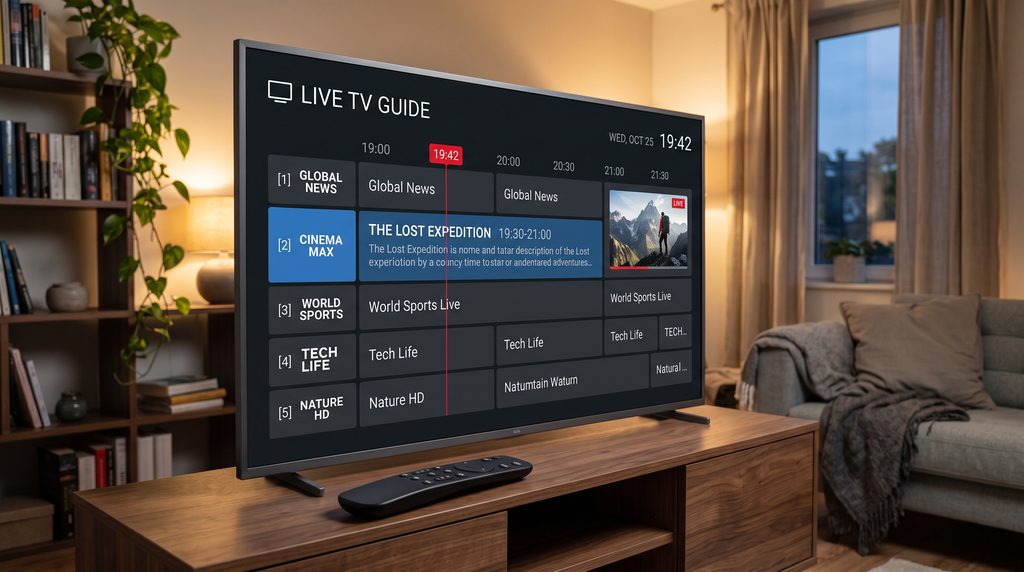
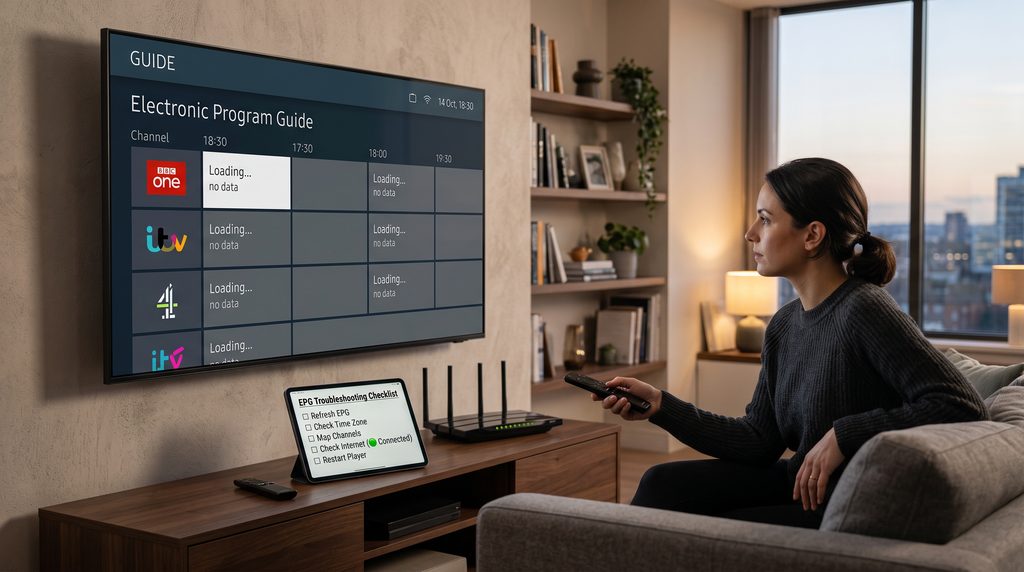
strong 8k epg becomes important the moment a large IPTV playlist stops feeling like television and starts feeling like a directory of channel names. The Electronic Program Guide is the layer that adds program titles, start times, upcoming shows, sports schedules, and other schedule information beside live channels. When it works, a viewer can browse what is on now and what comes next without opening every stream. When it fails, the channels may continue playing normally while the guide shows “No Information,” old schedules, incorrect times, or a failed update message. That separation between live playback and guide data is the key to troubleshooting strong 8k epg correctly.
This guide is built around diagnosis rather than another generic explanation of EPG. Start by identifying the symptom you actually have, then work through the smallest useful fix before deleting playlists or reinstalling apps. The source material for Strong8KTVs says EPG functionality is part of the service and that the exact experience can depend on the player, guide source, channel mapping, device settings, and refresh behavior. That means strong 8k epg problems can come from several different layers, and changing the wrong layer can waste time without fixing the guide.
Table of Contents
Start Here: What Exactly Is Wrong With the Guide?
Before changing settings, classify the problem. A completely blank guide is different from one channel with missing data. A guide that is two hours late is different from a guide that refuses to update. If live television works but the schedule does not, the account itself may still be active. This first step keeps strong 8k epg troubleshooting focused and prevents the common mistake of treating every guide issue as a full IPTV outage.
What You See
Most Likely Area to Check First
First Action
Every channel says “No Information”
Guide source or failed refresh
Run a manual EPG update
Only a few channels have no schedule
Channel mapping or missing source data
Check alternate channel versions or assignment
Programs appear at the wrong time
Device time zone or EPG offset
Correct device date, time, and time zone
Guide shows old programs
Stale cached data
Force a fresh update
Update produces an error
Guide source, network, or app problem
Verify connectivity and retry
Guide works in one app but not another
Player configuration
Compare EPG settings between players
Sports event is missing from the guide
Event channel or source coverage
Verify the live channel directly
For strong 8k epg, the table is not meant to replace troubleshooting. It simply tells you where to begin. The best strong 8k epg fix is usually the smallest change that matches the symptom. If only one channel is wrong, rebuilding an entire playlist is excessive. If everything is blank, manually assigning one channel is unlikely to solve the root problem.
How Strong 8K EPG Works Behind the Screen
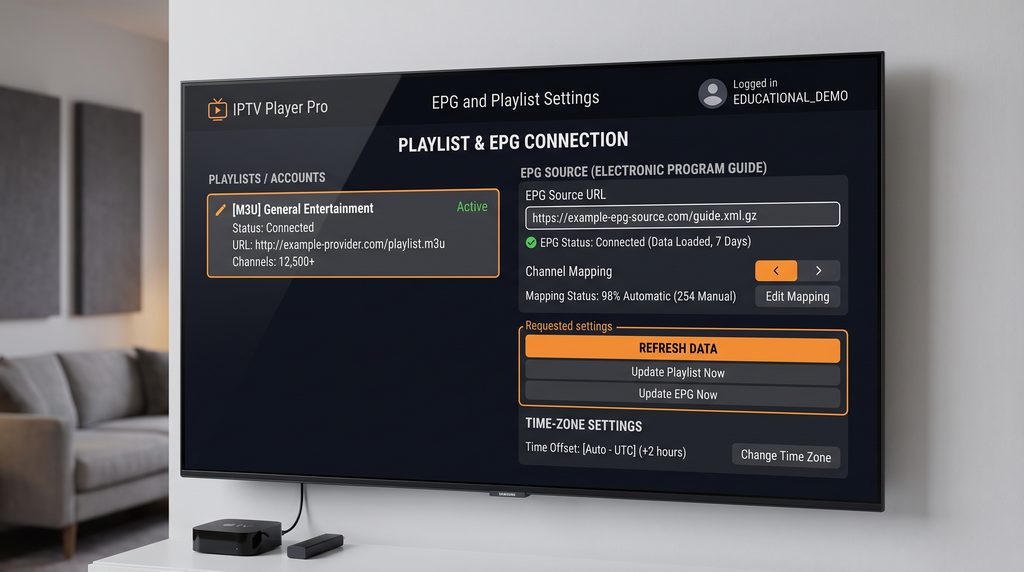
An IPTV guide normally relies on structured schedule data that can be matched to channels in the playlist. The player downloads the guide information, associates channel identifiers with program entries, stores the schedule locally, and displays it in a grid or channel list. Some account methods can load guide information automatically, while other setups may require a separate EPG source or an explicit update inside the player. The supplied Strong 8K material describes M3U or Xtream-style login methods and EPG configuration in compatible applications.
This explains why strong 8k epg can fail while live video remains healthy. That separation is central to strong 8k epg diagnosis. The stream URL and the guide data are not the same thing. The player may be able to open a channel but fail to find a matching schedule record. It may also have correct guide data but display the wrong time because the device clock or time zone is incorrect. Once you understand those layers, “EPG not working” becomes a much more specific problem.
A simplified flow looks like this: the IPTV account loads the live playlist, the player obtains the guide source, the schedule is downloaded, channel IDs are matched, the guide is cached locally, and the application refreshes it periodically. A failure in any one of those stages can affect strong 8k epg without requiring a new subscription.
Set Up the Guide Before You Troubleshoot It
Many strong 8k epg problems start with incomplete setup. Add the IPTV account first and make sure live channels have finished loading. Then open the guide or EPG settings inside the player. Look for options such as EPG Sources, TV Guide, Update EPG, Refresh Guide, XMLTV, Assign EPG, or Add EPG URL. The exact wording changes between applications, but the goal is the same: confirm that the playlist has a valid guide source and that synchronization is enabled.
If your account loads guide information automatically, do not add a random third-party EPG address simply because another user posted one online. Channel identifiers may not match. A guide source built for another provider can create blank entries, incorrect programs, or bad mappings even though the URL itself technically downloads. strong 8k epg is most reliable when the guide source belongs to the account or setup you actually use.
A Better Setup Check
Before moving into deeper troubleshooting, confirm the account is active, live channels load normally, the player supports guide data, the correct playlist is selected, synchronization is enabled, the device date and time are correct, and the guide has completed at least one update. Also make sure the application has enough storage to maintain its local database. Large playlists can create more guide data than a small channel package, so an older device can take longer to process the first full load.
Do not judge strong 8k epg while the player is still importing data. Give the first synchronization enough time to finish, then restart the application once if necessary and inspect several favorite channels. That produces a cleaner baseline than repeatedly pressing refresh while the first update is still running.
Fix “No Information” Without Reinstalling Everything
“No Information” is the classic strong 8k epg symptom. It usually means the player has a channel entry but cannot display matching schedule data. If every channel shows the message, start with the guide source and refresh process. Run a manual update, verify the account is active, and confirm the application can reach the internet. If the guide still does not populate, restart the player and inspect whether the EPG source remains assigned to the playlist.
If only a handful of channels are blank, the diagnosis changes. The main guide source is probably loading, which makes channel mapping or missing source data more likely. Some players allow manual guide assignment. If a duplicate or regional version of the same channel has correct program information, you may be able to assign the working guide entry to the version you prefer. If the player does not support manual assignment, testing another version of the channel can still reveal whether the problem is limited to one mapping.
The most important rule is simple: if live television works, do not assume the subscription is dead. strong 8k epg can be unavailable while the stream remains perfectly usable. Treat the missing guide as its own problem until there is evidence of a broader account failure.
What to Do When the EPG Update Fails
A strong 8k epg failed-update message means the player could not retrieve or process the guide successfully. Start with basic connectivity. Open another website or application on the same device. If the device has no working internet connection, fix that first. If normal internet access and live television both work, the issue becomes more specific to the guide source or the player.
Run the update again after restarting the application. If the player uses a separate EPG URL, verify that the correct source is still configured rather than replacing it with something unverified. If the account method normally carries guide data automatically, confirm the correct playlist is selected and has not been disabled. strong 8k epg failures can be temporary, so one unsuccessful update is not a reason to rebuild the entire setup.
If the guide repeatedly fails in one application but loads in another compatible player using the same account, that comparison strongly points toward the first application or its settings. If both players fail while channels continue working, the guide source itself becomes a stronger suspect. That kind of controlled comparison gives support much more useful information than simply saying “EPG broken.”
Fix the Wrong Program Time Before Touching Channel Mapping
When program names are correct but every schedule is shifted by the same amount, strong 8k epg is probably not suffering from missing data. The first place to check is the device clock. Confirm the date, local time, time zone, and daylight-saving behavior. A streaming device with the wrong time zone can make an otherwise correct guide appear consistently early or late.
Some IPTV players also provide a manual strong 8k epg time offset. Use that only after the device itself is correct. If the device is two hours wrong and you compensate with a two-hour guide offset, the setup may look fixed temporarily but become confusing after another device update or time-zone change. Correct the foundation first, then use a player offset only when the source itself is consistently shifted.
International channels add another layer because their schedules may originate in different regions. A properly configured player should normally display schedule data according to the available source and local settings, but unusual feeds may still need individual adjustments. When only one regional group is shifted, avoid changing the global strong 8k epg offset for every channel.
Strong 8K EPG on TiviMate: Diagnose the Player Layer
TiviMate is commonly used because it provides a television-style guide, favorites, playlist management, and EPG controls. In a TiviMate setup, the most useful strong 8k epg checks are the assigned guide source, latest update time, automatic-update settings, time offset, stored guide days, and whether specific channels have been mapped correctly. Large playlists may take longer to process because the app has more schedule data to store and match.
If some channels show guide information and others do not, do not assume the complete source is bad. That pattern usually suggests individual mapping gaps. TiviMate and other advanced players can provide tools for assigning guide information to channels manually. Use those options carefully on the channels you actually watch instead of spending time perfecting every unused category in a huge playlist.
If the application becomes sluggish while browsing the guide, the local database may also deserve attention. Storing more days of schedule history than you need can increase the amount of data the player maintains. A reasonable retention period and automatic updates can keep strong 8k epg useful without placing unnecessary load on older hardware.
Fix Your Favorites First, Not Thousands of Channels
Trying to achieve perfect strong 8k epg coverage across a massive IPTV library is usually poor use of time. The better strategy is to build a favorites list and optimize the channels you actually watch. Start with news, sports, entertainment, and regional channels that matter to your household. Refresh the guide, identify which favorites have missing or incorrect data, then fix those mappings first.
This approach improves strong 8k epg where it affects daily viewing. If an obscure channel in a language you never use has no guide entry, fixing it creates almost no practical value. If the main sports network has the wrong schedule, that problem deserves attention immediately. A personalized guide is more useful than a technically perfect database covering thousands of irrelevant channels.
Strong8KTVs users can review categories on the Strong 8K channel list before creating that favorites set. Once the important channels are identified, the guide becomes easier to evaluate because you are measuring coverage against real viewing habits rather than the full catalog.
Use EPG Carefully for Sports and Event Channels
Sports are one of the strongest reasons to care about strong 8k epg because viewers often want to find an event rather than a specific channel. A working guide can show the football match, basketball game, racing session, tennis match, or combat-sports event scheduled next. That is especially useful when a service carries multiple regional sports networks and alternative feeds.
However, event-specific or PPV-style channels can behave differently from permanent networks. They may become active only near the event and may not always have the same guide coverage as established channels. For an important event, use the EPG as a planning tool but verify the actual channel before the start time. A correct schedule does not guarantee the stream is already active, and a missing schedule does not necessarily mean the event feed will be unavailable.
For viewers evaluating Strong8KTVs before subscribing, the existing Strong 8K free trial can be used to check guide behavior during real viewing. Test the sports categories you care about, see whether the guide identifies the events properly, and confirm that the player remains easy to navigate when several similar feeds are available.
How Often Should the Guide Refresh?
strong 8k epg becomes stale if it never updates, but refreshing constantly is not automatically better. Most modern players can update guide information automatically at intervals or whenever the playlist loads. The useful goal is to keep schedules current without forcing an older device to repeatedly process a large guide database.
Enable automatic updates if the player supports them, manually refresh after adding or changing a playlist, and run an update when schedules clearly look outdated. Avoid clearing the whole guide database every time one program looks wrong. Clearing cached data is more appropriate when normal updates repeatedly fail or old information refuses to disappear.
If the player lets you choose how many days of guide information to store, keep only what you realistically use. A viewer who checks today and tomorrow does not need a large archive simply because the option exists. The right strong 8k epg refresh setup is one that stays current without making the device noticeably slower.
EPG Problems and Internet Problems Are Not the Same Thing
strong 8k epg downloads require connectivity, but they use far less bandwidth than live video. If strong 8k epg fails to refresh, first determine whether the device has working internet access at all. If websites, apps, and live streams also fail, solve the network problem before editing EPG settings. If live channels continue playing while only the guide fails, the issue is probably more specific to guide data, mapping, or the application.
The FCC broadband guide provides general information about internet capacity and simultaneous device use. For EPG itself, however, reliability matters more than extreme speed. A guide update does not need the same bandwidth as a high-resolution video stream, but an interrupted connection can still cause the download to fail.
A Simple Strong 8K EPG Decision Tree
When the guide breaks, work from the broadest symptom toward the narrowest cause. This keeps strong 8k epg troubleshooting consistent and stops you from randomly changing settings.
Check live TV. If live channels also fail, investigate the account or network before focusing on the guide.
Check the scope. Decide whether every channel is affected or only a few.
Refresh the EPG. Let the update finish completely before judging the result.
Check device time. Correct the time zone before applying manual offsets.
Inspect the player. Verify the guide source, automatic updates, and playlist assignment.
Compare another player if needed. This helps separate account data from app behavior.
Fix favorite-channel mappings. Prioritize the channels you actually use.
Contact support only after gathering evidence. Explain the device, player, symptom, and what you already tested.
This process is faster than repeatedly reinstalling the application because every step answers a diagnostic question. By the time you reach support, you can say whether the problem affects all channels, whether live video works, whether another player behaves differently, and whether the guide source has recently updated.
When Strong8KTVs Support Is the Right Next Step
Basic local troubleshooting can solve many strong 8k epg problems, but persistent guide failures may require the provider or seller. Strong8KTVs advertises EPG functionality, so service-specific issues can be reported through the Strong8KTVs contact page. The quality of the support request matters because “EPG doesn’t work” gives very little information.
A stronger message identifies the device and player, says whether live channels still work, explains whether all or only some channels are missing guide data, includes the last successful update if known, and describes any exact error shown by the application. If another player works with the same account, mention that too. That evidence can immediately narrow the problem and reduce unnecessary back-and-forth.
How to Judge Whether the Guide Is Good Enough
Do not judge strong 8k epg by whether every channel in a huge library has perfect metadata. Judge whether the guide works on the channels that shape your normal viewing. A useful guide should update reliably, display correct times, cover your main channels, and make it easier to locate current and upcoming programs. If those goals are met, a few blank entries in rarely used categories may not matter.
During a trial, check several different types of channels rather than only one. Test a news network, an entertainment channel, a sports feed, and a regional channel you actually use. Create favorites, restart the player, and verify that the guide remains available after the app reloads. That shows whether strong 8k epg is useful in daily operation rather than only immediately after setup.
The EPG Mistakes That Waste the Most Time
The biggest mistake is deleting a working playlist because the guide is blank. Live playback and guide data can fail independently. The second is adding an unrelated EPG source from another provider without knowing whether the channel identifiers match. The third is correcting a wrong time with a manual offset before checking the device clock. Those changes can make the setup harder to understand later.
Another common mistake is trying to fix every unused channel. strong 8k epg should improve viewing, not become a maintenance project. Optimize favorites first. Finally, avoid pressing update repeatedly while a large guide is still processing. Let one full refresh finish, inspect the result, and then decide what the next diagnostic step should be.
Frequently Asked Questions About Strong 8K EPG
Why does Strong 8K EPG say “No Information”?
The guide may not have loaded, the channel may not be mapped to the correct schedule entry, or no program data may be available for that specific stream. If every channel is blank, start with a full EPG refresh. If only a few are affected, check mapping or alternate feeds.
Can live channels work when the EPG is broken?
Yes. Live video and strong 8k epg are separate systems. A channel can play normally even when the guide source fails, schedule data is missing, or the player cannot match the channel to its guide entry.
Why is the Strong 8K EPG time wrong?
Check the device date, time zone, and daylight-saving settings first. If those are correct and every guide entry is still shifted consistently, the player may offer an EPG offset that can be adjusted.
Why do only some channels have guide information?
The main guide source may be working while those channels have missing or incorrect mappings. Duplicate or regional versions of the same channel can also use different identifiers. Advanced players may allow manual guide assignment.
Should I clear EPG data every time the guide is wrong?
No. Start with a normal refresh. Clearing local guide data is more appropriate when cached schedules remain stale or ordinary updates repeatedly fail. Constantly clearing the database can add unnecessary work, especially on a large playlist.
Does Strong8KTVs include EPG?
Strong8KTVs advertises EPG functionality as part of its service. Viewers can start from the Strong8KTVs homepage, inspect the channel categories, and test guide behavior through a compatible player.
When should I contact support?
Contact support when strong 8k epg continues failing after you have verified live playback, connectivity, device time, guide refresh, and basic player settings. Include enough information to show whether the issue affects all channels or only specific ones.
Final Verdict: Treat Strong 8K EPG as a Separate System
The most useful lesson about strong 8k epg is that a program guide should be diagnosed separately from live video. A blank guide does not automatically mean the account is broken, and a working channel does not guarantee its schedule data is mapped correctly. Once you separate those layers, most EPG problems become easier to classify: failed download, stale cache, incorrect time, missing mapping, player configuration, or incomplete source data.
Set up the guide correctly once, enable sensible automatic updates, and focus on the channels you actually watch. If “No Information” appears everywhere, investigate the full guide source. If only a few favorites are affected, work on their mappings. If the schedule is shifted, fix the device time before adding offsets. If one player fails while another works, treat the application as part of the diagnosis. That systematic approach is much more effective than repeatedly rebuilding the entire IPTV setup.
For Strong8KTVs users, review the channel list, use the available trial on the player you plan to keep, and contact the support team when a persistent issue cannot be solved locally. A reliable strong 8k epg does not improve picture quality, but it can dramatically improve usability by turning a huge channel catalog into a television schedule that is actually easy to navigate.