strong tv is a broad search term, but in this guide it refers specifically to the internet-based viewing experience described by Strong8KTVs. Instead of treating the service like another list of features, the easiest way to understand it is to follow the same path a real user follows: choose the right device, install a compatible player, activate the account, organize the library, test the network, set up the EPG, and then decide whether the service actually fits the household. That approach matters because strong tv is not one single app or one single box. The subscription, player, internet connection, and viewing device all work together.
The source material says Strong8KTVs currently promotes more than 24,000 live channels, more than 90,000 movies and television series, several stream-quality levels including 4K, Full HD, HD, and SD, EPG functionality, broad device compatibility, and connection options for households with several simultaneous viewers. Those numbers describe scale, but scale is not the same as usefulness. A person who watches fifteen channels every week cares more about whether those fifteen streams work well than whether thousands of other channels exist. This strong tv guide therefore focuses on building a setup that is easy to use every day rather than chasing the biggest headline number.
Table of Contents
Before You Start: Build the Setup Around How You Actually Watch
The first decision with strong tv should happen before any application is installed. Think about where you normally watch television, who else watches at the same time, which channels are essential, and whether live sports or VOD matters more. Someone using one television in a small apartment has a different setup from a family using several rooms, while a sports-first viewer has different priorities from someone who mainly watches movies and series. If you define those needs first, the rest of the setup becomes simpler.
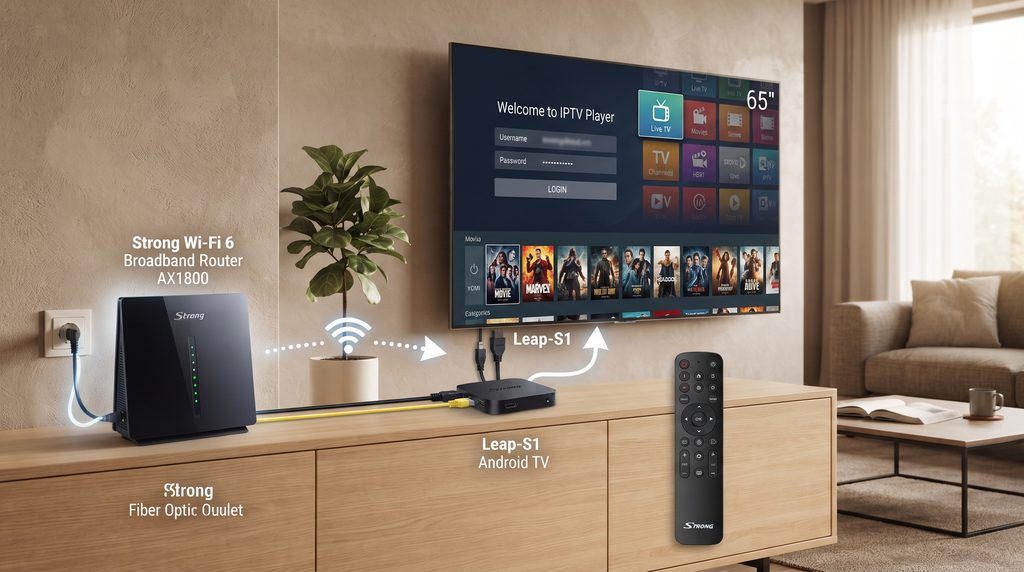
Start with the device you intend to keep. If the main television already has a compatible player and runs smoothly, using the built-in platform can be convenient. If the television is older, an external Fire TV or Android TV device may give you a faster interface and more application choices. The goal is not to buy extra hardware automatically. The goal is to make sure the service is tested on the device that will actually be used after the trial, because a phone or powerful computer can make the service look faster than an older living-room television.
Your Situation
What to Prioritize
Why It Matters
One person, one television
Simple player and one connection
No need to pay for unused streams
Family with several rooms
Connection count and device compatibility
Several people may watch at once
Sports-first viewer
Peak-time stability and motion quality
Live events expose problems quickly
Movie and series viewer
VOD search, organization, subtitles
Library usability matters more than live-TV size
International household
Regional channels, languages, favorites
Useful coverage matters more than total count
Older Smart TV
Player performance and storage
Large playlists can stress weaker hardware
The Three Things People Commonly Mix Up
One of the easiest ways to misunderstand strong tv is to mix together the service, the player, and the device. The service is the subscription that provides access to available streams and account data. The player is the application that turns those streams into menus, categories, favorites, search, EPG information, and playback controls. The device is the hardware that runs the player and displays the video. They work together, but they are not the same thing.
This distinction becomes useful the first time something goes wrong. If the same strong tv account works in one player but not another, the problem may be the application rather than the subscription. If the same player works perfectly on a newer device but feels painfully slow on an older television, the hardware may be the bottleneck. If every player and device rejects the same credentials, the account itself deserves attention. Separating these layers prevents random troubleshooting.
Why the Player Changes the Experience So Much
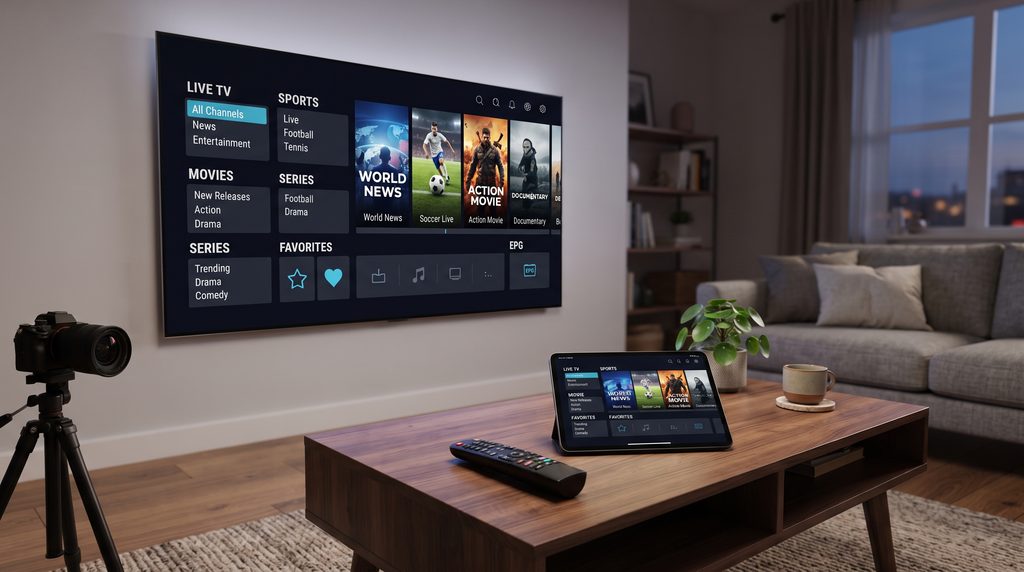
The player controls how easy the service feels from the sofa. A good television-oriented player should make it easy to move between live channels, VOD, favorites, and the program guide with a remote. It may also provide decoder options, subtitle controls, catch-up features where supported, and different ways to display categories. A poor player can make a perfectly usable subscription feel messy because navigation becomes slow or confusing.
That is why downloading a random IPTV application is not the same as choosing strong tv. The application is the shell around the account. If the first player feels awkward, testing another compatible option can be worthwhile before blaming the entire service. The best player is the one that works reliably on your exact device and makes your normal viewing simple.
Turn the Huge Library Into a Personal Content Map
Strong8KTVs currently advertises a very large live and on-demand catalog. The strongest way to use that scale is not to scroll through everything. Build a personal content map. Open the Strong8KTVs channel list and identify the regions, sports networks, news channels, entertainment groups, family channels, and languages that matter to you. For strong tv, relevance is more important than volume.
A useful personal map can be surprisingly small. Pick perhaps fifteen to thirty priority live channels, then add a few backup feeds for anything time-sensitive such as sports. For VOD, write down several movies and one or two series you would genuinely search for. During the trial, test those items first. This turns the service from an abstract promise of thousands of options into a direct answer to the question that matters: does it contain and deliver the content you actually want?
Live Television Should Be Tested Differently From VOD
Live channels are time-sensitive. If a stream pauses during a news bulletin or sports event, you miss what happened. For that reason, strong tv live-channel testing should focus on startup speed, stability, audio synchronization, and whether an alternate version is available when one feed has trouble. You should also test at the times you normally watch, not only during a quiet afternoon.
VOD is different because movies and series are stored content. Here, search and organization matter more. A strong tv library can be enormous and still feel poor if episodes are out of order, subtitles are hard to find, poster data loads slowly, or the player makes it difficult to resume playback. Test one recent movie, one older title, and one multi-season series so you can judge the experience rather than the advertised count.
Sports: Use a Real Event as Your Stress Test
The source material says Strong8KTVs promotes categories covering sports such as NFL, NBA, NHL, MLB, UFC, MLS, EPL, boxing, MMA, WWE, tennis, and other events. If sports are a major reason you are considering strong tv, do not waste the trial on empty sports channels. Use a real event. Fast motion, rapid camera changes, high demand, and live timing make sport one of the best ways to expose weak playback.
Watch long enough to judge whether the feed remains stable rather than simply opening quickly. Check motion during fast action, listen for audio delay, compare alternative feeds, and notice whether picture quality drops during busy moments. The service should be judged by the stream you can actually watch comfortably, not by the highest resolution badge in the channel name. A stable Full HD feed can be a better viewing choice than a sharper option that repeatedly freezes.
Picture Quality: Resolution Is Only One Layer
Strong8KTVs promotes multiple quality levels, including 4K, Full HD, HD, and SD. That is a more useful way to think about strong tv than assuming every stream is native 8K because of the brand name. A large IPTV catalog pulls from many sources, and different broadcasters or files can begin at different resolutions. The final picture also depends on bitrate, compression, frame rate, the player decoder, device capability, and the television itself.
When judging picture quality in the service, look at fine text, faces, grass during sports, dark movie scenes, fast camera movement, and audio synchronization. Those clues reveal more than a label. A stream can technically carry a high-resolution name while still looking compressed, while a clean lower-resolution source can appear excellent from normal viewing distance. The goal is not to prove a specification. The goal is to find the best-looking stable feed for the content you watch.
Build the Network Around Stability, Not a Speed-Test Screenshot
strong tv depends on continuous internet delivery, so network quality matters every minute the stream is playing. Download speed is part of the picture, but Wi-Fi strength, router placement, household congestion, ISP routing, and device connectivity also matter. A fast broadband package does not help much if the television is connected through a weak wireless signal behind several walls.
The source material says Strong8KTVs recommends approximately 30–50 Mbps for smooth service use. The FCC Broadband Speed Guide also explains that household bandwidth needs increase when multiple users and demanding activities share the same connection. For strong tv, that means a family running several high-quality streams, gaming sessions, cloud backups, and video calls at once needs more headroom than one person watching alone.
Wi-Fi Is Fine Until It Becomes the Question
A good modern Wi-Fi connection can handle the service without a problem. Ethernet is not automatically required. However, Ethernet becomes extremely useful when you are trying to discover why buffering happens. If the stream struggles on Wi-Fi but becomes stable when the same device is connected directly to the router, the network has given you a strong clue. You can then improve router placement, reduce interference, add a better access point, or keep the wired connection.
If strong tv behaves the same way on Ethernet and Wi-Fi while normal internet video works correctly, the network becomes a weaker suspect. That controlled comparison is far more useful than endlessly changing player settings without knowing which part of the setup is failing.
Choose the Device That Makes the Library Feel Small
Strong8KTVs promotes compatibility with Firestick, Android devices, Smart TVs, PCs, Macs, mobile devices, and other common platforms. That flexibility is useful, but the experience can vary dramatically because each platform has different hardware and application choices. strong tv does not become easier simply because the device is technically supported. The device still needs enough performance to handle the player, playlist, EPG database, and VOD artwork comfortably.
A Smart TV offers convenience because everything stays inside one screen and remote. An external Fire TV or Android TV device can provide more player choices and may perform better than older built-in television hardware. Computers are useful for diagnosis because they let you check whether the same service account works outside the living-room device. Phones and tablets are useful for portability, although they should not be your only trial device if the real goal is television viewing.
Fire TV: Useful When You Want a Dedicated Streaming Device
Fire TV can be a practical strong tv platform because it separates streaming performance from the television’s built-in software. If an older Smart TV is slow, adding a streaming device can sometimes improve the interface without replacing the television. Storage still matters because IPTV players can cache logos, guide information, and VOD artwork. Amazon’s Fire TV Help provides device-side support for managing apps and troubleshooting common Fire TV issues.
Restarting the device periodically and maintaining enough free storage can help when a player becomes sluggish. If strong tv works on another device but one Fire TV app repeatedly freezes, treat the device or player as part of the diagnosis rather than assuming the subscription itself is failing.
Use the EPG to Make Live TV Feel Familiar
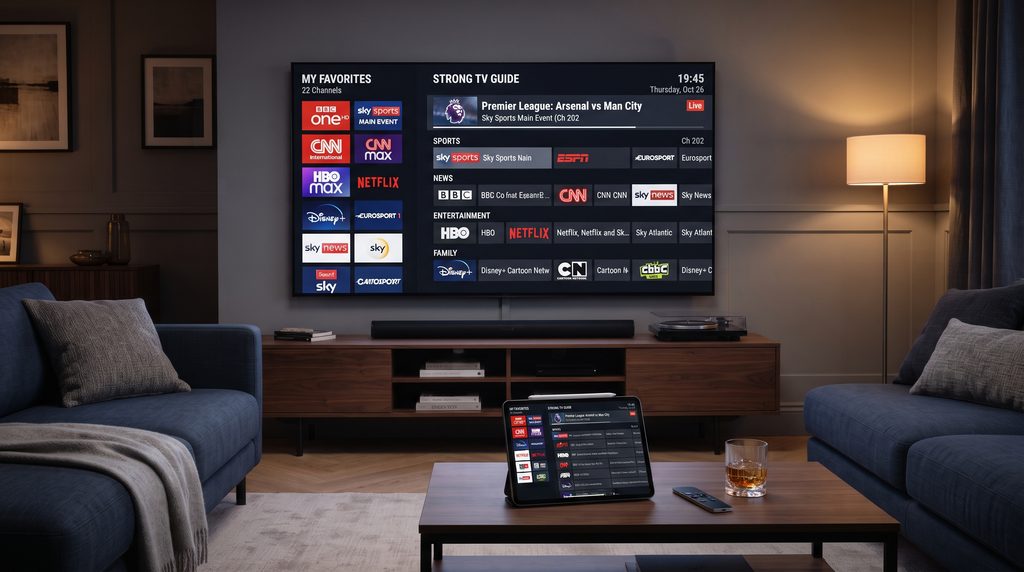
EPG stands for Electronic Program Guide. It lets strong tv display program names, current shows, and upcoming schedules beside live channels. That feature becomes far more valuable as the channel library grows because a raw list of thousands of channel names is difficult to browse. A working guide lets viewers see what is on without opening every stream.
Guide data is separate from live video, so EPG problems should be treated separately. If strong tv channels play but the guide says “No Information,” refresh the EPG before touching the account. Check the device time zone if schedules are shifted. If only a few channels are missing information, the problem may be channel mapping rather than a total guide failure. A good player with reliable EPG behavior can make the entire service feel much more organized.
Your Favorites List Is More Important Than the Full Catalog
One of the biggest quality-of-life improvements for strong tv is creating favorites immediately. A large library is valuable because it gives you options, but it becomes annoying if you have to browse through the entire catalog every evening. Save the channels you use regularly and let the rest of the library stay in the background for search and occasional discovery.
You can organize the service around real habits rather than provider categories. Keep everyday television, sports, news, family programming, and international channels easy to reach. If your player allows you to hide unused groups, remove them from the main navigation. That does not delete access; it simply reduces clutter. Movies and series should stay in their dedicated VOD sections rather than being mixed into live television.
This is also where EPG becomes most useful. A favorites list with guide data creates a personal TV schedule instead of a massive database. Once strong tv is organized around twenty or thirty channels you actually watch, the service feels much simpler even though the full catalog remains available.
Connection Count: Pay for Simultaneous Viewers, Not Devices
Strong8KTVs currently presents pricing based on one through five connections. A connection generally refers to an active simultaneous stream, which is different from the number of devices where strong tv can be configured. This distinction is important because many households own several devices but rarely use all of them at the same time.
Imagine a television, tablet, smartphone, and laptop all have the player installed. If only one person watches at a time, one connection may still be enough. If two people regularly watch different content simultaneously, the household should consider two streams. A larger family may need three, four, or five. Choosing the right strong tv connection count keeps the package aligned with actual use instead of paying for capacity that never gets used.
Viewing Pattern
Connection Count to Consider
One active viewer
1
Two independent viewers
2
Three people often watching separately
3
Larger household with overlapping use
4–5
Many installed devices, one active stream
1 may still be sufficient
Turn the 24-Hour Trial Into a Real Test
The source material says Strong8KTVs currently advertises a 24-hour trial. That is one of the most useful parts of evaluating strong tv because the service depends on your own device, player, network, ISP route, and viewing priorities. A trial should not be spent opening random channels just to see how big the library is. Use it to answer the questions that would determine whether you pay.
Start with your priority live channels. Then test sports during a real event if sports matter, search for several VOD titles, check the EPG on favorites, and use the main television or streaming device rather than only a phone. Repeat some of the same tests during evening hours because household traffic and general streaming demand can change throughout the day. If a problem appears, use the trial time to isolate it instead of assuming the service is automatically at fault.
A Practical Trial Sequence
Confirm the account loads correctly in your preferred player.
Test 10–20 live channels that matter to you.
Watch several streams for longer sessions.
Use a real sports event if sports are important.
Search for movies and a multi-season series.
Check EPG on the favorites you plan to keep.
Test the exact living-room device you intend to use.
Compare Wi-Fi and Ethernet if buffering appears.
Confirm the simultaneous connection limit you need.
Decide whether the interface feels easy enough for daily use.
If strong tv passes that sequence, you have meaningful evidence. If it fails on the parts of the service you care about most, the headline channel count should not talk you into a longer commitment.
Troubleshoot Strong TV by Changing One Variable at a Time
Random troubleshooting makes IPTV problems harder to understand. If strong tv starts buffering and you immediately restart the router, switch apps, change the decoder, enable a VPN, and move to another device, you may accidentally fix the problem without learning what caused it. A better process changes one variable and retests.
Start with another channel. If only one stream fails, the issue may be isolated to that feed. If every channel buffers, test normal internet video on the same device. If the entire device is struggling, investigate the network or hardware. If normal video works but the service fails, try another compatible player. A second device helps isolate hardware, while Ethernet helps isolate Wi-Fi. This sequence builds evidence instead of guesses.
Problem
First Test
What the Result Can Tell You
One channel does not play
Open another channel
May be an isolated feed problem
All channels buffer
Test normal streaming
Shows whether the network/device is also affected
Login fails
Recheck credentials
Separates typing errors from account issues
EPG missing
Refresh the guide
May be guide-only rather than account failure
App freezes
Restart and check storage
May be device or application related
VOD title fails
Try another title
Shows whether the issue is isolated
Wi-Fi is unstable
Test Ethernet
Helps isolate the local wireless network
Account works elsewhere
Compare the original device
Points toward device/player configuration
The Setup Mistakes That Make Strong TV Look Worse Than It Is
One common strong tv mistake is buying from a similarly named website without checking whether it is connected with the provider you intended to use. “Strong” is a broad word and can appear in unrelated television products, apps, and stores. Read the full domain, understand which seller owns the customer relationship, and keep the original support route after purchase.
Another mistake is judging the service from channel count alone. The third is skipping the trial or using it only on a phone. Users also confuse device installations with simultaneous connections, leave the full library unorganized, ignore EPG settings, and blame the provider before testing Wi-Fi or the player. Most of these errors are preventable. Verify the provider, test your own channels, use the right device, understand connection limits, and organize strong tv around favorites from the beginning.
What a Good Everyday Strong TV Setup Looks Like
Once configuration is finished, strong tv should become boring in a good way. You turn on the television, open the player, land on favorites or the guide, choose what you want, and watch. You should not need to search through thousands of channels every evening or remember technical settings every time the app starts. The initial work of organizing favorites, checking the EPG, and choosing the right device is valuable because it removes friction later.
A healthy setup usually has a small favorite channel list, sensible EPG updates, enough free device storage, a stable network connection, and a connection count that matches the household. The user knows which player works best and has one or two basic troubleshooting checks in mind. That is a much better measure of quality than whether every feature in the service has been explored.
Is Strong TV Worth Building Into Your Home Setup?
strong tv can make sense for viewers who want one internet-based environment for live television, sports, movies, series, and guide information across several device types. It becomes especially attractive when the household benefits from international coverage, multiple simultaneous streams, or a combination of live and on-demand viewing. The source material describes enough flexibility that different users can build different setups around the same service.
It may be less attractive to someone who watches only a handful of channels and wants an entirely standardized mainstream-app experience with almost no setup. IPTV can require choosing a player, organizing categories, refreshing a guide, or diagnosing a network problem occasionally. If that small amount of technical involvement sounds frustrating, a broad strong tv package may be more complexity than value.
The trial should make the final decision. If the channels you care about remain stable, sports perform well, VOD is easy to search, the guide covers your favorites, the player runs smoothly, and your chosen connection count fits the household, strong tv has passed the tests that actually matter. If those things fail, a bigger library or longer feature list does not fix the mismatch.
Frequently Asked Questions About Strong TV
Is Strong TV the same thing as an IPTV player?
No. strong tv refers to the subscription and content access, while the IPTV player is the application used to organize and play the service. The player controls the interface, favorites, EPG presentation, and playback controls.
Can Strong TV work on a Smart TV?
Yes, when a compatible IPTV player is available for the television platform. Performance can vary by television age, processor, storage, and player, so the best test is the exact Smart TV you plan to use.
Does Strong TV work on Firestick?
Firestick is listed among the supported platforms in the supplied material. A Fire TV device can be especially useful when an older television’s built-in software feels slow or has limited player options.
Does Strong TV have movies and series?
Yes. The supplied material says Strong8KTVs promotes a large VOD library in addition to live television. Search, episode organization, subtitles, and playback should be tested because usability matters more than the raw title count.
How many devices can watch at the same time?
That depends on the simultaneous connection count selected with the plan. strong tv can be configured on several devices, but the number that can actively stream at once depends on the package. The source describes one-through-five connection choices.
Should I use Wi-Fi or Ethernet?
Either can work. Good Wi-Fi is convenient, while Ethernet removes many wireless variables and is useful for diagnosis. If strong tv becomes stable on Ethernet after struggling on Wi-Fi, the local wireless network deserves attention.
Should I choose the biggest connection package?
Only if the household needs it. Count simultaneous viewers rather than installed devices. Paying for extra strong tv connections that never get used does not improve video quality or channel reliability.
Final Thoughts: Make Strong TV Smaller, Simpler, and Personal
The best strong tv setup is not the one that exposes every possible channel and setting at once. It is the one that turns a huge IPTV library into a small, predictable daily experience. Choose the device you actually want to use, install a compatible player that feels comfortable, identify the channels and VOD you genuinely care about, create favorites, configure the EPG, and make sure the network is stable. Those steps transform the service from a giant catalog into something that behaves more like normal television.
For the Strong8KTVs-specific offer described in the source, start by reviewing the channel list and current pricing. Use the advertised trial on your real device and during your normal viewing hours. Test live channels, a sports event if relevant, VOD, EPG, Wi-Fi, and the connection count your household actually needs. Do not let the total library size make the decision before the important parts have been tested.
If strong tv works well after that process, everyday use should become simple: open the player, go to favorites or the guide, and watch. If the setup still feels slow, unstable, confusing, or poorly matched to your content, that is useful evidence too. The right service is not the one with the biggest numbers. It is the one that disappears into the background once you sit down to watch.