Strong streams is a search phrase people often use when they are trying to understand Strong 8K IPTV channels, compare sports feeds, judge picture quality, or decide whether a Strong-style subscription is worth testing. The phrase sounds like it describes one technical product, but the viewing experience depends on several separate layers. The original channel source, reseller configuration, server route, player, streaming device, and home internet connection can all affect what eventually appears on the television.
That is why two people can use what appears to be the same Strong-style account and report completely different results. One viewer may have smooth sports and a clean EPG while another sees buffering or missing groups because the account, route, player, or reseller setup is different. A useful Strong streams guide should therefore focus on what you can personally verify instead of treating channel counts, 4K badges, 8K branding, and “no buffering” language as proof of performance.
If you are evaluating Strong8KTVs, begin with the Strong8KTVs channel list and write down the channels your household genuinely watches. Then use the Strong8KTVs channel listStrong8KTVs channel list on your normal television, player, device, and internet connection. Testing Strong streams under your real conditions tells you far more than another customer’s screenshots or a reseller’s biggest marketing number.
Table of Contents
What Are Strong Streams and How Do They Fit Into the IPTV Setup?
Strong streams generally refers to the live television, sports, event feeds, movies, series, and other content delivered through a Strong 8K-style IPTV account. The streams themselves are not the player application. A player organizes the account into channel groups, favorites, search, VOD sections, and an Electronic Program Guide, while the subscription and backend provide access to the feeds the account is authorized to receive.
The subscription is another separate layer. It determines which groups are enabled, how long the account stays active, and sometimes how many simultaneous connections are allowed. A reseller can also influence the final lineup by enabling or disabling particular countries, sports bouquets, PPV groups, or temporary event categories. Strong streams can therefore look different between two accounts even when both sellers use very similar branding.
Your television or streaming device completes the chain. The same account can feel smooth on a capable Android TV box and sluggish on an older stick that is low on memory. That difference does not automatically mean the underlying Strong streams changed. Understanding these layers makes both buying and troubleshooting much easier because you can test the component that actually appears to be failing.
How Should You Judge the Quality of Strong Streams?
Quality is more complicated than asking how many channels are advertised or how many feeds have “4K” beside their names. The most useful test is whether the content you actually care about is available, clearly organized, visually good, synchronized properly, and stable for meaningful viewing periods. A smaller reliable personal lineup can be much more valuable than an enormous catalog full of duplicates and feeds you never open.
Start With Your 10 to 20 Must-Have Channels
Large IPTV libraries can contain tens of thousands of entries across local television, international channels, news, entertainment, movies, radio, sports, PPV, alternate resolutions, and backup feeds. That number sounds impressive, but most households repeatedly watch a very small percentage of the full catalog. Before testing Strong streams, create a shortlist of the channels that would actually determine whether you keep the subscription.
Include local stations, your most important sports networks, news, children’s television, entertainment, and international channels your household watches regularly. Open those first during the trial. Watch them long enough to judge startup time, picture consistency, audio sync, and EPG quality rather than simply confirming that each one opens for five seconds.
Verify 4K and 8K Labels With the Actual Picture
The Strong name is closely associated with high-resolution branding, but Strong streams should not automatically be assumed to be native 4K or 8K because of a label. The original broadcaster, source feed, encoding, bitrate, server delivery, player, decoder, HDMI path, and television all affect the image. A television can upscale lower-resolution material, but upscaling does not create native detail that was missing from the original source.
Judge the stream in front of you. Sports make motion quality easy to inspect because fast camera movement reveals frame pacing and compression quickly. News channels make text and graphics easy to compare. Movies reveal banding and compression in darker scenes. A clean Full HD feed that stays stable can provide a much better viewing experience than a supposedly higher-resolution Strong streams option that freezes repeatedly.
Use Sports as the Real Stress Test
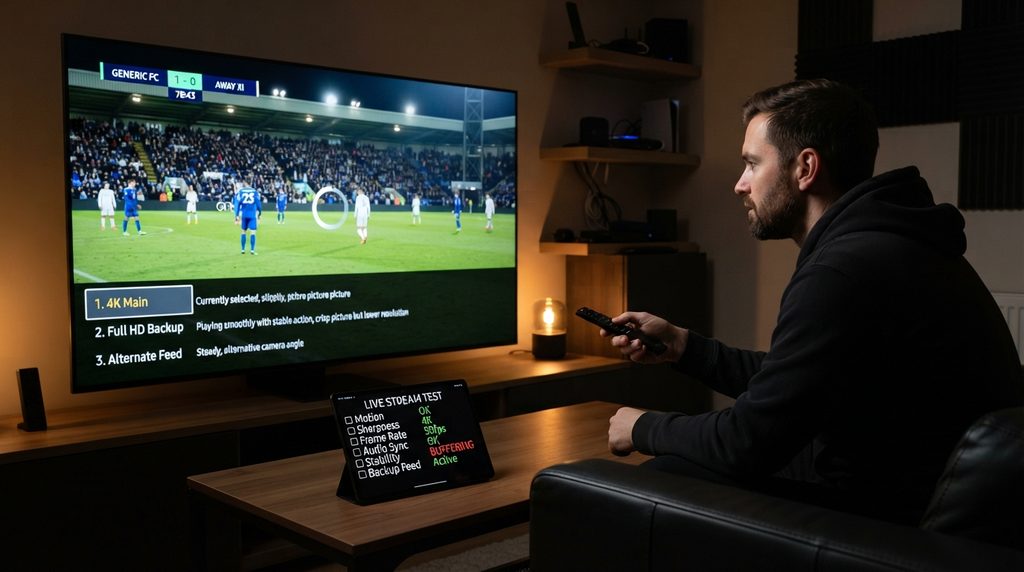
Live sport is one of the best ways to evaluate Strong streams because major matches, fights, races, and other events combine fast motion with high viewer demand. A quiet daytime news feed may work perfectly while a popular football final exposes source or delivery weaknesses. If sports are one of the reasons you are considering the service, your trial is incomplete until you have tested an actual event.
Community reports around major 2026 events have been mixed. Some users described smooth high-quality viewing, while others reported buffering or temporary playback problems during particular matches. Those experiences are useful clues, but they are not controlled measurements. Your ISP, seller configuration, player, device, and route can differ from theirs, so your own event-time test remains more important.
Keep Reliable Backup Feeds in Favorites
When several versions of a sports network or local station exist, compare them before you urgently need them. Strong streams may include Full HD, 4K, regional, event-specific, or backup versions of the same channel. The highest-resolution option should not automatically become your favorite if another feed proves more stable.
Create a small favorites group with the strongest primary feed and one backup for the channels that matter most. During a live event, that is far more useful than scrolling through hundreds of sports entries trying to remember which alternative worked earlier. A practical IPTV setup is one that remains easy to use when the content actually matters.
Why EPG, Favorites, and Channel Groups Matter More Than a Huge Catalog
A massive playlist can quickly become a disadvantage if it is badly organized. The EPG and channel groups are what turn Strong streams into something closer to normal television rather than a raw list of thousands of URLs. A useful guide should tell you what is playing now and next, while categories should let you move directly into the country or content type you want.
After the first playlist synchronization, build favorites instead of leaving the full catalog as your main navigation method. Add your local channels, regular sports networks, news, entertainment, children’s content, and important international stations. Hide irrelevant groups if your player supports it. This can turn an overwhelming account into a compact lineup that the whole household understands.
Check the EPG After the First Full Refresh
Give the guide enough time to synchronize before judging it. Then confirm that program times match your device time zone, important channels contain current and next-program information, and the EPG survives an application restart. If Strong streams show good guide data in one player but poor or missing information in another, compare the player settings before assuming the account has no EPG.
TiviMate is often useful as a comparison because it offers deeper guide and playlist management than many simple provider-oriented apps. That does not make it automatically better for every household, but it can help reveal whether a guide problem belongs to the player or to the data supplied with the account.
Reseller Configuration Can Change Which Groups You See
Two customers using related Strong streams accounts may not see identical categories because resellers can enable different bouquets. Temporary World Cup, PPV, country, or regional groups may be present on one account and absent from another. The source describes community discussions where users saw different event categories and commenters pointed toward reseller configuration.
If a group you expected is missing, ask the seller whether it is enabled before assuming the entire service lacks that content. This is especially important for temporary event packages that can be added, renamed, or removed more frequently than normal television categories.
Why Can the Same Strong Streams Feel Different in Another Player?
The player does not normally change the original stream source, but it can change almost everything about how the subscription feels. One player may switch channels faster, another may handle the EPG more cleanly, and another may remain stable with a huge movie library. Strong-oriented applications often aim for simple setup, while more configurable players provide deeper control over categories, guide behavior, favorites, and multiple playlists.
If your current interface is comfortable and stable, there is no reason to change merely because another app has more features. But when Strong streams behave badly inside one application, another compatible player becomes a useful diagnostic tool. The comparison helps determine whether the problem follows the content or remains tied to one piece of software.
Problem You See
Best Comparison
What It Can Suggest
One channel fails
Open an alternate version
Source-feed problem
One player fails
Use another compatible player
Player or decoder issue
One device struggles
Use the same account on another device
Hardware limitation
Wi-Fi freezes
Compare Ethernet
Home-network instability
Evening problems only
Compare another route or controlled VPN test
ISP or route congestion
Sports only
Try a backup event feed
Event-source issue
VOD only
Test several movies and episodes
VOD-side delivery problem
Everything fails
Check account and contact seller
Account, route, or provider issue
What Should You Do When Strong Streams Start Buffering or Freezing?
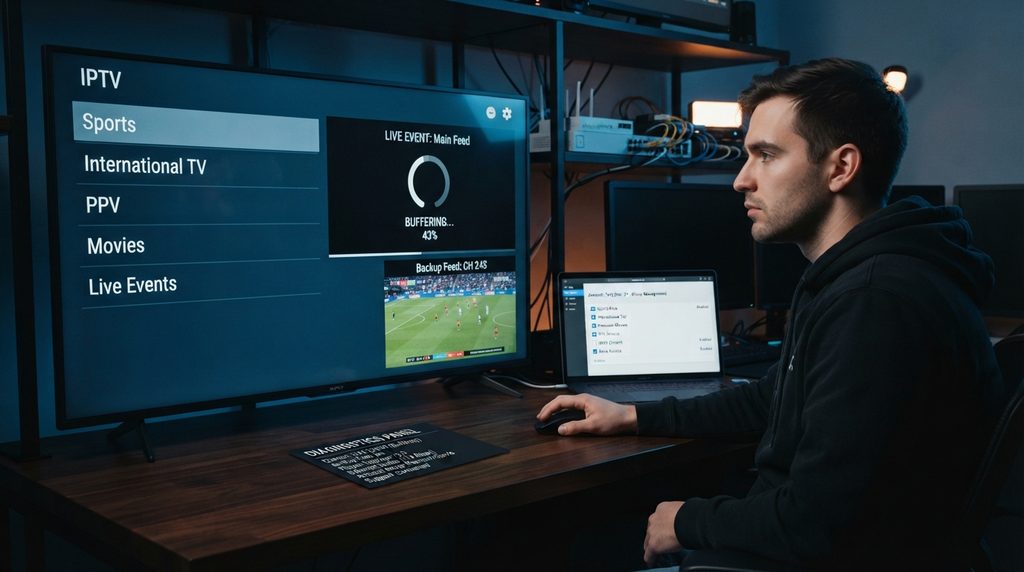
Buffering is one of the easiest IPTV symptoms to misdiagnose because many completely different problems look identical on the television. The source feed can become unstable, Wi-Fi can suffer interference, the ISP route can become congested, a VPN can slow the path, the device can run low on resources, or the player decoder can struggle with one format. Strong streams freezing does not automatically prove the backend is overloaded.
The best troubleshooting approach changes one meaningful variable at a time. If you modify the app, VPN, server URL, DNS, router, and decoder together, playback may improve without telling you which change fixed it. That leaves you just as confused when the same symptom returns later.
Test Another Channel and Another Player First
Begin with another channel from the same group, then choose one from a completely different category. If only one feed fails, the source becomes a strong suspect. If many channels fail, restart the player and device before testing the same Strong streams account in another compatible application.
If the second player runs the problem channel smoothly on the same hardware and network, focus on the first player’s cache, decoder, configuration, or compatibility. If the issue follows the stream into both players, you have stronger evidence that the problem is elsewhere in the delivery chain.
Compare Wi-Fi, Ethernet, and Another Network Route
A fast internet package can still produce Strong streams buffering because download speed is not the same thing as connection quality. Wi-Fi interference, latency spikes, packet loss, router congestion, or bufferbloat can interrupt streaming even when a speed test reports hundreds of megabits per second.
If Ethernet is available, compare it with Wi-Fi while keeping the same device, player, channel, and approximate time. You can also make a short mobile-hotspot comparison when practical. If Strong streams become smooth over another route, the evidence points more strongly toward the original network path.
Pause Heavy Background Traffic
Game downloads, cloud backups, security-camera uploads, operating-system updates, and large file transfers can place additional pressure on the home connection. Pause heavy activity and retest the exact same channel. An improvement during the controlled test suggests that local network congestion may be contributing.
This is especially important with higher-bitrate video. A lower-quality stream may tolerate brief network variation that causes a 4K option to pause. That does not necessarily mean the higher-resolution Strong streams feed is bad; the complete delivery chain may simply have less room for interruption.
Know When the Problem Has Moved Beyond Local Troubleshooting
If Strong streams fail across several channels, multiple players, and more than one device while ordinary internet services remain normal, repeated local tweaking stops being useful. At that point, contact the reseller and provide the evidence you collected. Include affected channels, approximate times, whether VOD is involved, which players you tested, and whether Ethernet or another network route changed anything.
Specific information gives support something they can act on. “Sports group X froze between 8:10 and 8:30 PM in two players and on two devices, while news channels worked normally” is far more useful than simply saying the service buffers.
Use this order when the cause is not obvious. It keeps the process simple while preventing you from changing several variables at once:
Test another channel from the same category.
Try a channel from a different group.
Compare a backup or lower-resolution version.
Restart the player.
Restart the streaming device.
Confirm that ordinary internet video works normally.
Pause downloads and other heavy network activity.
Compare Wi-Fi with Ethernet when available.
Use the same account in another compatible player.
Try another streaming device when possible.
Contact the seller if the same Strong streams fail across everything you tested.
Do not expect every step to fix the problem. The purpose is to discover where the behavior changes. That difference is what identifies which layer deserves attention next.
How Should You Treat VPNs, DNS Changes, and Alternative Server Routes?
A VPN can be useful as a routing test because it changes the path between your device and the streaming infrastructure. If Strong streams perform badly through your normal ISP route but improve consistently through a nearby VPN server, routing or filtering may be involved. If performance becomes worse, the VPN may simply be introducing more latency or congestion.
That means a VPN should not be turned on permanently because somebody online called it a universal IPTV fix. Compare the same channel with the VPN off and on while changing nothing else. Keep whichever setup actually performs better under repeated testing.
Do Not Copy Random Server URLs From Forums
Strong-style accounts can use different hostnames, reseller routes, or DNS paths. A public server address that works for another user may not belong to your account at all. Use only connection information provided for your subscription or another route specifically authorized by the seller.
If an authorized alternative route improves Strong streams consistently, report that result. It can help the reseller understand whether the original path is part of the problem. Avoid changing the account to random hostnames just because another user claims they are faster.
Keep M3U Links and Login Details Private
Complete M3U URLs can contain the username and password directly inside the address. Never post them publicly while asking why Strong streams are failing. Share the player, device, symptom, and channel instead, and move account-specific details into a verified private support route when necessary.
The same rule applies to unsolicited “support” messages. Do not send credentials, banking information, or authentication codes simply because a profile uses Strong branding. Verify account changes with the reseller you already know.
How Should You Test Strong Streams During a Free Trial?
A trial is the most useful part of the buying process because marketing cannot reproduce your television, ISP, router, viewing schedule, or player preferences. The goal should not be to browse as many categories as possible. Use the limited testing period to determine whether Strong streams deliver the small group of content that makes the service valuable to your household.
Start with the priority list you created from the Strong8KTVs channel list. Watch several channels for ten to twenty minutes rather than opening them briefly. Include local television, entertainment, news, and the sports networks you care about. If sports are a major reason you are considering the service, use the Strong8K free trial during an actual event when possible.
Test the Whole Daily Experience, Not Just Playback
Create favorites, inspect the EPG, browse movies and series, use search, try subtitles and alternate audio where relevant, and restart the application after setup. Strong streams can perform well while the player experience is still frustrating, so both parts should be evaluated together.
Repeat several important tests during evening hours. If the service works perfectly at midday but changes during your normal viewing period, that is information you should have before selecting a long plan.
Test Support Before You Need It Urgently
If you have a question about channel groups, player compatibility, connections, or login details, use the Strong8KTVs contact page during the evaluation period. Support quality is part of the subscription experience because account or server details can occasionally require clarification later.
Once Strong streams perform reliably across the content and conditions that matter to you, compare the Strong8KTVs pricing plans. Choose the duration based on confidence earned during testing rather than assuming the longest option is automatically the best value.
Strong Streams vs 4K and 8K Marketing Claims
The practical question is not whether a sales page says “8K.” It is whether Strong streams consistently deliver the content you want at a quality your setup can handle. Resolution is only one part of the experience. Availability, motion quality, audio sync, channel switching, EPG accuracy, backup feeds, sports stability, VOD behavior, and support can all matter more during daily use.
What to Compare
Weak Buying Signal
Better Real-World Test
Channel library
Largest advertised total
Your 10–20 must-have channels
Resolution
4K or 8K label
Actual picture and stability
Sports
Sports logos on sales page
Real peak-time event
Buffering
“No buffering” slogan
Long viewing sessions on your network
Player
Newest-looking interface
EPG, favorites, speed, stability
Support
24/7 badge
Ask a real account question
This approach prevents one flashy specification from dominating the whole decision. Strong streams are worth more when the content you use works reliably than when a storefront wins a competition for the biggest numbers.
Common Mistakes to Avoid Before Subscribing
The first mistake is choosing Strong streams purely because of an enormous advertised channel count. The second is assuming every 4K or 8K label represents native resolution. The third is completing a free trial without testing sports, evening performance, VOD, EPG accuracy, and the actual device you plan to use after purchase.
Another common mistake is blaming every freeze on the provider. Compare another channel and player before you decide where the problem begins. Conversely, do not spend hours resetting your home network when multiple devices and applications show the same problem on the same feeds. Evidence should determine the next step.
Do not buy the longest plan before testing your priority channels.
Do not judge picture quality from the channel label alone.
Do not share complete M3U links or passwords publicly.
Do not change the player, VPN, DNS, route, and device simultaneously.
Do not assume missing event categories are unavailable before asking the reseller.
Do not treat one Reddit or Telegram report as proof of universal performance.
Frequently Asked Questions About Strong Streams
Can I Use TiviMate With Strong Streams?
Potentially, yes, when your authorized account supplies a compatible login format and your provider permits another player. TiviMate can be useful for viewers who want deeper EPG and playlist management or who need a second application for troubleshooting.
Why Does My Friend Have Channels I Do Not Have?
Reseller configuration can differ. Sellers may enable different countries, bouquets, sports groups, or temporary event categories. Ask your own reseller whether the missing category is enabled before assuming Strong streams do not offer it.
Should I Use a VPN?
A VPN can be useful as a controlled routing comparison, but it is not a guaranteed improvement. Test the same channel with the VPN on and off while keeping the rest of the setup unchanged. Use the configuration that repeatedly performs better.
Why Does One Player Work Better Than Another?
Players can use different decoders, cache behavior, EPG handling, and resource management. If Strong streams work correctly in one player but repeatedly fail in another on the same device and network, investigate the first application before changing the subscription.
Should I Buy a One-Year Subscription Immediately?
Testing first is safer. Verify your must-have channels, sports, VOD, EPG, player, device, network, support, and evening performance before increasing your commitment. A longer plan makes more sense after the complete setup has proved reliable.
Final Verdict: Are Strong Streams Worth Testing in 2026?
Strong streams can be worth testing if you want a broad selection of live television, sports, international channels, movies, series, temporary events, and flexible player choices. The important part is understanding that the final experience is produced by several layers. A strong source can still feel bad through a weak network or unsuitable player, while one broken feed does not automatically mean the whole account is unreliable.
Start with the channels that matter to you, verify picture quality instead of trusting 4K or 8K labels, and use a real sports event when sports influence the buying decision. Organize favorites, inspect EPG accuracy, compare another player when troubleshooting, and test Ethernet or another controlled network route when buffering appears. Ask the reseller about missing bouquets before assuming the content is unavailable.
For Strong8KTVs users, review the channel list, use the free trial, and contact Strong8KTVs support when an account-specific question comes up. If Strong streams consistently deliver your priority channels, sports remain usable, the EPG is accurate, the player feels comfortable, and support responds when needed, then compare the pricing plans and choose the plan length that matches your confidence.
The real value of Strong streams is not the biggest channel number or resolution badge on a sales page. It is being able to turn on the television, reach the content you care about quickly, and watch it without constantly thinking about the technical chain behind it.