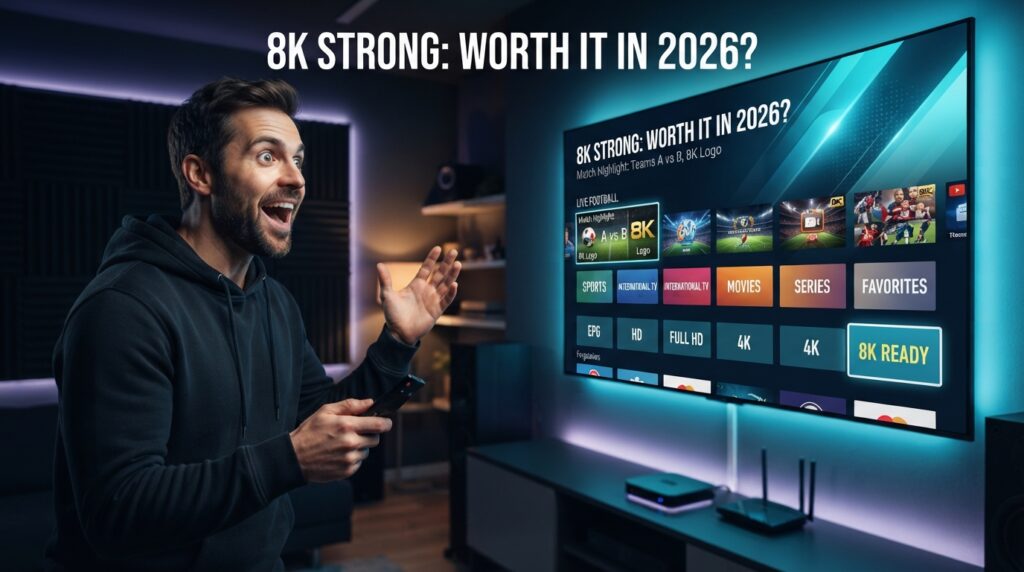

8K Strong is a search phrase people often use when they are trying to find Strong 8K IPTV, compare resellers, understand available apps, or decide whether a subscription is worth testing. The wording is slightly reversed from the more common “Strong 8K” name, but seller pages and reseller listings use the terms closely enough that a buyer can easily assume they all describe one identical product. That is where the confusion starts. The name does not automatically identify one storefront, one fixed price, one support team, or one standardized account.
A useful 8K Strong guide therefore has to focus on what you can actually verify. Different sellers can advertise very different channel totals, prices, support arrangements, device claims, and high-resolution promises while using similar Strong branding. Some are clearly reseller-oriented, others target normal viewers, and some promote trials or broad device support. The real questions are much simpler: does the account include the channels you watch, does it stay stable during sports and peak hours, does your preferred player work well, and can the seller help when credentials or server details change?
If you are comparing one of these offers with Strong8KTVs, start with the Strong8KTVs channel list and write down the channels that matter most to your household. Then use the Strong8K free trial on the same television, player, and network you plan to use after subscribing. A controlled test of 8K Strong under your own viewing conditions is much more useful than choosing a seller because its homepage displays the largest number.
Table of Contents
What Does 8K Strong Actually Mean?
8K Strong generally refers to the wider Strong 8K IPTV ecosystem or to reseller offers built around that style of service. Depending on the seller, that can include the subscription itself, Android or Fire TV players, M3U or Xtream-style credentials, reseller panels, Telegram announcements, and different customer-facing storefronts. The phrase is therefore more useful as a search label than as a precise technical product name.
That matters because one person can buy 8K Strong from one reseller and receive a slightly different setup from another person who bought through a separate storefront. The channel groups, login format, server hostname, support route, renewal method, and even the app the seller recommends can vary. Similar branding does not prove that every account is configured identically.
Why Do So Many Sellers Use the Same Strong Branding?
One of the first things you notice when researching 8K Strong is how many websites use almost the same language. Search results can include several Strong-branded or 8K-branded domains that advertise their own pricing, channel totals, refund policies, trial windows, support methods, and activation claims. Some focus on end users, while others emphasize reseller access or panel tools.
The practical lesson is not to assume that one seller’s promises describe every other seller. A 50,000-channel claim on one site is a claim from that storefront. A 99.9% uptime figure on another page is a claim from that seller. A refund promise on one domain does not automatically protect a purchase made through a different reseller using the 8K Strong name.

Evaluate the Seller Separately From the Service Name
Before paying, save the exact product page you are considering and note the plan duration, number of connections, trial terms, support route, payment method, renewal process, and refund language. Send one real question before buying. Ask whether your main device is supported, whether a specific country group is included, or whether an existing username can be renewed. The answer tells you more about the seller than another promotional banner.
A technically capable backend cannot fully compensate for a reseller who disappears when a server route changes or an account needs renewal. With 8K Strong, seller quality is part of the buying decision because the reseller may be the person who provides your credentials, updates, and support after activation.
Does the 8K Label Tell You Anything About Real Picture Quality?
The name naturally creates expectations about resolution, but 8K Strong should not be interpreted as proof that every channel is native 8K. Strong-branded offers can advertise a mixture of HD, Full HD, 4K, and higher-resolution or “8K-ready” content. The actual picture depends on the source broadcast, encoding, bitrate, server delivery, network path, player, device decoder, HDMI path, and television.
A television can upscale a lower-resolution stream to fit a higher-resolution panel, but upscaling does not create native source detail. If the original feed is 1080p or 4K, the player cannot invent genuine 8K information. That is why the “8K” part of 8K Strong is better treated as branding until the individual stream itself is verified.
Judge the Stream With Real Content, Not the Badge
Sports are useful for inspecting motion, frame pacing, scoreboard text, and audio synchronization. News channels make small graphics and text easy to judge. Movies can reveal compression and banding in darker scenes. A stable Full HD or 4K stream can provide a much better experience than a higher-resolution label attached to a feed that repeatedly freezes.
Picture quality matters, but consistency matters more during normal viewing. If one feed looks slightly sharper but fails every ten minutes while another stays stable for an entire match, the second feed is usually the better choice regardless of the badge beside it.
Can 8K Strong Handle the Sports You Actually Watch?
If football, Formula 1, boxing, basketball, UFC, NFL, NHL, or another live sport is one of your main reasons for considering 8K Strong, sports should be part of the trial. Quiet daytime television tells you very little about how a service behaves during a major match or pay-per-view event when both source demand and viewer demand can be higher.
Community reports about Strong-style services are mixed, which is exactly why personal testing matters. Some users describe smooth playback during major events, while others report buffering, mislabeled feeds, or problems during high-demand sports. These reports are anecdotal rather than controlled benchmarks, so one positive or negative experience should not be treated as a guarantee for your own connection.
Use a Real Event as the Stress Test
Watch one important 8K Strong sports feed for at least twenty to thirty minutes. If several versions of the same network exist, compare them. A stable Full HD backup can be more useful than a nominally higher-quality stream that keeps freezing. Save the strongest versions in favorites so you are not searching through a large sports group after the event has already started.
Also repeat the test during the type of event you genuinely care about. A service that behaves perfectly during a quiet afternoon but struggles every time your main league plays has not passed the test that matters to you.
How Much Can the Player Change the Experience?
The subscription and the player are separate layers. 8K Strong can provide the account or playlist, while the player organizes live channels, favorites, EPG information, VOD, search, and playback controls. That means changing players can improve navigation, guide behavior, or compatibility without changing the streams behind the account.
Strong-oriented communities and directories reference several Android and Fire TV player options, while TiviMate is often used as a comparison because it supports common IPTV account formats and offers deeper guide and playlist controls. A simpler Strong-style player may still be better for a household that values quick setup and straightforward navigation.
A Second Player Can Help You Diagnose Problems
If one player is slow, crashes, shows the wrong guide time, or fails to load VOD correctly, use the same authorized 8K Strong account in another compatible application. Keep the device, network, and problem channels the same. If the second player works normally, the first app or its configuration becomes a stronger suspect.
If both players fail on the same streams, the source, account, server route, network, or device becomes more likely. This simple comparison can stop you from replacing a subscription that was never the real problem.
Why Can Server URLs and Login Details Change?
There is no good reason to assume one permanent public server URL exists for every 8K Strong account. Reseller systems can use changing hostnames, custom DNS, refreshed playlists, or alternative routes. A provider can move a customer-facing hostname without changing the underlying subscription entitlement.
Do not copy a server address from an old tutorial, Reddit comment, or YouTube description and assume it belongs to your account. Use the M3U, Xtream-style server, username, password, or other login details issued by the seller you actually purchased from. If the service worked yesterday and suddenly stops connecting, verify the subscription status before changing random settings.
Keep M3U and Account Details Private
Complete M3U links can contain usernames and passwords directly inside the URL. Posting one publicly while asking for 8K Strong help can expose access to the account. Share the device, player name, and error message while hiding private URLs, usernames, passwords, order details, and account identifiers.
If someone contacts you unexpectedly and says the server has moved, verify that instruction through a support route you already trust. A real server change should not require you to send banking passwords, authentication codes, or unrelated account credentials.
When Are Telegram and Community Updates Actually Useful?
Telegram can be useful because operational information often changes faster than a normal website. Strong-branded channels can publish maintenance notices, app updates, event information, reseller instructions, category changes, and infrastructure updates quickly. For an active 8K Strong user, that can provide useful context when something suddenly changes.
The limitation is that Telegram also contains reseller groups, mirrors, sales pages, and similarly named profiles. A familiar display name does not prove that a person contacting you represents the operator behind your account. Treat Telegram as an announcement layer rather than your only support system.
Use Community Reports for Clues, Not Final Proof
Community forums can be useful for finding recurring app problems, server changes, event behavior, or player comparisons. But community users do not automatically speak for the service. A Reddit comment saying one player is better, one server is faster, or one event worked perfectly should be treated as experience-sharing rather than a universal specification for 8K Strong.
For payments, account migrations, password changes, and private support, go back to the seller or support contact tied to your own subscription. Community information is most useful when it gives you a clue about what to test next.
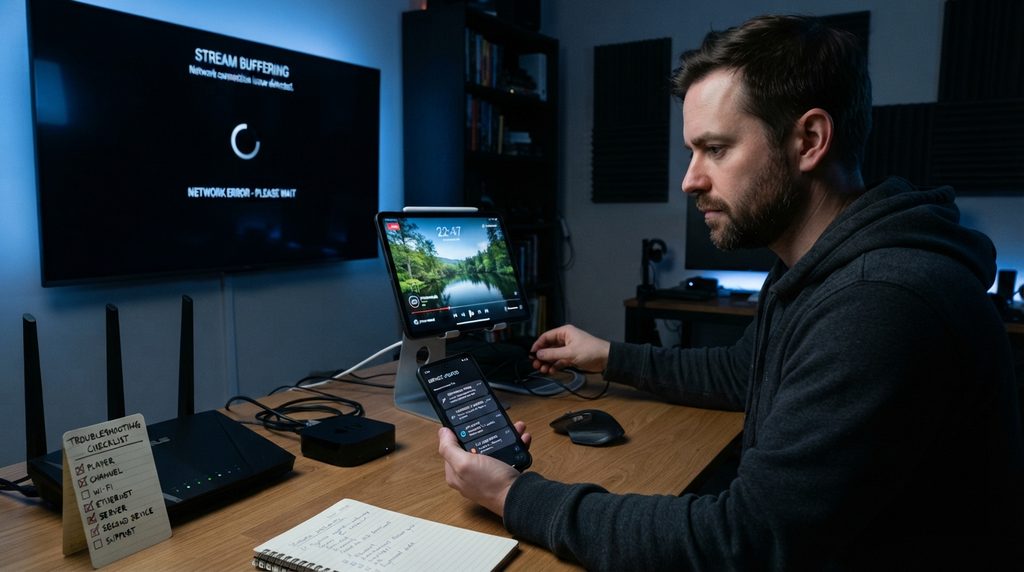
When 8K Strong Buffers, What Should You Test First?
Buffering does not automatically mean the 8K Strong backend is weak. The source feed, server load, ISP routing, Wi-Fi signal, router congestion, VPN path, device memory, player decoder, and background traffic can all create similar pauses. Buying another subscription immediately can solve nothing if the real problem is a weak home network or underpowered streaming device.
Start by identifying whether the issue affects one stream or many. Open another channel from the same category, then try a completely different group. Restart the affected stream and device. Confirm that ordinary internet video still works. Compare Wi-Fi with Ethernet if possible and pause large downloads or cloud backups.
Change One Variable at a Time
- Test another channel in the same category.
- Try a channel from a different group.
- Restart the affected stream and player.
- Restart the television or streaming device.
- Confirm normal internet performance.
- Compare Wi-Fi with Ethernet where possible.
- Pause large downloads and cloud backups.
- Test the same 8K Strong account in another player.
- Try a second device or network when practical.
If the same streams fail in every player while other internet services remain normal, the source or provider route becomes more likely. If the issue appears only inside one application, focus on the player before replacing the subscription. If another device handles the same 8K Strong account smoothly, investigate the original hardware or network conditions.
How Should You Test 8K Strong Before Buying a Long Plan?
A trial is more valuable than a page full of promises because a seller cannot reproduce your ISP, router, television, player, device, and viewing habits. The purpose of a trial is not to prove that one random channel opens. It is to find out whether 8K Strong works under the exact conditions that matter in your home.
Begin with the ten to twenty priority channels you listed before the trial. Watch several for meaningful periods. Test a real sports event if sports matter. Inspect the EPG, create favorites, search VOD, try subtitles and alternate audio where relevant, and restart the player after setup to make sure everything remains usable.
Repeat the Test During Your Normal Evening Hours
Peak-time conditions can expose problems that do not appear during the day. Repeat a few important live channels and sports feeds during your normal evening viewing period. If the account behaves differently when the household network is busy, that information should affect the buying decision.
If you are comparing Strong8KTVs, use the Strong8K free trial with your main device and the channels from the channel list. If the recommended player, login format, or connection limit is unclear, use the Strong8KTVs contact page before paying for a long subscription.
How Do You Compare 8K Strong With Other Strong-Branded Offers?
Search results contain names such as Strong 8K, 8K Strong, Strong IPTV, Stronger IPTV, Strong 4K, and reseller-specific variations. Some offers may belong to the same broader ecosystem, while others can be separate services or rebranded products. Similar wording is not enough to prove that two accounts use the same backend or include the same channel groups.
| Area | What to Compare | Why It Matters |
|---|---|---|
| Seller | History and support | Determines account help |
| Trial | Real-device performance | Shows actual behavior |
| Channels | Your must-have list | More useful than raw totals |
| Sports | Peak-event behavior | Exposes stability issues |
| Login | M3U, Xtream, or other format | Determines player compatibility |
| Connections | Simultaneous-use rules | Matters for households |
| Renewal | Same account or new login | Affects convenience |
| Price | Compare only after testing | Cheap pricing proves little |
If the 8K Strong account you receive looks different from what you expected, ask the seller what product or backend you were actually given. Community discussions show that users sometimes try to identify different Strong-style services from category layout or dummy-channel design, but those methods are imperfect. Direct confirmation from the seller is more useful than guessing from branding alone.
Which Buying Mistakes Cause the Most Regret?
The first mistake is assuming every website using 8K Strong or Strong 8K belongs to one company. The second is choosing the seller with the largest advertised catalog without checking the channels your household actually watches. The third is interpreting the “8K” name as proof that every stream arrives in native 8K.
Another common mistake is buying a long plan before testing sports, EPG accuracy, VOD, player compatibility, evening performance, and support. A lower annual price can look attractive, but it has little value when the account fails the content or device tests that matter to you.
Do Not Change Everything at Once When Something Fails
Users also create unnecessary problems by changing the player, VPN, DNS, router settings, server details, and credentials simultaneously. If 8K Strong starts working again, there is no way to know what fixed it. Controlled troubleshooting is slower for a few minutes and much faster over the long term.
Finally, do not expose login details in public troubleshooting posts or trust an unsolicited seller because the display name looks familiar. Keeping credentials private and verifying support contacts is part of maintaining a usable 8K Strong setup.

Frequently Asked Questions About 8K Strong
Is 8K Strong the Same as Strong 8K?
The phrase is commonly used as a reversed version of Strong 8K in search and reseller branding. However, several sellers can use similar wording, so the exact storefront, account, pricing, and support route should still be verified rather than assuming every listing is identical.
Does 8K Strong Really Have Native 8K Channels?
Some sellers advertise 8K-ready or higher-resolution streams, but that does not mean every channel is native 8K. The original source and the complete delivery chain determine the real resolution. Judge the stream itself rather than the name.
Can I Use TiviMate With 8K Strong?
Potentially, yes, when your authorized account provides an M3U, Xtream-style, or another login format supported by TiviMate and the provider permits third-party players. Use only the credentials issued for your own account rather than server addresses copied from unrelated tutorials.
Why Did My Server URL Stop Working?
The account may have expired, the hostname may have changed, maintenance may be underway, or your network route may be affected. Verify the subscription and test another player before asking the seller whether the current 8K Strong server information has changed.
Why Does 8K Strong Buffer on Sports?
Possible causes include the event source, server demand, ISP routing, Wi-Fi, VPN performance, player decoding, or the streaming device. Compare another feed, another player, and another network condition before deciding where the problem originates.
Is 8K Strong Worth Trying in 2026?
8K Strong can be worth evaluating if you want a broad IPTV-style lineup, sports, international television, movies, series, and flexible player options. The main challenge is not necessarily the service concept itself. It is that the branding appears across multiple reseller websites, so the name tells you less than the exact seller, account configuration, support quality, and real performance you receive.
The best way to evaluate 8K Strong is to test the things your household actually uses. Verify your priority channels, watch sports during a real event, inspect the EPG, test VOD, compare another player when troubleshooting, and repeat important checks during normal evening hours. Treat huge channel totals, uptime percentages, and high-resolution labels as seller claims until the account proves them under your conditions.
For Strong8KTVs users, begin with the channel list and free trial, use the contact page when account details are unclear, and compare the pricing plans only after the service works reliably on your main device and network. A longer subscription should be the result of confidence earned during testing, not a reaction to a promotional discount.
The strongest reason to keep 8K Strong is not the size of the catalog or the number in the name. It is that your important channels load consistently, sports remain watchable, the player feels comfortable, the guide is useful, and the seller is available when the setup changes. If those basics work, the service has earned further consideration. If they do not, a bigger number on the sales page will not fix the underlying problem.