iptv 8k attracts attention because the name sounds like a simple promise: internet television in the highest resolution most consumers currently recognize. In practice, the label needs more explanation. A large IPTV library can include SD, HD, Full HD, 4K, and selected higher-resolution sources at the same time, because the final picture depends on what the original broadcaster or video source actually provides. That makes iptv 8k less about assuming every channel is native 8K and more about evaluating the whole viewing system: source quality, compression, internet stability, player performance, streaming hardware, television quality, and the consistency of the service during the hours you actually watch.
For viewers considering Strong8KTVs, the useful question is therefore not “Does every stream say 8K?” but “Does the service deliver the channels, movies, sports, and device experience I care about at a quality my setup can handle?” The original information supplied for this article states that Strong8KTVs promotes more than 24,000 live channels, more than 90,000 movies and television series, EPG support, multiple connection options, and compatibility with common streaming devices. This guide breaks down what iptv 8k means in real use, how to judge picture quality without being misled by a resolution label, what kind of home setup works best, and how to test a subscription before paying for a longer plan.
Table of Contents
Quick Answer: What Does IPTV 8K Actually Mean?
iptv 8k generally describes IPTV services or setups associated with ultra-high-resolution viewing, but it should not be interpreted as a guarantee that every live channel or movie is delivered in native 7680 × 4320 resolution. IPTV itself simply means television and on-demand video delivered through an internet connection to a compatible player. The quality of each stream depends on the source, so one library may contain HD news, Full HD entertainment, 4K movies, and limited higher-resolution material side by side. A strong iptv 8k setup is therefore one that delivers the best available source cleanly and consistently rather than forcing every stream into the same marketing label.
The First Reality Check: 8K Branding vs Native 8K
The easiest mistake with iptv 8k is to treat the service name as a technical specification for every stream. Native 8K video uses a resolution of 7680 × 4320 pixels, which is far above Full HD and four times the pixel count of 4K UHD. The International Telecommunication Union explains UHD television standards that cover modern ultra-high-definition formats. That standard tells us what genuine 8K resolution is, but it does not mean every broadcaster, sports feed, movie, or regional channel is produced at that resolution.
A better way to read the iptv 8k label is as an indication that the service is positioned around modern high-resolution streaming rather than as proof that every item in a huge library is a native 8K source. This matters because a clean, stable 4K stream can easily provide a better viewing experience than a heavily compressed or unstable stream carrying a higher-resolution badge. The television itself can also upscale lower-resolution material, which may improve how HD or 4K video looks on an 8K panel, but upscaling does not create the same original detail as a native 8K source.
What You Should Look for Instead of the Biggest Number
When evaluating iptv 8k, pay attention to how real channels behave. Check whether motion stays clear during sports, whether dark movie scenes retain detail, whether audio stays synchronized, whether channels open quickly, and whether picture quality remains consistent rather than changing every few minutes. These practical details tell you more about the service than a resolution label alone. If the channels you actually watch are stable, sharp, and correctly matched to your television, the setup is doing its job even when some sources are Full HD instead of 8K.
The Five Things That Decide What You Actually See
Picture quality in iptv 8k is the result of a chain, and the final image is only as strong as the weaker parts of that chain. First comes the original source. A broadcaster that sends HD cannot magically become a native 8K broadcaster farther down the line. Second comes compression and bitrate, which determine how much visual detail survives during internet delivery. Third comes your connection, including Wi-Fi quality and household network congestion. Fourth comes the IPTV player and streaming hardware, which have to decode and display the stream smoothly. Finally, the television processes and displays the picture.
This is why two people can use the same iptv 8k subscription and report different experiences. One person may have a newer television, a strong wired network, and a capable streaming box, while another may use an older Smart TV connected to weak Wi-Fi in a distant room. The account can be identical, yet channel-loading speed, interface responsiveness, buffering, and picture quality can feel very different. Troubleshooting becomes much easier once you think in terms of this chain instead of blaming the subscription automatically.
Full HD, 4K, and 8K Compared Without the Marketing Noise
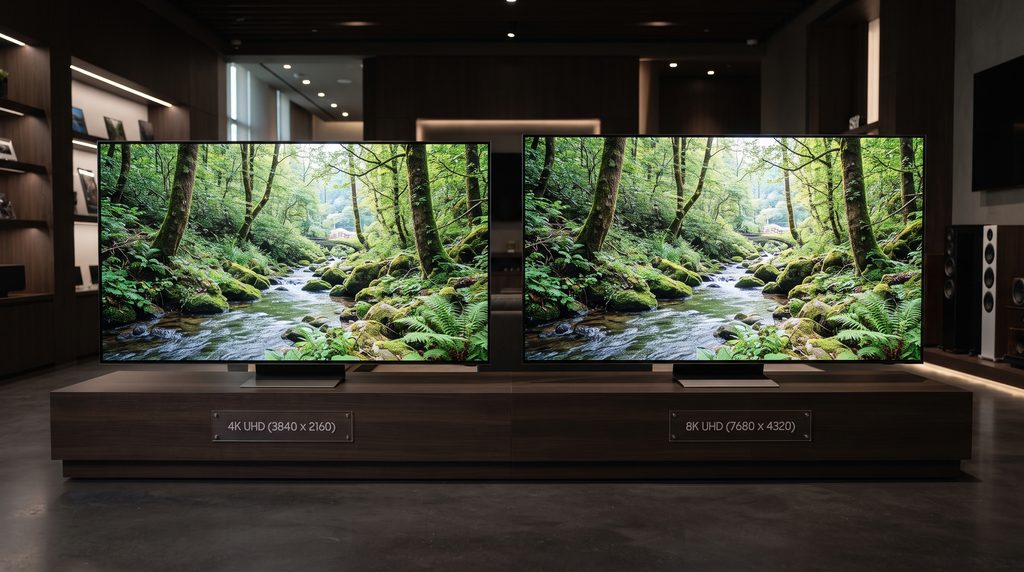
The technical difference between common resolutions is easy to understand when they are placed side by side. Full HD uses 1920 × 1080 pixels, 4K UHD uses 3840 × 2160, and native 8K uses 7680 × 4320. Each step increases the amount of visual information available when the source genuinely contains that detail. The catch is that pixel count alone does not describe bitrate, compression, motion quality, HDR performance, or the quality of the original production. Those factors can have a major effect on what a viewer actually notices.
Format
Resolution
Approximate Pixel Count
What It Means in IPTV
SD
720 × 480 or similar
Under 1 million
Older sources or lower-bandwidth feeds
HD
1280 × 720
About 0.9 million
Still common for many live channels
Full HD
1920 × 1080
About 2.1 million
Common for sports, entertainment, and movies
4K UHD
3840 × 2160
About 8.3 million
High-resolution source when available
8K UHD
7680 × 4320
About 33.2 million
Native content remains far more limited
For most households, iptv 8k should therefore be judged by the mix and quality of real sources rather than by expecting a giant library to exist entirely at 7680 × 4320. Strong8KTVs, according to the original article, advertises 4K, Full HD, HD, and SD streams alongside its branding. That is more realistic for a broad international IPTV library because television sources around the world are produced in different formats.
Internet Speed Matters, but Stability Matters More
High-resolution iptv 8k playback needs enough bandwidth, but chasing the biggest speed-test number can distract from the real issue. A television connected to unstable Wi-Fi can buffer even when the internet package is technically very fast. Distance from the router, walls, wireless interference, background downloads, cloud backups, online gaming, and several simultaneous streams can all reduce the amount of reliable bandwidth available to the device that is actually playing the channel.
The FCC broadband speed guidance explains that household requirements increase when several users and devices perform demanding activities at the same time. The source material for this article states that Strong8KTVs recommends roughly 30–50 Mbps for smooth use of its service. That number should be treated as part of the setup rather than as an absolute guarantee, because the quality of the network reaching the television still matters. One steady stream of available bandwidth is more valuable than a connection that looks extremely fast for a few seconds and then drops sharply.
Wi-Fi or Ethernet?
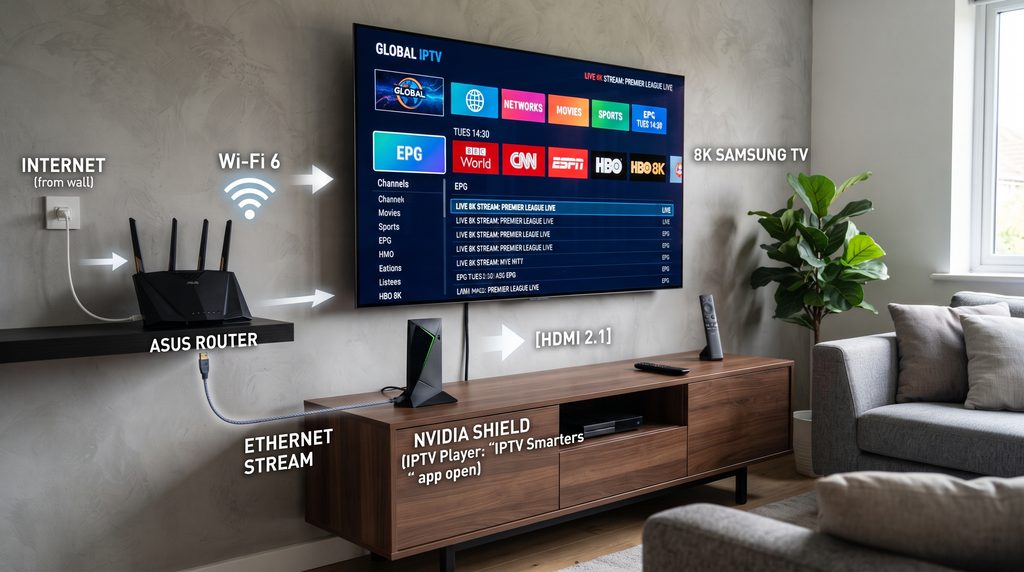
Wi-Fi is perfectly practical for iptv 8k when the signal is strong and the network is not overloaded. A modern wireless connection can handle high-quality streaming without requiring cables across the room. Ethernet becomes useful when you want maximum consistency or when buffering appears only on a television located far from the router. If the same channel repeatedly buffers over Wi-Fi but becomes stable after connecting the device by Ethernet, the home network is a stronger suspect than the subscription itself.
The best test is to measure the connection near the device where you actually watch. Testing a phone beside the router can give a beautiful result while the television at the other end of the home receives a much weaker signal. For iptv 8k, test in the real viewing location and, when possible, test during the same evening hours when the household is normally busiest.
Build the Right Home Setup for IPTV 8K
A good iptv 8k setup does not need to be complicated. You need an active subscription, a stable internet connection, a compatible player, and a device capable of handling the streams you plan to watch. The most important decision is to avoid creating unnecessary weak points. If your Smart TV runs the player smoothly and has strong network access, there may be no reason to add another box. If the television is old, slow, or limited to a small selection of applications, an external streaming device can make navigation and playback easier.
Start with the device you already use most often. Install the compatible player, enter the supplied account information, and let the channel list, VOD library, artwork, and EPG finish loading. Large libraries can take time to synchronize on the first launch, especially on hardware with limited memory or processing power. Once the initial load is complete, test the channels that matter to you before spending time customizing every category. This lets you evaluate the iptv 8k experience before investing effort in a setup that may not suit your network or device.
Three Common Household Setups
A single-viewer household is the simplest: one television or streaming box, one active stream, and a stable connection are usually enough. A couple or family may use two televisions at the same time, which changes the connection requirement and increases total bandwidth use. A larger household with several independent screens needs to consider simultaneous connections before choosing a plan. Thinking about how people actually watch is more useful than counting how many phones, televisions, or tablets can technically install the player.
Choosing a Device Without Overcomplicating It
The best device for iptv 8k is not automatically the newest or most expensive device. It is the one that supports your preferred IPTV player, handles a large library smoothly, has enough free storage for application data, and connects reliably to your network. Modern Smart TVs offer a clean all-in-one setup, while external Fire TV or Android TV hardware can provide a broader app selection and may be easier to replace when the hardware becomes old.
A 4K television can still use an iptv 8k-branded service normally because the account can provide HD, Full HD, and 4K material that matches the television. An 8K panel becomes important only when you want to display genuine 8K content at the panel’s full native resolution. For many viewers, strong motion handling, good HDR, accurate image processing, and a stable high-quality 4K source can have a bigger visible impact than chasing 8K purely because the number is higher.
What Strong8KTVs Offers in This Setup
According to the information supplied in the original article, Strong8KTVs promotes more than 24,000 live channels and more than 90,000 movies and television series, together with EPG support and compatibility across Smart TV, Firestick, Android, PC, Mac, Apple TV, and other common environments. Viewers can begin from the Strong8KTVs homepage and inspect the Strong 8K channel list before choosing a longer subscription.
That channel list is more useful than simply staring at the total number of streams. A person interested in football, US entertainment, French channels, Arabic programming, movies, or regional television needs to know whether those specific categories are available and perform well. A huge iptv 8k catalog has little value if the content you personally want is difficult to find or unreliable during the hours you normally watch.
How Many Connections Does Your Household Need?
A connection normally refers to one simultaneous active stream, not simply one device where the account is installed. That distinction can save money. Someone may configure iptv 8k on a living-room television, a bedroom television, a phone, and a tablet but still need only one connection if only one of those devices streams at any given moment. On the other hand, two family members watching different programs at the same time generally require two simultaneous connections.
Normal Viewing Situation
Connection Level to Consider
Why
One person watches at a time
1 connection
Only one stream is active
Two people watch separately
2 connections
Two simultaneous streams are needed
Three independent viewers
3 connections
Prevents one stream from blocking another
Larger household
Compare 4–5 connections
Useful when several screens are active together
Many installed devices, one active viewer
1 may still be enough
Installation count and active-stream count are different
The Strong8KTVs pricing page is described in the supplied material as offering options from one to five connections. Before paying for more, think about the busiest evening in your home rather than the total number of screens you own. Buying too many connections can add unnecessary cost, while buying too few can create frustration when several people try to use iptv 8k at the same time.
How to Use a Trial Like a Real Test
A trial is most useful when you treat it like a test of your normal routine rather than as a chance to browse random channels for free. Strong8KTVs offers a 24-hour free trial according to the source article. Start by checking the 10–20 live channels you care about most, then test movies, series, EPG information, channel-changing speed, and the responsiveness of the player on the device you actually plan to use.
For sports viewers, test iptv 8k during live action when possible. Fast motion makes compression and playback problems easier to notice, while busy viewing periods can reveal stability issues that may not appear during a quiet afternoon. Also test on your normal Wi-Fi rather than moving the device beside the router just to produce the best possible result. A trial should answer the question “Will this work in my home?” rather than “Can I make it work under ideal conditions?”
A Practical Trial Scorecard
Open your most important live channels and note how quickly they start.
Watch a fast-moving sports or action source for several minutes.
Check a few movies and series rather than only live TV.
Confirm that audio stays synchronized with the picture.
Inspect EPG information and make sure the guide is useful to you.
Test during your normal evening viewing period.
Try the player on the device you actually expect to keep using.
Contact support once if you need help and judge the clarity of the response.
If the important channels are stable, VOD is easy to navigate, the player feels responsive, and support can resolve a normal setup question, you have learned something meaningful about the service. If the trial only looks good on one random channel while the categories you care about struggle, that is equally useful information before paying for a longer iptv 8k plan.
Make a Huge IPTV Library Easy to Use
Large IPTV libraries can become annoying if every viewing session begins with endless scrolling. Once iptv 8k is working properly, spend a few minutes creating a small favorites list that reflects what you really watch. Keep everyday television, sports, news, family channels, and regional content close at hand. Use the search function when you already know the channel or movie name, and use the EPG when you are browsing live television and deciding what to watch.
Do not judge interface speed while the player is still performing its first large synchronization. Let artwork, categories, series data, and guide information finish loading, then restart the application if needed and test normal navigation again. Older televisions may still feel slower with a very large iptv 8k library, and that does not always mean the service itself is slow. The same account can feel noticeably faster on a more capable external device because the hardware handles menus, artwork, and guide data more efficiently.
Troubleshoot IPTV 8K Problems by Symptom
When something goes wrong, change one variable at a time. If one channel buffers but ten others work normally, the problem is probably more isolated than a situation where every channel fails. If the whole player freezes, check the application and device before assuming the internet connection is the only cause. If iptv 8k works perfectly on a phone but struggles on the television, compare Wi-Fi strength, player settings, and device performance between the two.
Start by checking whether buffering affects one source or the whole iptv 8k account. Then test internet performance near the viewing device, stop large background downloads, and compare Wi-Fi with Ethernet if possible. Restart the player and device before making deeper changes. The point is to discover where the problem starts. Changing the router, player, credentials, DNS, and application settings all at once can temporarily hide the issue while making it impossible to know which change actually helped.
If the Account Will Not Load
Re-enter the account details exactly as supplied. Pay attention to the server or host address as well as the username and password, because one missing character can block the entire iptv 8k library from loading. If the same details previously worked and now fail on several compatible devices, contact the provider rather than repeatedly reinstalling applications. Mention the exact error and whether the account stopped after a renewal or expiration so support has useful context.
Who IPTV 8K Makes Sense For in 2026
iptv 8k makes the most sense for viewers who want a modern IPTV setup with a large mix of live channels and on-demand entertainment, use reasonably capable streaming hardware, and have a stable internet connection. It can also make sense for someone with a 4K television; the service does not become useless simply because the screen is not 8K. High-quality Full HD and 4K sources can still look excellent, and modern televisions often process those formats very well.
It makes less sense to choose a service purely because “8K” appears in the name. If your favorite channels are unstable, the content you want is missing, the player performs badly on your device, or you are paying for connection capacity you never use, the resolution branding does not fix those problems. The smarter buying decision is to test iptv 8k in your actual environment, inspect the content that matters to you, and decide whether the full experience justifies the plan.
Frequently Asked Questions About IPTV 8K
Is every IPTV 8K channel really native 8K?
No. Broadcasters and video sources use different production resolutions, so a large iptv 8k library can include SD, HD, Full HD, 4K, and limited higher-resolution material. Native 8K requires an original 7680 × 4320 source. Upscaling a lower-resolution picture on an 8K television can improve presentation, but it is not the same thing as receiving a native 8K source.
How fast should my internet be?
The source material states that Strong8KTVs recommends around 30–50 Mbps, but the quality of the connection reaching the streaming device is just as important as the package speed. iptv 8k can still buffer on a fast plan when Wi-Fi is weak, several people are using the network heavily, or the device itself is struggling. Test the connection close to the television or streaming box you actually use.
Can IPTV 8K work on Firestick?
Yes, when the Fire TV device supports a compatible IPTV player and the account format supplied by the provider. Device performance can vary between models, especially with very large libraries and EPG data, so test the iptv 8k account on your specific Fire TV hardware during the trial rather than assuming every model will feel identical.
Can I test Strong8KTVs before buying?
Yes. The supplied source states that Strong8KTVs currently offers a 24-hour trial through WhatsApp. Use that period to check the channels, sports, movies, series, EPG, network stability, player responsiveness, and device performance that matter to you. A useful iptv 8k trial should reproduce your normal viewing conditions rather than only testing random content under ideal conditions.
How many simultaneous connections should I buy?
Buy enough for the maximum number of people who normally watch at the same time, not for every device where you install the player. One active viewer may only need one iptv 8k connection even with several configured devices, while two people watching different channels simultaneously generally need two. The supplied Strong8KTVs pricing information includes options from one to five connections.
Final Thoughts on IPTV 8K
iptv 8k is best understood as a complete streaming experience rather than a promise that every source will arrive in native 7680 × 4320 resolution. The original broadcaster, video compression, internet connection, Wi-Fi or Ethernet quality, player, streaming hardware, and television all influence the picture that finally reaches your screen. A stable, clean 4K stream can provide a far better evening of viewing than a poorly delivered stream carrying a more impressive label.
For Strong8KTVs, the practical path is simple: inspect the channel library, choose a connection count that matches your household, request the trial, and test the service during the times and on the devices you actually use. If your favorite channels load quickly, picture quality stays consistent, VOD and EPG are useful, and the player remains responsive, then iptv 8k is delivering value where it matters. The resolution number can be part of the decision, but it should never be the whole decision.