IPTV8K is a search term that can point to several different IPTV websites, reseller offers, and “8K” streaming packages rather than one universally standardized provider. That is important because very similar branding can appear on completely different websites with different channel counts, prices, trial policies, device claims, support methods, and subscription terms. One seller may target Canadian viewers while another uses nearly the same name for a broader international package. The keyword alone therefore does not tell you exactly which business or account you are buying.
A useful review should focus on what you can verify for yourself. Are the channels your household actually watches available? Does live sport remain stable during a busy event? Is the Electronic Program Guide accurate enough for everyday use? Does the account work properly on the device you plan to keep using? What login format does the seller provide, and can support answer a normal question when something goes wrong? Those checks matter more than claims about tens of thousands of channels, “anti-freeze” technology, 4K or 8K quality, or near-perfect uptime.
If you are comparing one of these offers with Strong8KTVs, start with the Strong8KTVs channel list and write down the channels you genuinely use. Then request the Strong8K free trial and compare both services on the same television or streaming device, player, network, and viewing hours. A controlled comparison tells you far more about the service than a large number printed on a pricing page.
Table of Contents
What Are You Actually Buying When You Search IPTV8K?
The first thing to understand is that the name is not a precise guarantee that every search result belongs to one provider. The original source notes multiple similarly branded domains, including one Canadian-oriented site and other websites using closely related names. Those sites can advertise different libraries, different prices, different trial windows, and different support promises. That means researching the exact domain matters much more than assuming every page using “IPTV8K” is part of the same company.
For a buyer, this changes the research process. Instead of asking whether the broader category is good or bad, identify the specific seller you are considering and evaluate that offer. Check the subscription duration, number of simultaneous connections, refund or replacement terms, support route, payment method, account format, trial availability, and device compatibility. Save a copy or screenshot of the plan description before paying so you have a record of what was advertised.
The seller can also influence activation, login credentials, regional channel groups, renewals, server changes, and support. Two people can both say they bought a similarly branded service while receiving accounts that are configured differently. One seller may enable more countries, another may offer more VOD categories, and another may provide a different player or login method. The exact package is the product you need to judge.
How Many of the Advertised Channels Will You Really Use?
Large channel totals are one of the easiest ways to make an IPTV package look impressive. Current IPTV8K-branded pages referenced in the source advertise tens of thousands of live channels and very large VOD libraries. Those numbers can indicate broad international coverage, but they can also include regional versions, backup feeds, duplicate channels, event streams, radio stations, and categories you may never open.
The better approach is to decide what your household actually needs before you start the trial. Make a shortlist of ten to twenty important live channels and a few VOD categories. Include local television, sports networks, news, entertainment, children’s programming, and any international groups that matter. Then verify those exact streams instead of spending the whole trial scrolling through thousands of entries.
A useful account is not necessarily the one with the largest number on the sales page. It is the one where your priority channels open quickly, use the expected language, remain stable, and include understandable guide information. Ten reliable channels you watch every week can be more valuable than ten thousand entries that never leave the menu.
Priority
What It Means
What to Verify
Essential
You would not subscribe without it
Availability, correct feed, stability
Regular
You watch it often
Startup speed, EPG, picture quality
Bonus
Nice to have
Browse after essential content passes
This turns the buying decision into something measurable. Instead of asking whether the service has “enough channels,” you are asking whether it has the channels your household will actually use and whether they work well enough to justify paying.
Does the “8K” Name Tell You Anything About Real Picture Quality?
The 8K branding naturally creates expectations about resolution, but branding should not be confused with the technical quality of every stream. IPTV libraries commonly contain a mixture of SD, HD, Full HD, 4K, and sometimes higher-resolution feeds depending on what the original broadcaster or source provides. No player or reseller can create genuine native 8K detail when the original source was produced at a lower resolution.
The source material also notes that some IPTV8K-branded plan pages emphasize 4K, Full HD, HD, and mixed quality levels more heavily than true native 8K across the entire catalog. That is a useful reminder that the brand name should not be interpreted literally. Your television can upscale lower-resolution video to fit a higher-resolution panel, but upscaling does not turn that source into native 8K.
When testing the service, judge what appears on your screen. Sports are useful for checking motion and frame-rate behavior. News channels reveal whether text and graphics look sharp. Dark movie scenes can expose compression artifacts. Listen for audio synchronization and watch long enough to see whether picture quality remains consistent. A stable Full HD or 4K stream can deliver a much better experience than a higher-resolution label attached to a feed that constantly freezes.
Can IPTV8K Handle the Sports You Actually Care About?
If football, Formula 1, basketball, boxing, UFC, NFL, NHL, cricket, or another live sport is one of your main reasons for considering the service, sport should be part of the trial. High-demand events expose weaknesses more quickly than quiet daytime television. Fast camera movement can reveal frame-rate problems, while popular matches can expose buffering, overloaded sources, audio delay, and weak backup feeds.
Do not simply check whether a category called Sports exists. Verify the exact leagues, networks, regions, and events you follow. A viewer interested in Premier League football needs a different lineup from someone who mainly watches NBA games or combat sports. The value of IPTV8K depends on whether your specific sports content is available and usable when the event is actually live.
Use a Real Live Event as the Stress Test
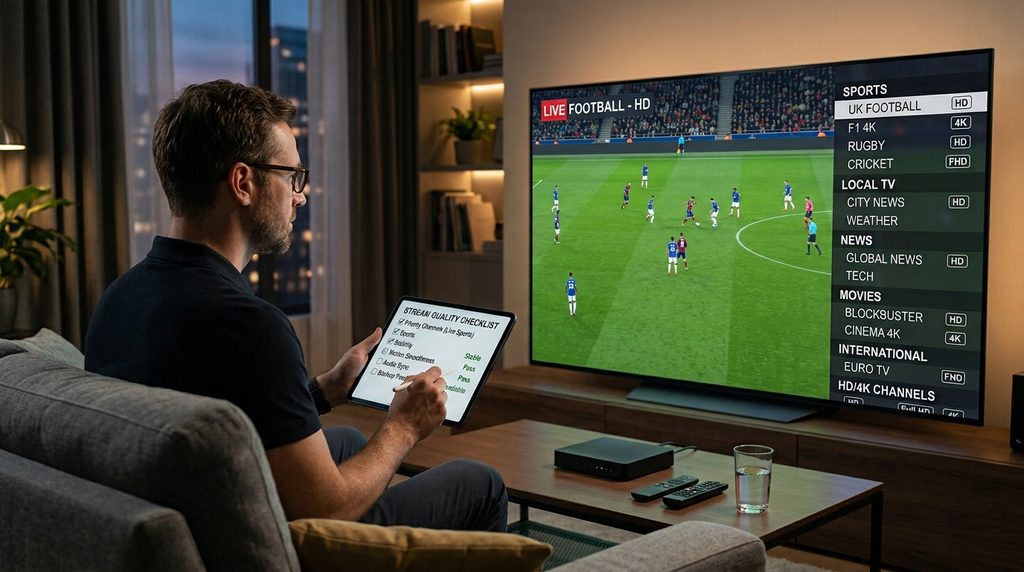
If the trial overlaps with a live event you care about, watch one important stream for twenty or thirty minutes instead of opening many channels for a few seconds each. Pay attention to startup speed, motion, audio synchronization, resolution changes, and whether the stream remains stable once the event is fully underway. If several versions of the same network are available, compare them.
A stable Full HD backup may be more valuable during a major match than a nominal 4K stream that freezes repeatedly. Add the strongest feeds to favorites so you can return to them quickly. The service should earn a sports viewer’s trust during the moments when the service is under real demand, not only during a quiet afternoon.
How Much Can the Player and Device Change Your Experience?
The subscription and IPTV player are separate layers. The subscription may supply the authorized playlist or account credentials, while the player controls how live channels, EPG data, favorites, search, movies, series, subtitles, and playback options are presented. Changing the player can therefore improve navigation, guide handling, or compatibility without changing the underlying service.
Different devices can also make the same account feel very different. A phone may load a huge playlist quickly while an older Smart TV struggles with the same channel database and EPG. For a living-room setup, test the account on the television, Fire TV device, Android TV box, or other hardware you actually plan to keep using. Open several categories, search VOD, create favorites, restart the application, and see whether it remains responsive after a longer session.
TiviMate-style players can appeal to Android TV and Fire TV viewers who want deeper playlist and EPG controls, while simpler players may be easier for households that only need basic live TV and VOD navigation. The best player is not the one with the most settings. It is the one that makes the IPTV8K account easy to use on your hardware.
M3U and Xtream Logins Need the Right Setup
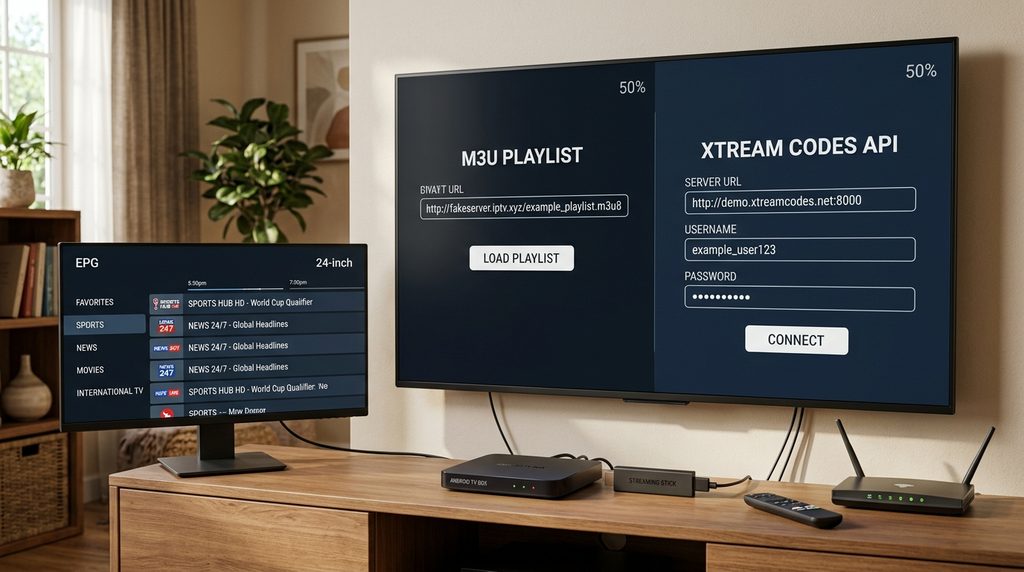
Most accounts of this type are likely to use one of the common IPTV login formats. An M3U setup usually arrives as a full playlist URL and may include a separate EPG address. An Xtream-style login normally separates the server address, username, and password into individual fields. Some provider-specific applications can simplify the process by preconfiguring the server and asking only for account credentials.
Use exactly the format supplied with your own account. If the player asks for a complete M3U playlist, entering only a username will not work. If it asks for server, username, and password separately, dropping the entire M3U link into the server field can also cause a failed login. A valid subscription can look broken when the information is entered into the wrong type of field.
Protect those details carefully. M3U links can contain the username and password inside the URL itself, so a public screenshot can reveal account access. If the service fails to load and you need support, share the device model, app name, and error message while hiding usernames, passwords, private server details, and full playlist URLs.
Will the EPG and Favorites Make a Huge Playlist Easy to Use?
The Electronic Program Guide is easy to overlook when you first see a massive IPTV8K library, but it can become one of the most important features in everyday use. A good EPG tells you what is playing now and what comes next without requiring you to open several channels manually. That matters for normal television and becomes even more useful when you are trying to find a specific sports event.
After the first playlist sync, create a favorites group and reduce the interface to what your household actually watches. Hide categories and countries you never use if the player supports it. Then check whether guide times are correct, whether program names appear on your priority channels, and whether favorites remain saved after restarting the player.
Do not assume missing guide data automatically means the app is broken. If the same channels lack EPG information in two compatible players, the guide source may be incomplete. If one app displays IPTV8K guide information properly while another does not, compare the EPG settings and refresh behavior before reinstalling the entire setup.
When IPTV8K Buffers, What Should You Test First?
Buffering is one of the biggest complaints associated with IPTV in general, but IPTV8K is only one part of the path between the source and your television. Weak Wi-Fi, router congestion, background downloads, ISP routing, VPN performance, limited device memory, decoder behavior, player configuration, and the original stream can all create similar freezing symptoms.
That means changing subscriptions or reinstalling the player immediately is a poor diagnostic method. Start with another channel. Restart the stream and device. Check whether normal internet services work. Compare Wi-Fi with Ethernet when possible and stop large background downloads. Then load the same IPTV8K account into another compatible player and compare the same problem stream.
Change One Variable at a Time
Test another channel from the same category.
Try a channel from a completely different group.
Restart the affected stream and player.
Restart the television or streaming device.
Check another streaming service on the same hardware.
Compare Wi-Fi with Ethernet when possible.
Pause large downloads and cloud backups.
Test the same IPTV8K account in another player.
Try a second device before blaming the subscription.
If IPTV8K works perfectly in another player on the same device and network, the first app or its configuration deserves closer attention. If both players fail on the same channels, the source, server, account, or network route becomes more likely. Testing during your normal evening hours matters too because a stream that works perfectly in the afternoon may behave differently when your home network or a live event is under heavier demand.
How Much Should the Seller Matter Before You Pay?
Seller verification should be part of the buying process because multiple websites use IPTV8K-style branding. The original source describes mixed automated reputation signals for at least one similarly branded domain, including tools that advised caution because the domain was young and had limited independent history. It also notes that another reputation checker viewed a different similarly branded domain more favorably while still pointing out limited history. Automated scores are not proof that a business is fraudulent or trustworthy, but the contrast reinforces the bigger point: evaluate the exact seller rather than trusting the branding.
Before paying, keep a copy of the offer and make sure you understand what account you are receiving. Check the subscription duration, number of connections, trial terms, renewal process, and refund or replacement rules. Use a payment method you understand and avoid sending full card numbers, banking passwords, authentication codes, or unrelated credentials through informal support messages.
Support is another signal worth testing. Send one normal question before purchase. Ask whether your main device is supported, whether a specific country package is included, whether multiple simultaneous streams are allowed, or how renewal works. A clear answer does not guarantee that IPTV8K will be perfect, but it gives you a better basis for judging the seller than a large catalog number or an aggressive countdown timer.
How Should You Test IPTV8K Before Buying a Long Plan?
A trial should answer your real buying questions rather than simply prove that one channel can open. The source notes that at least one IPTV8K-branded seller advertises a 24-hour trial, while other sellers may use different trial windows. Whatever the duration, prepare your test before the clock starts so you spend the available time on the things that actually matter.
Begin with your ten to twenty priority channels. Watch several for at least fifteen minutes. Test a real sporting event if sports matter. Check picture quality and audio synchronization, inspect EPG accuracy, create favorites, restart the player, and make sure those favorites remain. Search movies and series, test subtitles or alternative audio where relevant, and use the device you intend to keep after subscribing.
If the plan advertises multiple device support, confirm whether that means multiple supported devices or actual simultaneous connections. Those are not always the same thing. A service may allow you to install the account on several devices while limiting how many streams can run at once. Test the IPTV8K account the way your household will genuinely use it rather than assuming a device compatibility list answers the connection question.
Repeat important tests during evening viewing hours. If buffering appears, compare Wi-Fi with Ethernet when practical and test another compatible player before concluding that the service is at fault. Ask support one specific question during the trial as well. You are testing the seller’s communication at the same time as the streams.
If you are comparing against Strong8KTVs, use the Strong8K free trial under the same conditions and compare the channel lineup. Only after IPTV8K or the alternative has passed those checks should price and subscription length become the deciding factors.
Frequently Asked Questions About IPTV8K
Is IPTV8K One Official Provider?
No single provider can be inferred from the keyword alone. The source identifies several websites and sellers using very similar IPTV8K or 8K IPTV branding with different plans, catalog claims, and policies. Always identify the exact domain and seller before buying.
Does IPTV8K Really Stream Everything in 8K?
No. The brand name does not mean every channel is native 8K. Current plan descriptions can emphasize 4K, Full HD, HD, and mixed quality levels. The original source, encoding, bitrate, network, player, device, and display determine what you actually see.
Can IPTV8K Work on Firestick?
Many similarly branded services advertise compatibility with Fire TV, Android TV, Smart TVs, mobile devices, and computers. The exact player depends on the login format the seller supplies. Test your own Fire TV hardware during the trial if that is your primary device.
Can I Use TiviMate With IPTV8K?
Potentially, yes, when your authorized IPTV8K subscription provides a compatible M3U or Xtream-style login and the provider permits third-party players. Ask for the correct account format instead of copying server information from unrelated tutorials.
Why Is IPTV8K Buffering?
Possible causes include the source stream, provider infrastructure, ISP route, Wi-Fi, VPN, device, decoder, or player. Compare another channel, another compatible player, and another network condition before deciding where the problem originates.
Should I Buy a One-Year Subscription Immediately?
Testing first is the more sensible approach. Verify priority channels, sports, EPG, main-device performance, connection rules, seller support, and peak-time stability before increasing your commitment. IPTV8K should prove itself on your setup before price savings from a long plan become important.
Does a Bigger Channel Count Mean Better IPTV?
No. Large totals can include duplicates, backup feeds, regional versions, event channels, radio, and categories you never watch. IPTV8K is more useful when your priority streams are reliable and easy to find than when the sales page simply advertises the largest catalog.
What Should I Ask Support Before Buying?
Ask one question that matters to your household. Good options include the number of simultaneous connections, whether your preferred device and player are supported, whether a specific country or sports group is included, and how renewal works. The quality of the answer helps you evaluate the seller as well as the IPTV8K plan.
Is IPTV8K Worth Trying in 2026?
IPTV8K can be worth evaluating if you want a large internet-TV library, international channels, sports, movies, series, and flexible device support. The important limitation is that the search term does not identify one guaranteed standardized service. Different sellers use similar branding while advertising different catalogs, trial terms, prices, device claims, and support promises.
The smartest approach is to identify the exact seller and test the exact account. Verify the channels your household really uses, watch sports during a real event, check EPG behavior, organize favorites, test the service on your primary device, and compare another player when a technical problem appears. Change one variable at a time so you can separate a player or network problem from an IPTV8K service problem.
Take seller verification seriously too. Keep a record of what was advertised, understand connection and renewal rules, use payment methods you recognize, and ask support a genuine question before committing. Automated reputation tools can provide context, but they should not replace checking the actual domain, offer, and seller yourself.
If you are comparing IPTV8K against Strong8KTVs, review the Strong8KTVs channel lineup, use the free trial, and contact the Strong8KTVs support page if setup or account details are unclear. Once the service you prefer performs reliably under your own conditions, compare pricing and choose a subscription length that matches your confidence.
The best reason to keep IPTV8K is not the biggest channel total or the strongest resolution label. It is that your priority channels work, sports remain watchable during real events, the player is comfortable on your main device, the EPG makes the library manageable, and the seller provides enough support to keep the account useful over time.